Duplicate E-mail Addresses
If you create a new record and enter an e-mail address that already exists for another record, a warning dialog box opens.
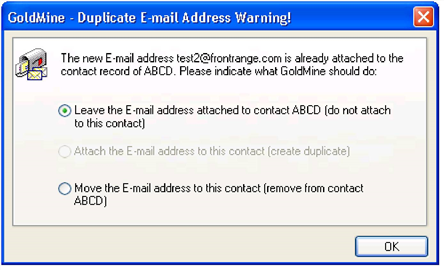
In this dialog box, you can choose from the following options:
■ Click the Leave the E-mail address attached to contact XXX (do not attach to this contact) radio button to keep the e-mail address with the original contact.
■ Click the Attached E-mail addresses to this contact (create duplicate) radio button to keep the e-mail address duplicate.
■ Click the Move the e-mail to this contact (remove from contact XXXX) radio button to keep the e-mail address and remove from the original contact.
