Maintain Your Database
Configure recurring purge jobs that safely remove old Application Control events and keep a smaller, faster database. Stored events become less useful and relevant over time, and their build-up can lead to performance issues.
-
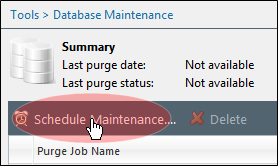
From the Endpoint Security Console, select Tools > Database Maintenance.
-
Click Schedule Maintenance.
-
Complete the wizard. You'll see a new tab for Application Control events on the Select Events to Purge panel. The three most common event types are selected by default.
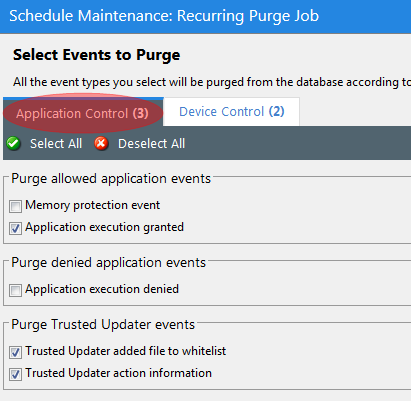
Events become eligible for purging when they exceed the minimum age you specify in the Purge events older than X days field.
Though purge jobs can run while Application Control is processing new events, we recommend that you schedule them for off-peak hours. Use a purge job’s Maximum purge duration to manage purge time (minutes) and server load. At time-out the system finishes the event batch it's purging and then stops.
Purging is irreversible! Use care when configuring a purge job to avoid removing necessary data by accident.