Create Scheduled Application Event Log Queries
Use the Easy Auditor: Applications Blocked when Enforcement is Enabled log query to identify when and how changes take place on endpoints. Log entries appear when executables are run that are not on the whitelist or are not covered by a Trusted Change policy.
Remember: Don't put endpoints into lockdown just yet. If the endpoint is locked down, executables that are not on the whitelist or are not covered by a Trusted Change policy are blocked from executing, which creates gaps in log entries. It's important that you create or update policies before putting endpoints into lockdown.
Create the Applications Blocked When Enforcement is Enabled Query
-
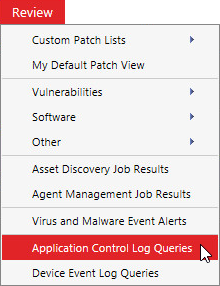
From the Endpoint Security Console, select Review > Application Control Log Queries.
-
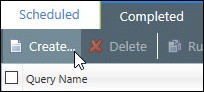
On the Application Control Log Queries page, click Create.
The Application Control Log Query wizard opens.
-
Complete the following in the wizard:
-
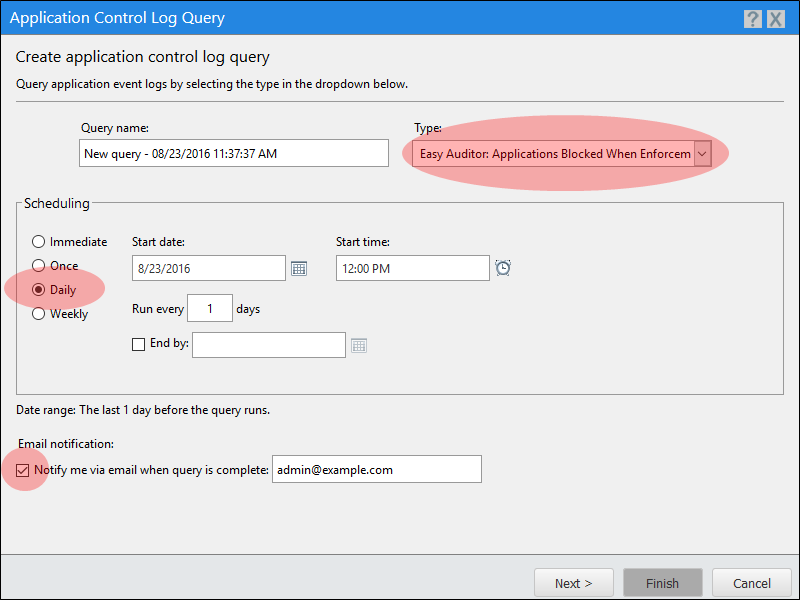
Type a name for the new query in the Query Name field.
-
Under Type, select Easy Auditor: Applications Blocked When Enforcement is Enabled.
-
Under Scheduling, select Daily. Define a Start date and Start time.
-
Select whether to have an email sent to you when the query is complete.
We recommend you receive email notifications. These act as a daily reminder to review the logs and update the policies as needed. Make sure that you have already defined your email server within Endpoint Security. See Configuring Alert Settings in the Endpoint Security Help.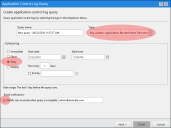
-
-
Click Next and add endpoints or groups of endpoints to the query.
-
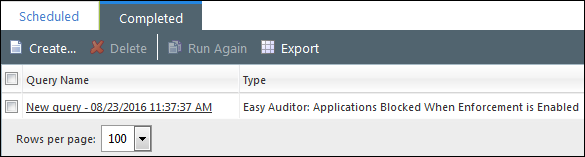
Click Finish to create the query. After the query runs, view its summary and results on the Completed tab.