Finishing the System Configuration
When you have finished configuring the ISM Discovery web server, do the following:
For up to 2025.3 version
1.Click Finish. The System Configuration Wizard closes and the system displays the Completed page of the install wizard.
2.Click Finish in the installer page.
3.Restart the host server that you just configured.
4.Verify that you can access Neurons for ITSM by navigating to http://server_name/HEAT.
For 2025.4 and above version
1.Click Finish. If AppServer Module is present in the environment, it launches the Powershell automatically and runs the install.ps1 script from C:\Program Files (x86)\HEAT Software\Prerequisite and prompts you to:
•TeamsBot: Select Yes to install TeamsBot or no to skip.
•Additional Services: Select Yes for ActionService, FRSSurvey, and FRSSurveyProxy or no to skip.
•CacheRebuild: Select Yes to install or no to skip.
Cache rebuild is mandatory while installing for the first time. When re-running the SCW you can skip the Cache rebuild.
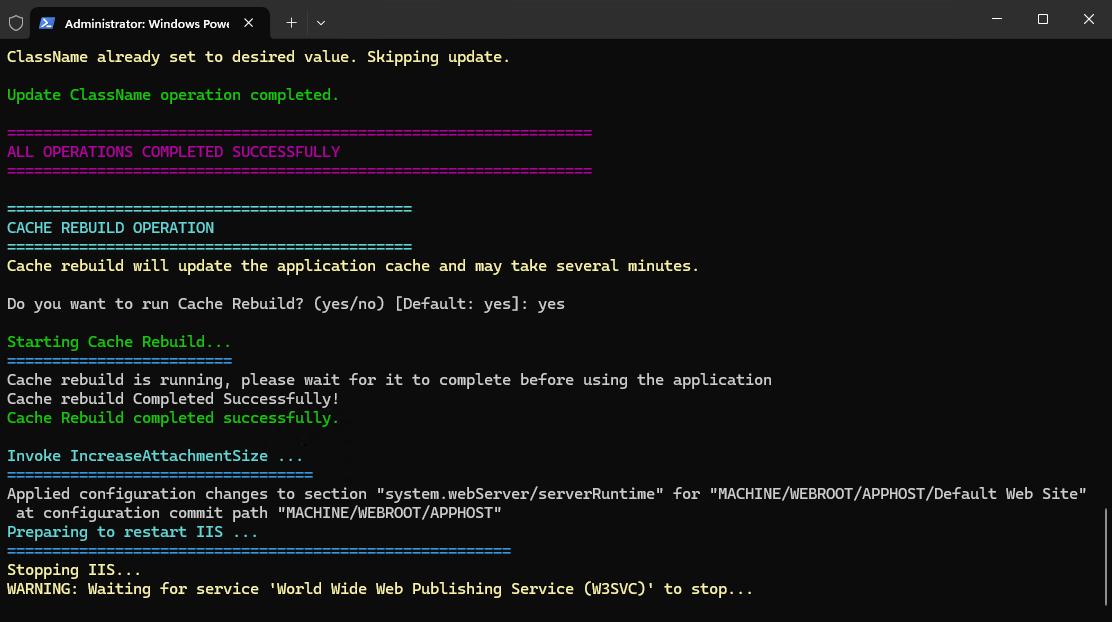
Once the CacheRebuild completes it restarts the IIS , closes SCW automatically, and returns to the installer.
2.Click Finish in the installer page.
3.Restart the host server that you just configured.
4.Verify that you can access Neurons for ITSM by navigating to http://server_name/HEAT.