Integrating Patch Management
Role: Administrator.
Minimum Version: Ivanti Neurons for ITSM 2023.4.
With Ivanti Neurons for ITSM Patch Management, Service Desk Analysts can view all the deployed patches of an Asset in the CI workspace. This helps to easily track and analyze issues in case of incidents and fix them in optimal response time.
By default, the latest 100 records are displayed; however, you can change the number. To do so, reach out to the Ivanti Operations team to define this in the Config DB.
Setting up the Patch Management Integration
Follow these steps to set up the integration:
 Obtain and Import the Latest ITAM Package Update
Ensure you have the latest ITAM update pack installed by checking your AssetManagerDelta package version. If your current version is below "202304", you cannot use this feature and need to update it. The latest package update is available at Ivanti Marketplace.
If you need to update from more than four releases back, contact Ivanti Professional Services prior to downloading and attempting to import the package.
To check the installed version and obtain the latest AssetManagerDelta package:
1.Log in to Ivanti Neurons for ITAM as Asset Administrator.
2.Check your AssetManagerDelta package version:
| a. | Open the Aspect workspace. |
| b. | Select Package > Filters, and then enter Asset in the FIlter field. Your current AssetManagerDelta package is normally displayed at, or near, the top of the list; however, you may need to sort the list into ascending order. |
| c. | Check your current version in the Version column. As a minimum, you need to have version 202304. If your version is older, you need to update it. If you already have the "202304" version or newer as shown below, you can exit this procedure; otherwise, continue to the next step. |
Ensuring the Correct Asset Manager Package is Installed

3.Download the update pack from Ivanti Marketplace to a local folder.
To import the package:
Cloud customers should submit a service request via the Customer Portal for Ivanti Cloud Operations to apply the package.
1.Log in to Neurons for ITSM as Administrator.
2.Open the Configuration Console and navigate to Build > Development Packages > Packages.
3.Follow the steps in Using the Ivanti Neurons for ITSM Development Project > Importing a Package to complete the import.
Enable the Global Constant
1.Log in to Neurons for ITSM as Administrator.
2.Open the Configuration Console and navigate to Build > Global Constant.
3.Set the EnablePatchIntegration Global Constant as True.
4.Save and exit.
Set up the App Registration in Neurons
1.Log in to Neurons as Admintrator.
2.Navigate to Admin > App Registrations > New Registration.
3.Select Custom App, then click Continue and Register it.
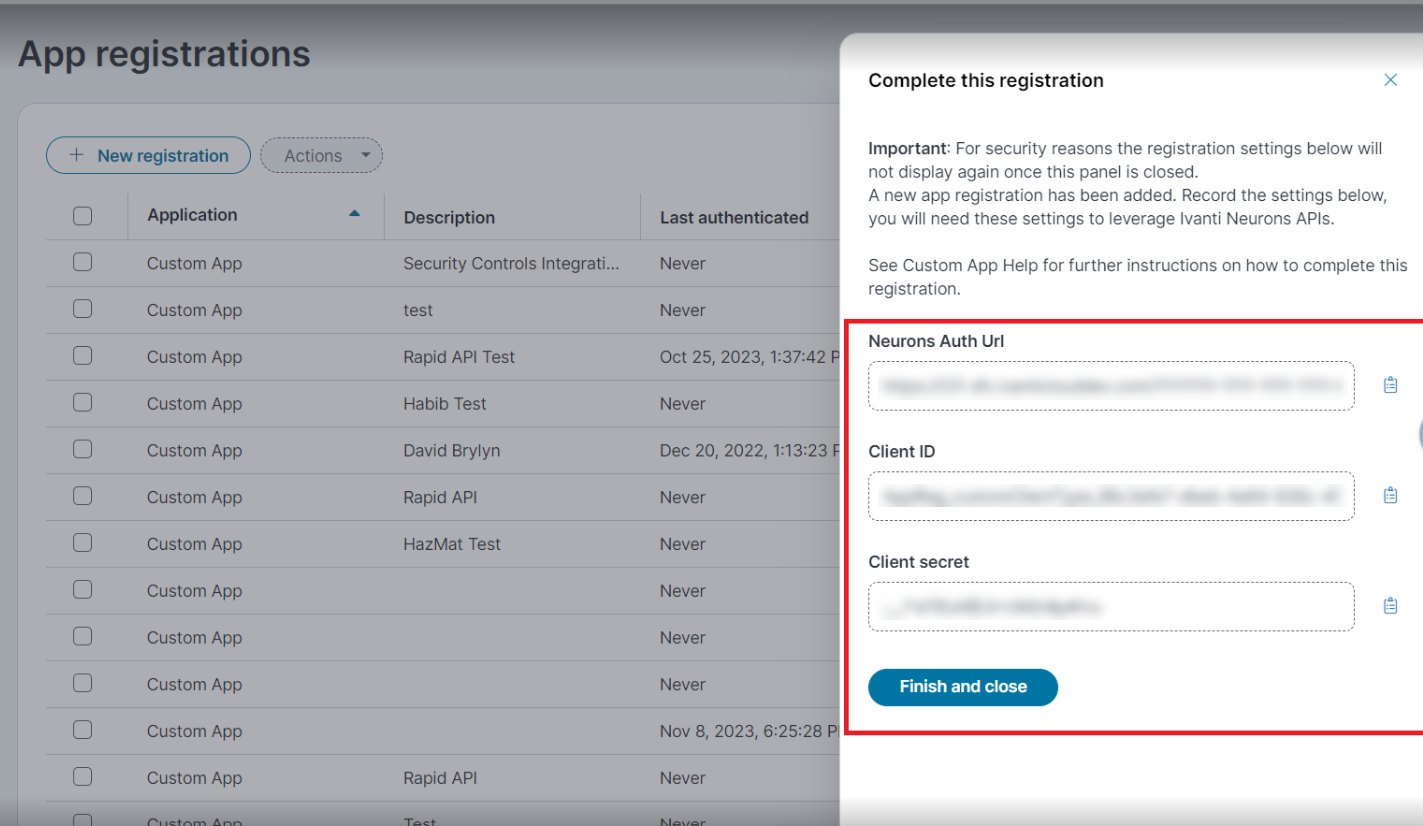
Once you register, the following details are displayed:
•Neurons Auth Url
•Client ID
•Client Secret
Setting up the App Registration
Set up Client Registration
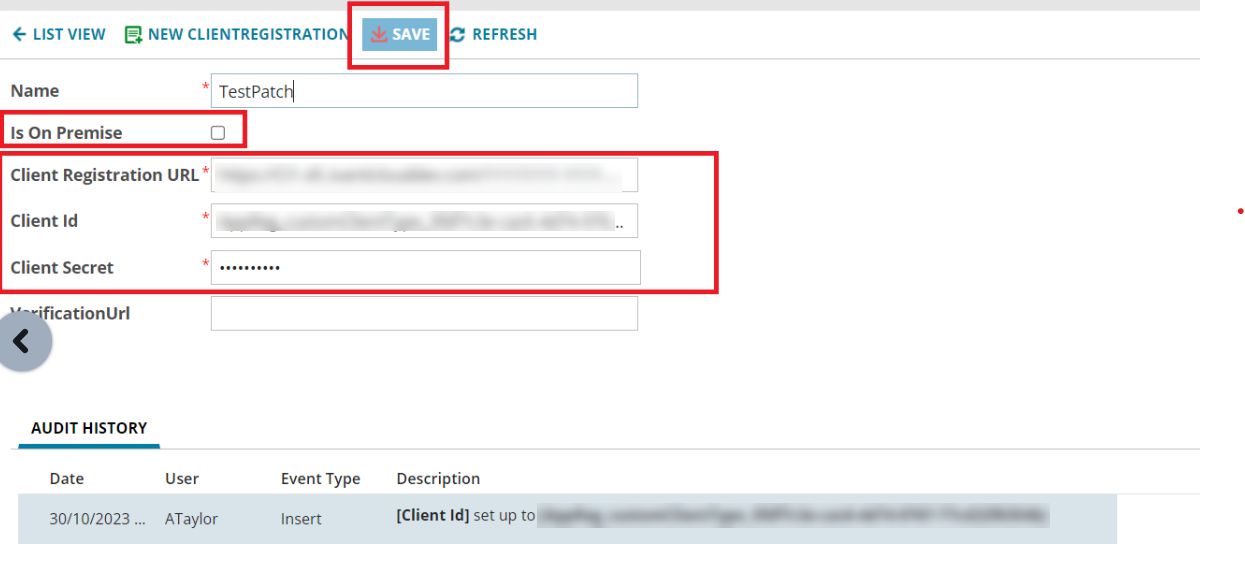
1.From ITSM, open the Client Registration workspace.
2.Enter the following details:
•Name - enter a contextual name.
•Is On premise - clear the check box since this is not supported for on-premises.
•Client Registration URL - enter the Neurons Auth URL registered in the previous segment.
•Client ID and Client Secret - get from the respective fields in the previous segment.
Setting up the Client Registration
View the Patch Updates
1.From ITSM, open the CI workspace.
2.Search for a device for which you wish to get Patch updates.
3.Select the device, and then select the Patch Info tab.
4.Click the Get Latest Patch Info button. A pop-up will display a success message upon fetching the updates.
Patch Updates Displayed in ITSM

Existing customers have to configure the CI Business Object layout to add the Patch Info child tab. For more information, refer to Configuring the Layout for the CI Business Object.