About Request Offerings
Role: Administrator
A request offering is an item that describes the item, assistance, or action available to users in the Self-Service portal from the Service Catalog. Request offerings are normally placed in logical groups of services. Both services and their request offerings are available to users in the Self-Service portal when the status of the request offering is set to published and if the user has been assigned a corresponding Neurons for ITSM role. Only users who have been assigned a user role associated with a Service Catalog group that contains Service Catalog items can use the Self-Service portal to access the Service Catalog.
Service owners create request offerings, which are used by Self Service users in the Service Catalog.
After you define a service, Self Service users do not see the service itself. Instead, they see and request certain aspects of a service (called request offerings), which are features of the service being defined and published. The choices and configurations you make here, such as displaying or hiding costs, are for each request offering service type such as Mobile Communication, Printing Service, or Data Service. You can show or hide information from Self Service users.
For example, one of the default services is Mobile Communication. However, users in the Self-Service Portal cannot place a request for the Mobile Communications service. Instead, they can select a request offering such as Mobile Phone Request or Mobile Smartphone Request from the Service Catalog. You can choose to display the costs that will be incurred by the users in the Self-Service portal for this request offering such as the price of the phone or the recurring cost per month charged by the carrier. These request offerings are based on the Mobile Communications service, but have different costs, fulfillment workflows, and other aspects of the service.
 Viewing Request Offerings
Only service owners and administrators can view the list of request, form, and external offerings unless the administrator has provided another role with this access.
1.Log in to the Service Desk console.
2.Open the Request Offerings workspace. A list of request offerings is displayed.
3.Double-click an item to view details.
4.You can sort the request offerings by name, status, or owner by clicking the arrow in the header next to the Name, Status, or Owner headings. You can sort either ascending or descending.
Share Direct Link of Request Offering
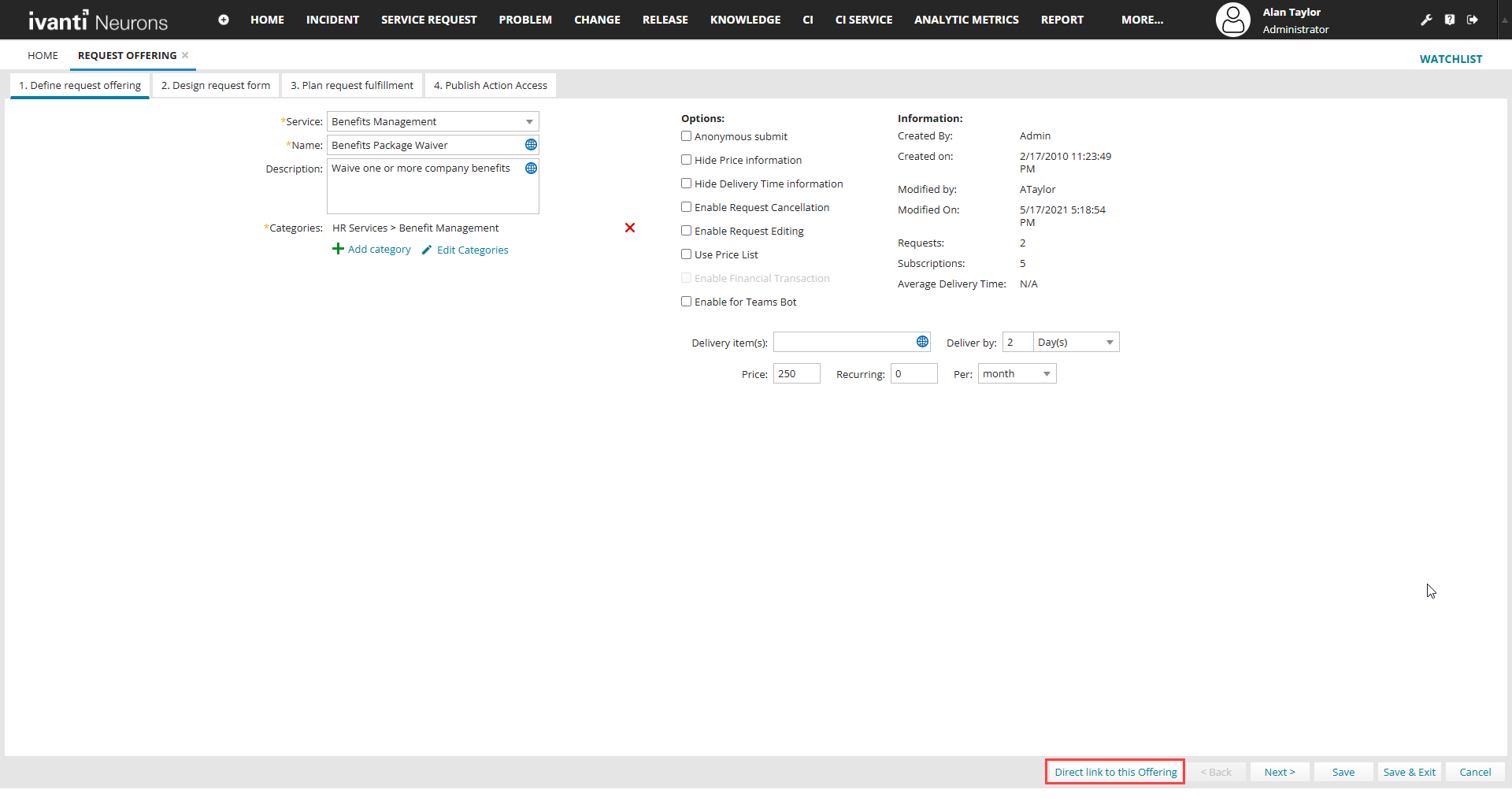
In the bottom of the Request Offering form select Direct link to this offering button that prompts the direct link to the offering.
Direct link to this offering button in the Request Offering form
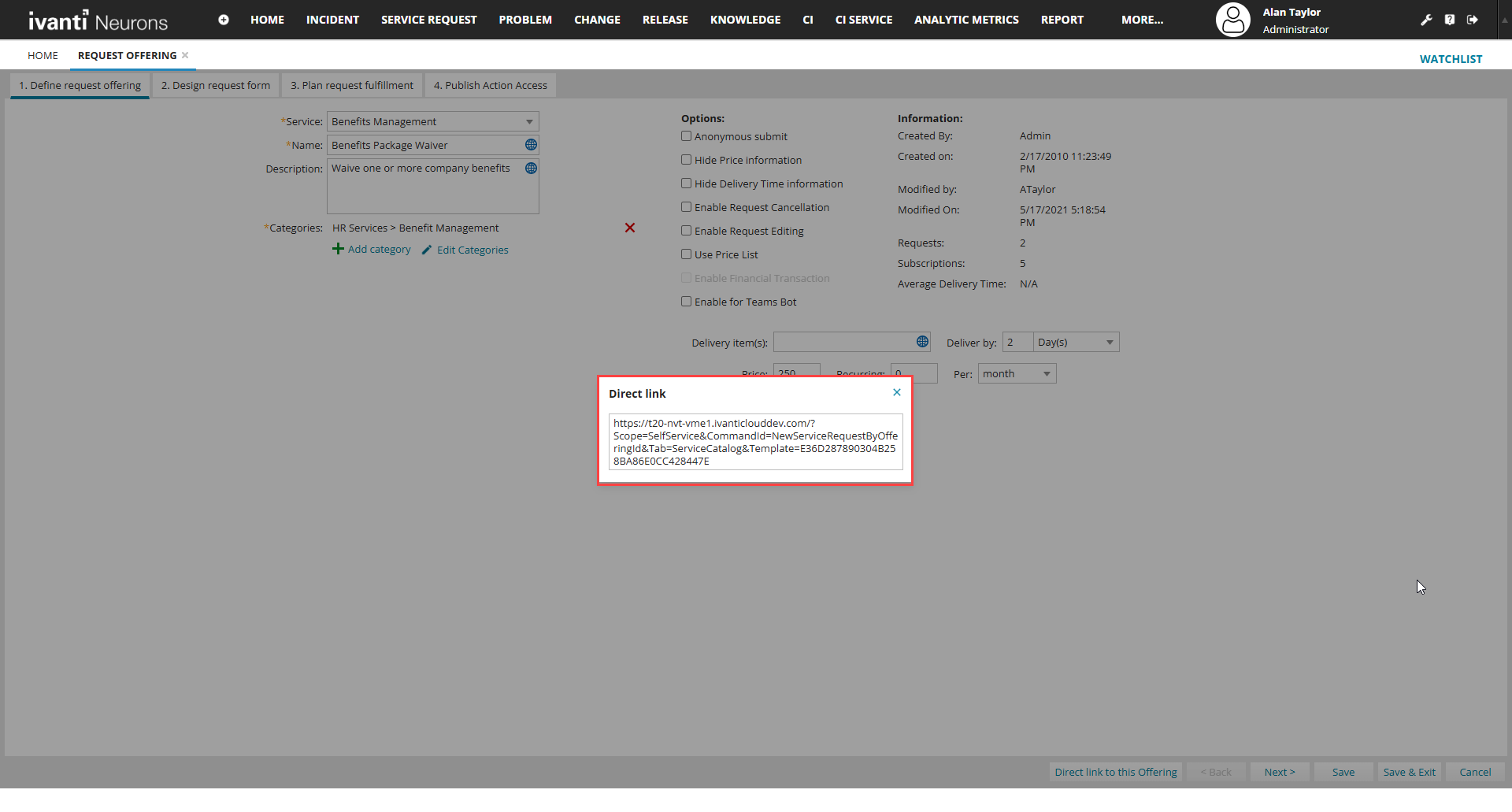
Prompt of direct link of the offering
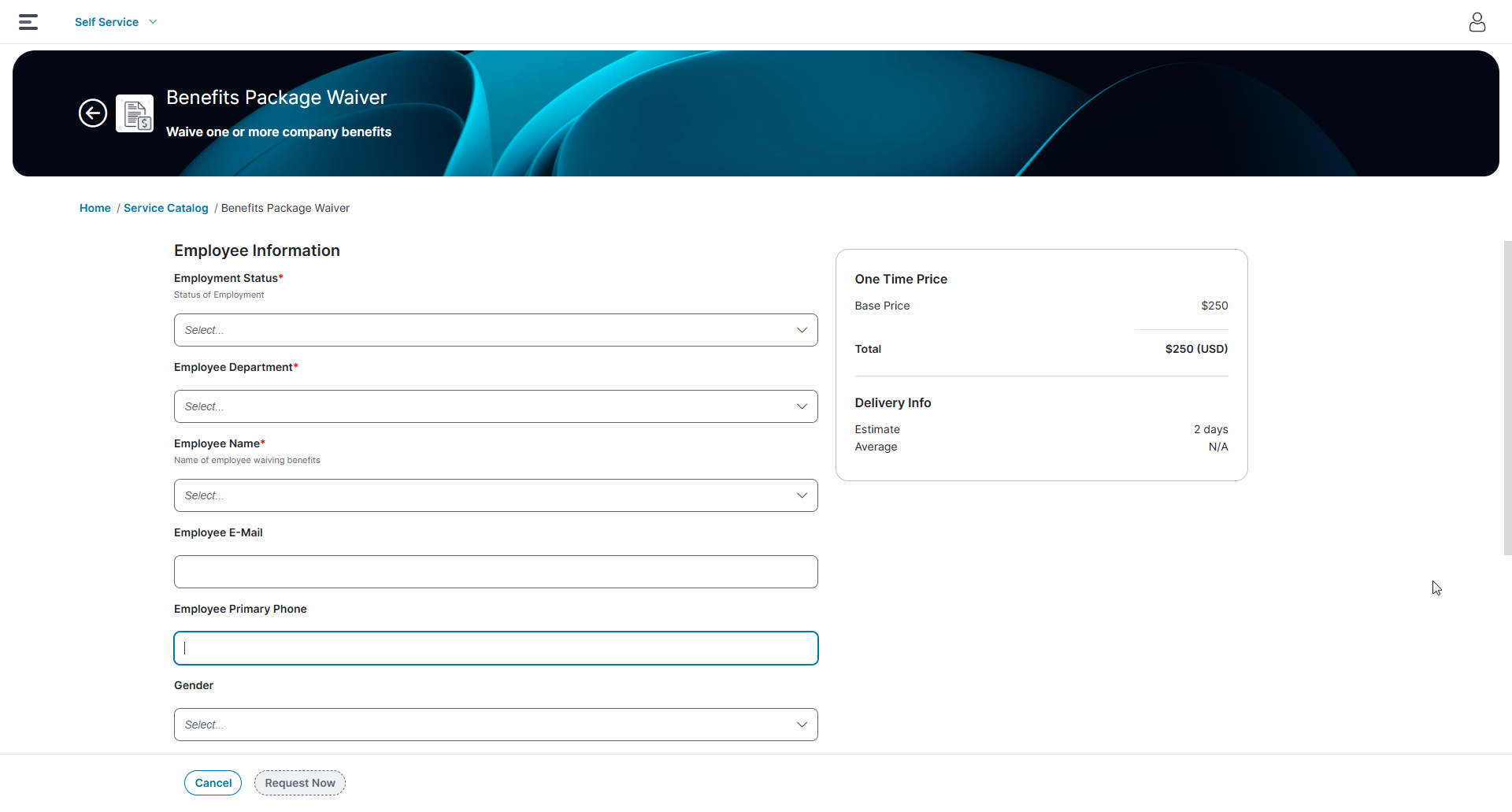
This Direct Link point straight to the Self Service request form of the Service Catalog.
Managing Service Request Actions and Permissions
You can configure service requests to allow users to edit, cancel, reopen, request again, or escalate them after submission. This provides flexibility to accommodate changes or corrections while maintaining control over the request lifecycle. In addition, you can restrict editing or cancellation after a specific stage in the workflow. For example, you might allow users to cancel a request until it has been approved. Once approval occurs, you can prevent further changes.
The Request Offering, Form Offering, and External Offering components support HTML tags to enhance how service information appears to users. The application renders only supported and secure HTML tags and ignores unsupported or unsafe tags. You can use these tags to format content in the following fields to improve readability of users:
•Service Name
•Offering Name
•Description
•Category
By default, requests with a status of Cancelled, Closed, or Fulfilled cannot be edited or cancelled. These statuses indicate that the request has reached a final state and is no longer actionable.
Configuring Service Request Permissions
1.Log in to the application as a service owner or Administrator.
2.Open the Request Offerings workspace.
The Request Offerings window appears.
3.Select the Service Requests to configure the permissions.
Request Offerings Wizard
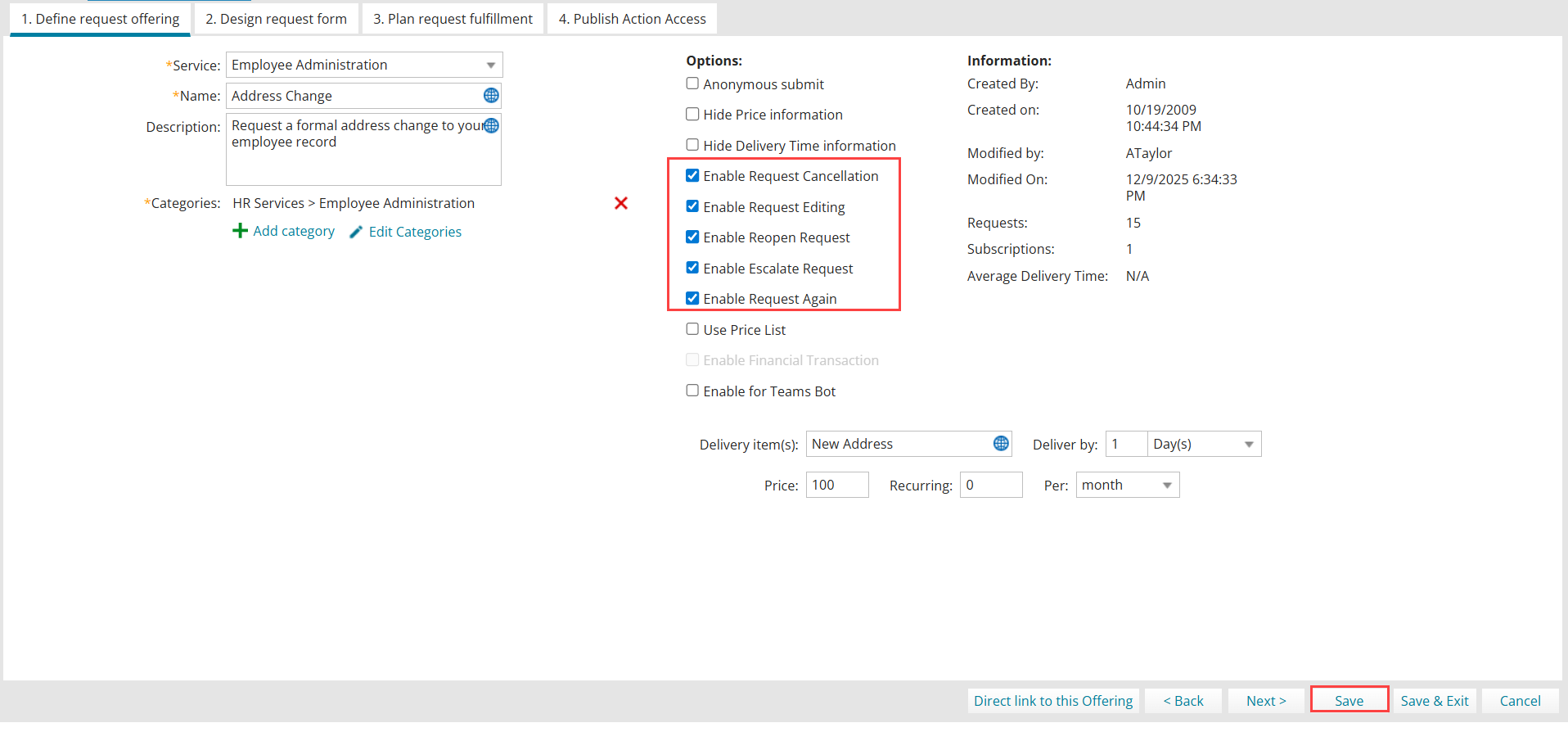
4.In the Define Request Offering tab, select:
•Enable Request Cancellation - Allows users to cancel a submitted request. The request status changes to Cancelled and processing stops.
•Enable Request Editing - Allows users to edit a submitted request, updating details after submission when corrections or additional information are required.
•Enable Reopen Request - Allows users to reopen a fulfilled request when it was not resolved correctly or when more information must be added to resolve.
•Enable Escalate Request - Allows users to escalate a submitted request, raising its priority for faster resolution.
•Enable Request Again - Allows users to resubmit a previously closed or fulfilled request as a new request, with new ticket ID. The Request Again button can be enabled only when all of the following conditions are met:
•The Request Again option can be enabled only in Request offering feature.
•This option is available only for Self Service role
•The Anonymous Submit option is disabled.
•To request status is neither Closed nor Cancelled status.
•The request has not already been escalated.
5.Click Save.
Configuring map input in request offerings
The Self Service portal includes a map control that enables users to provide location details more accurately when submitting requests. Users can either:
•Pin a location on the map, or
•Enter address details manually
Both inputs stay synchronized. This feature reduces typographical errors and prevents incomplete or inconsistent address entries by providing a guided, interactive experience.
Prerequisite
Before using the map control, configure at least add one map provider. Supported providers:
•Google Maps
•ArcGIS Maps
Generate an API token for the required map provider for your tenant.
To generate API token do the following for an example ArcGIS :
1.Sign in to ArcGIS using your login credentials.
2.To generate API token, follow the instructions mentioned in guide Create an API key.

3.Make sure you enter the following details:
•Public application - In where will you use these credentials window
•Geo coding - In Privileges window
•Domain and sub domain details - In Referrer URLs.
•Domain URL - https://maps-testing.ivanticloud.com
•sub domain URL - https://maps-testing-tenant.xxx.local
To ensure the map feature works correctly, enable the Geo coding option and provide accurate domain and sub domain URL details.
Similarly, you can generate API token for Google map. For more information, see Configure an API key.
Adding a map provider
1.Login to Neurons for ITSM as an Administrator.
2.Go to Configuration console > Build > Map configuration.
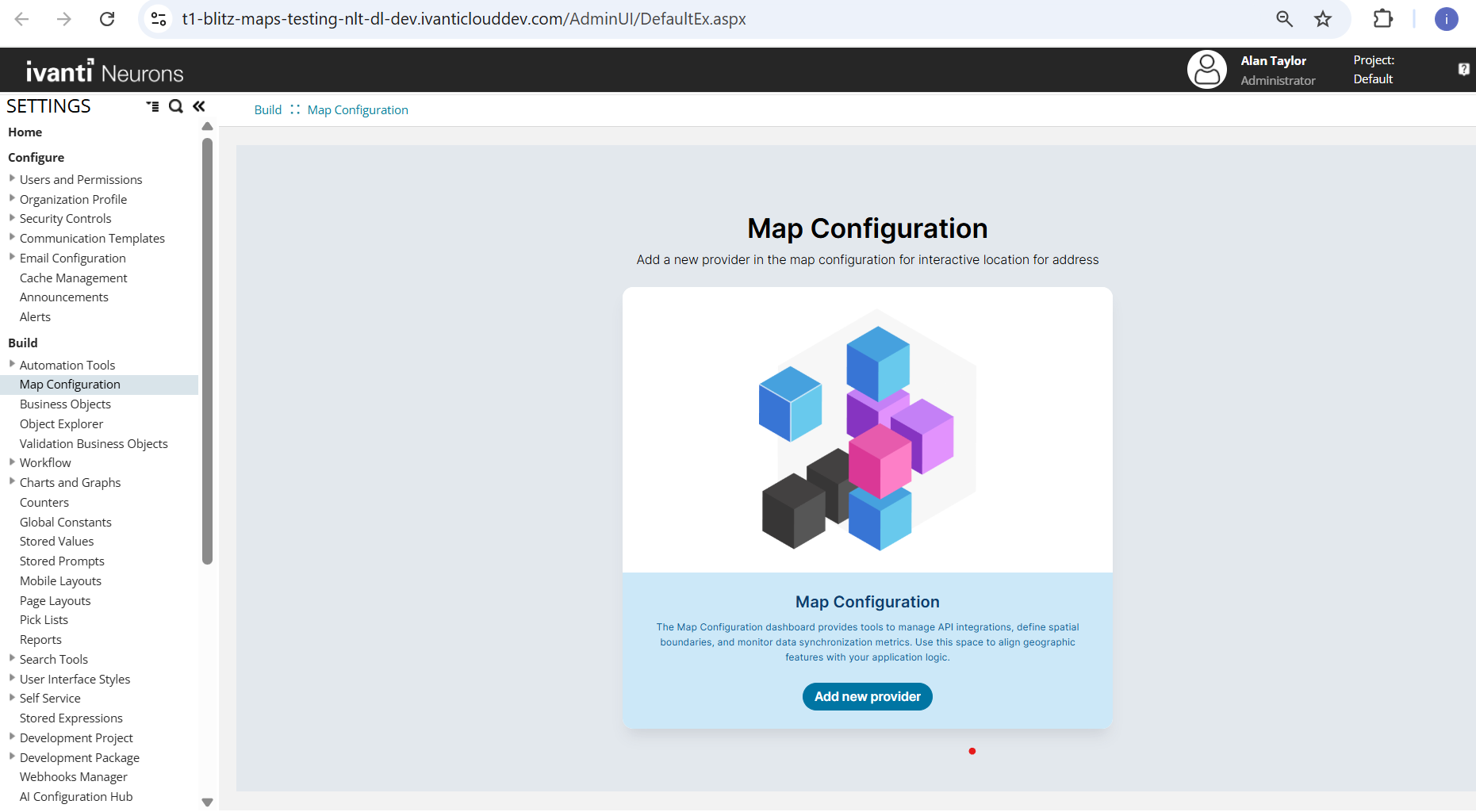
3.Click Add new provider.
The Add map provider window is displayed.
4.Select a provider, enter the API key details, and then select Test Connection.
A confirmation message appears, and the provider is added.
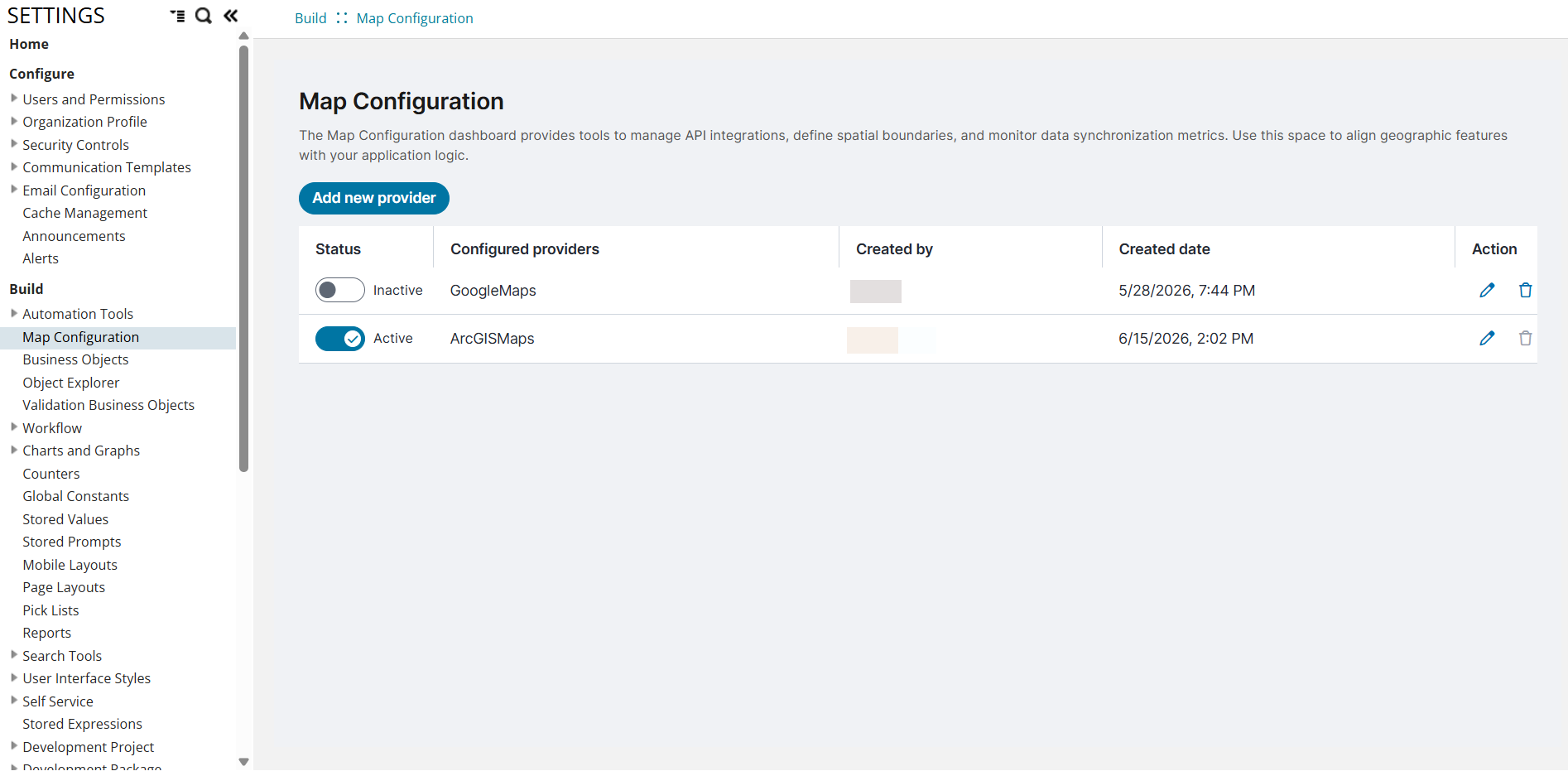
5.(Optional) Repeat to add additional providers.
6.Turn on the toggle for the required provider to set it as active. By default, providers are inactive.
Only one provider can be active at a time.
When you change the default map provider in the Map Configuration, a dialog appears stating that you must review and remap any service request offerings that were previously configured using the earlier provider mappings.
Configuring map input in a request offering
1.Login to Neurons for ITSM as an Administrator.
2.In home page, select More in search object text field, enter and search Request offering.
3.Do one of the following:
•Create a new offering by selecting New > Request Offering, or
•Open an existing request offering.
4.In the Define Request Offering tab, enter the required details:
•Service – Select required, for example Email service.
•Name – Enter a name.
•Description – Enter appropriate details for the service.
•Add category – Click add category and select a service, example – Report New incident.
5.Select Design Request form > Controls tab.
6.Add the required Text, Number, or Mask in Controls tab and edit to capture address fields.
7.In Controls tab, you can view Map option, select Map to add in the request form.
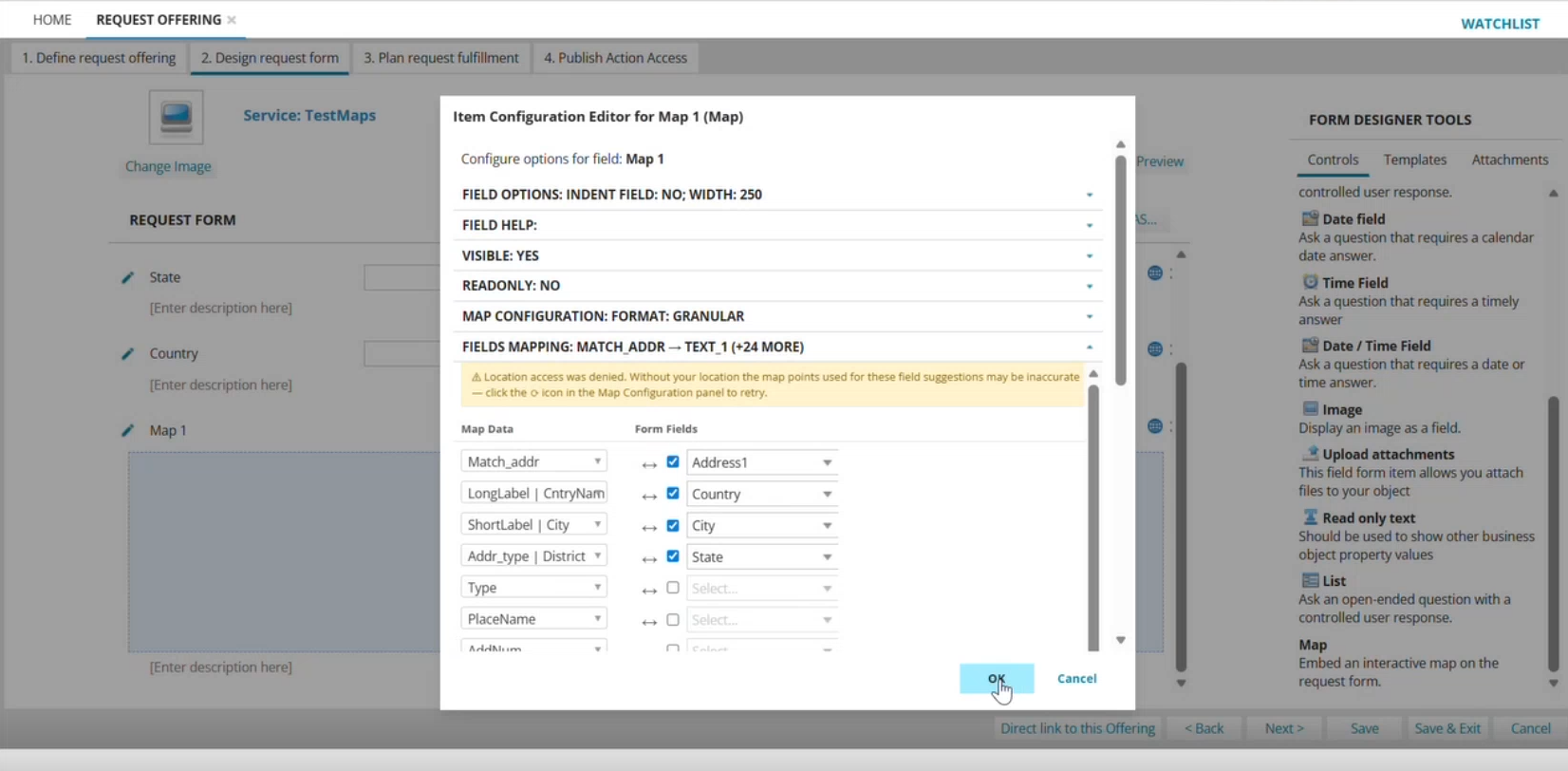
8.Select edit icon in the Map field to configure following options:
Map Configuration: Format
•Provider – By default displays the active provider.
•Address format: Select required format.
Granular – Displays multiple fields (for example, street, city, postal code, and other components)
Singular – Displays a single field for entering the complete address.
•Location – Defaults to the current location.
To ensure the map configuration functions correctly in Self Service UI V3, you must set a required location or define a default location.
Fields Mapping: Match address
•Map Data – Displays the address elements available from the selected provider. You use this option to map data to form fields. If you had selected Singular address format, it displays a single field for both map data and form field mapping. If you had selected Granular address format, it displays all available provider-specific address elements in the dropdown.
•Form Fields – Displays text fields added to the request form. You can map values from Map Data to Form Fields to populate the address fields in the Self Service page.
If you change the default map provider after configuring field mappings, review and remap the fields to ensure proper functionality.
9.Click Ok to save changes.
10.In Publish Action Access tab, select Published from status dropdown and then click Save.
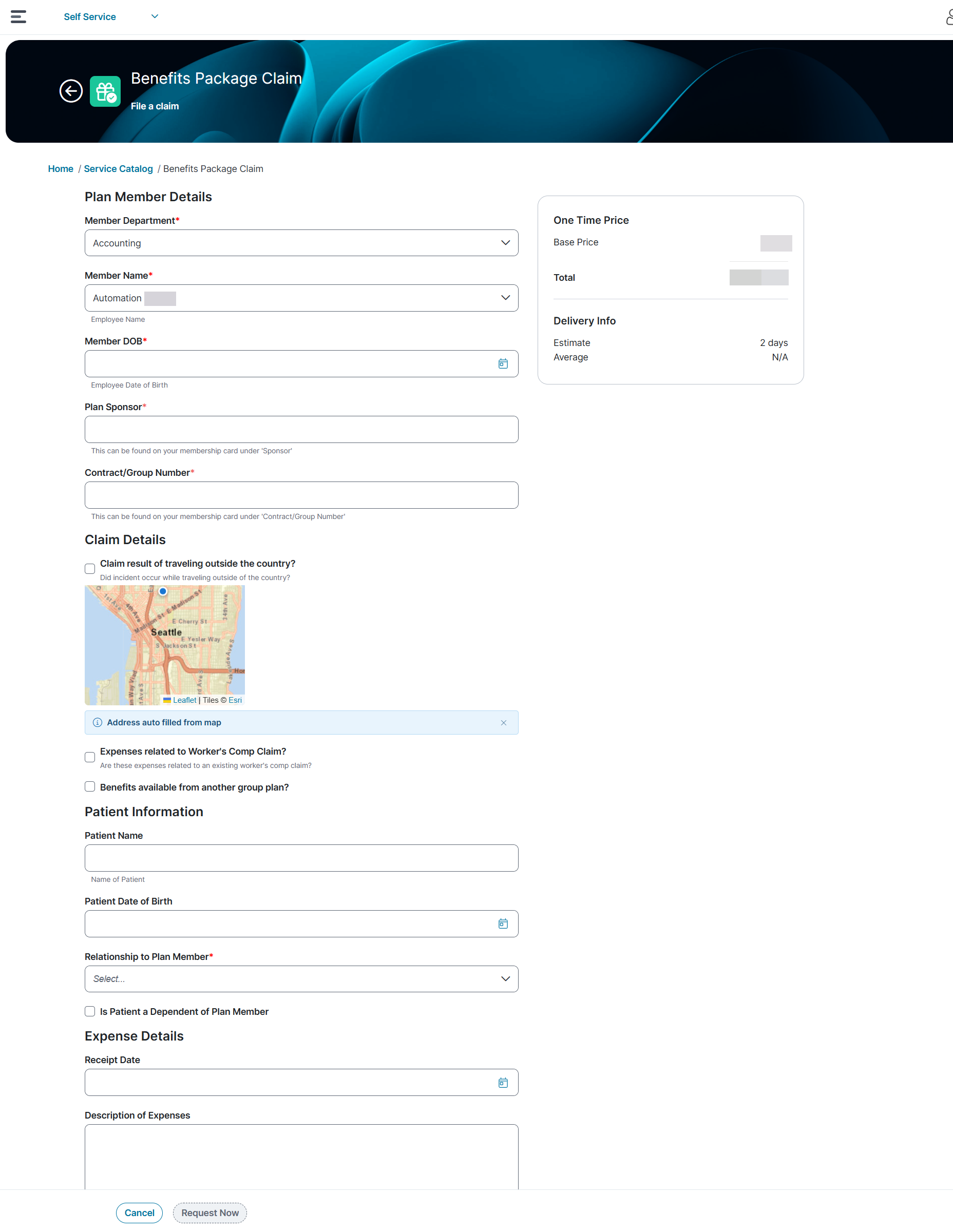
After publishing, the map control appears in the Self Service portal. When users select a location on the map:
•The system displays the current location
•The system automatically populates the mapped address fields.
Limitations in Request Offering in Self Service Portal V3
Currently, the following features are not supported in Request Offerings when used with Self Service Portal V3:
-
Wizard layout is not supported.
-
Request Offering preview mode is not supported.
-
URL redirection using the generated Request Offering URL is not supported.
-
HTML formatting does not apply to breadcrumbs in Request Offerings, Form Offerings, or External Offerings.
-
Potentially vulnerable or unsafe HTML tags are not supported.