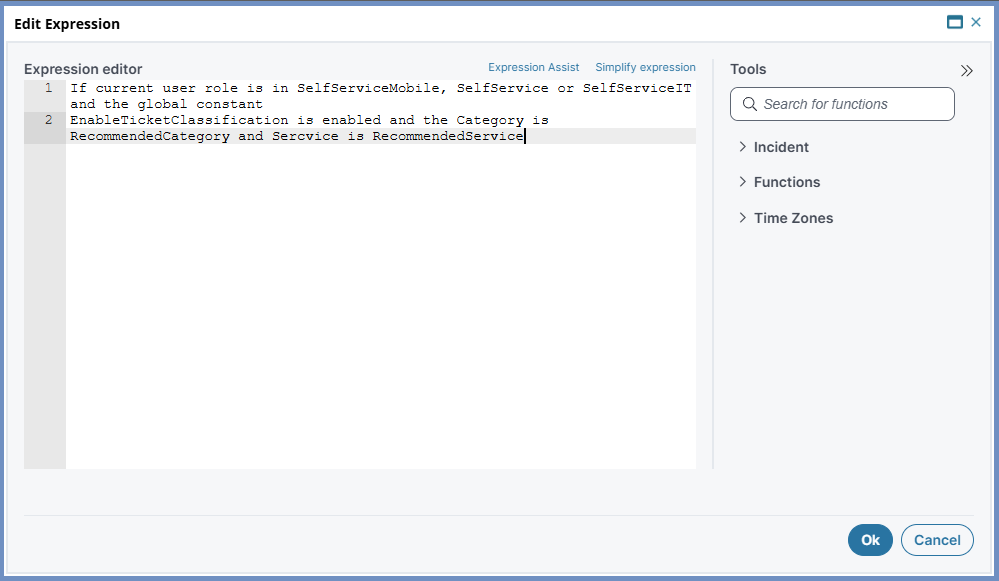
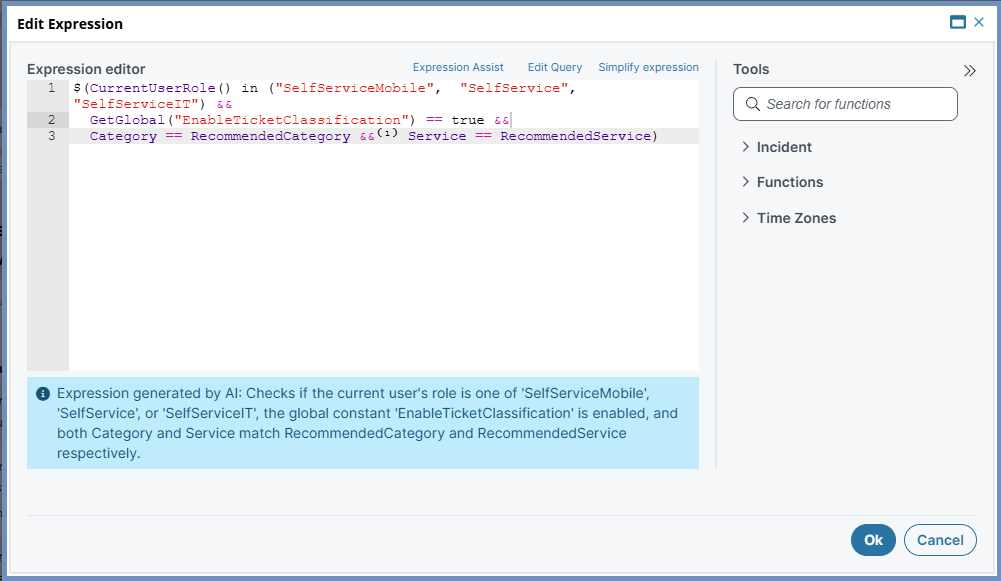
Expression Assist
Role: Administrator
Minimum Version: Ivanti Neurons for ITSM 2026.2
Feature Availability: This feature requires an update to Ivanti's database service. Customers entitled to AI SKU can enable this feature once Ivanti completes the database service upgrade in their respective region.
Prerequisites: Reach out to Ivanti Support to enable the feature flag in ConfigDB.
The Expression Assist feature enables AI-based suggestions to generate ISM expressions from natural language. With this feature enabled, users can enter their queries in natural language in the expression editor and convert them into valid expressions by leveraging the inbuilt functions for basic expressions.
Enable Expression Assist
1.From the Configuration console, select AI Configuration Hub > AI & ML.
2.Turn on the toggle for Expression Assist feature.
3.When it is enabled, the Expression Assist button appears on every expression editor.
Use Expression Assist feature
1.Open any Expression editor and enter the query in natural language.
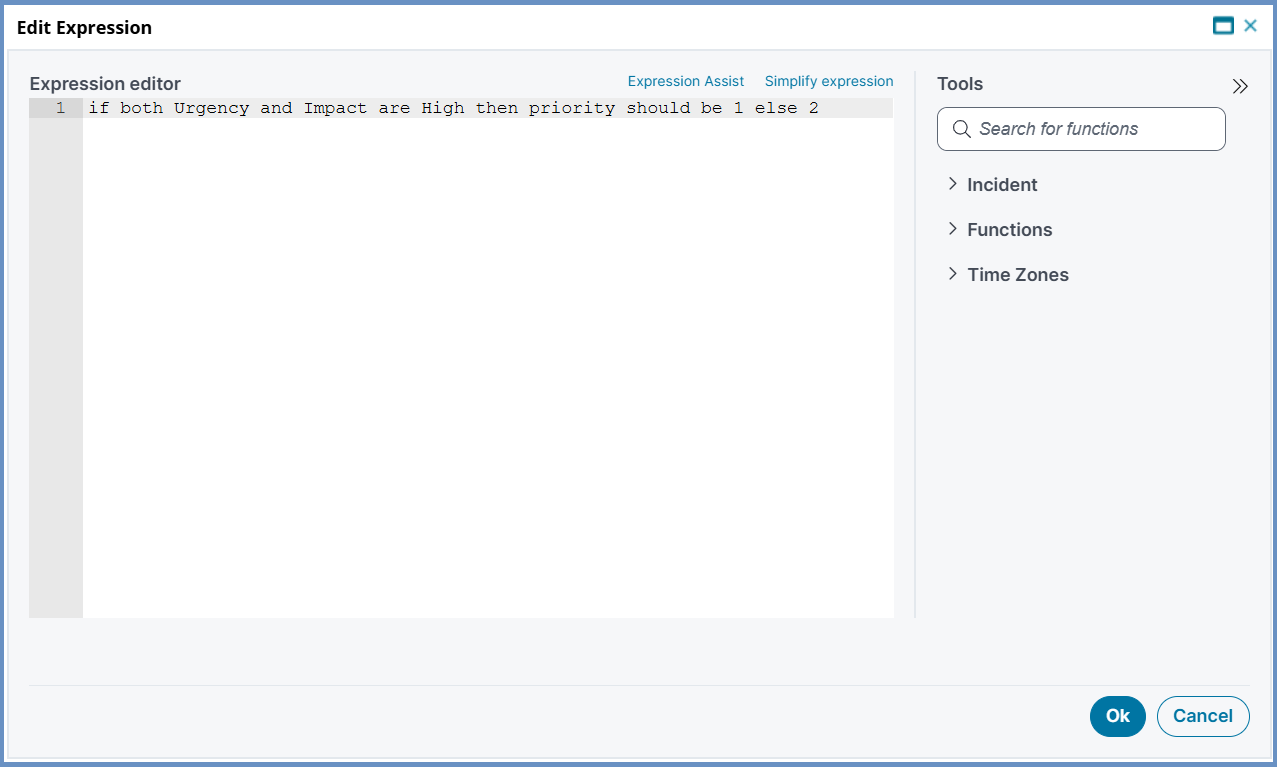
2.Click the Expression Assist button, and the AI converts the query into a valid expression.
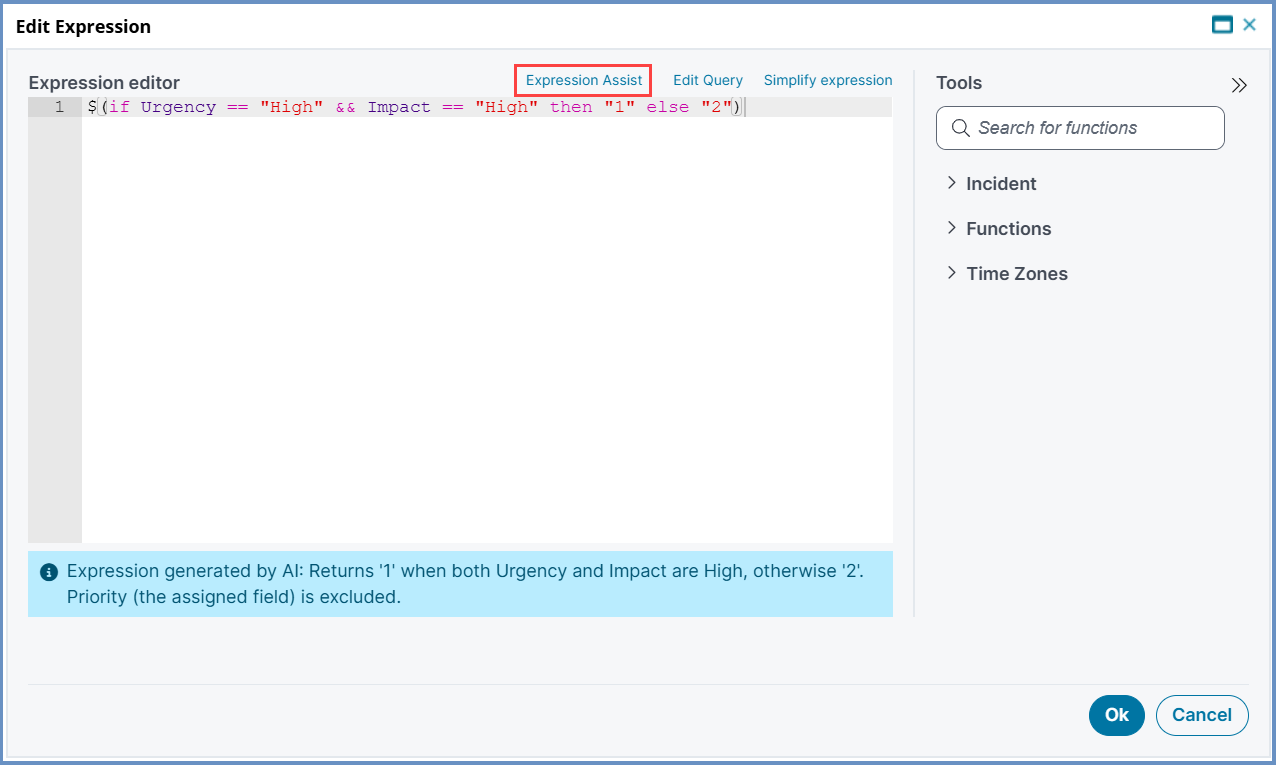
3.To update the query again, click the Edit Query button.
•Once the expression is generated, a message appears that explains the AI conversion.
•The Expression Assist feature is available on both the Graphical and Classic user interfaces.
The system displays an error message if the query is either out-of-context, incomplete, or is an expression. To resolve the issue, rephrase the query using the Edit Query button.
Sample Queries
This section includes more examples of natural language queries and the corresponding converted expressions.
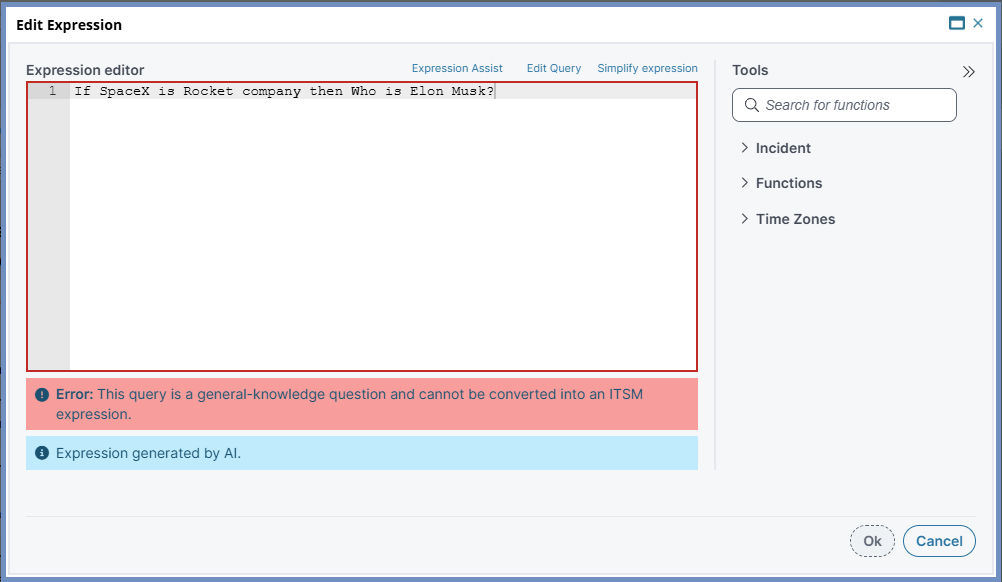
 Example: Invalid query
When you ask questions out of context, the AI considers them invalid and displays an error.
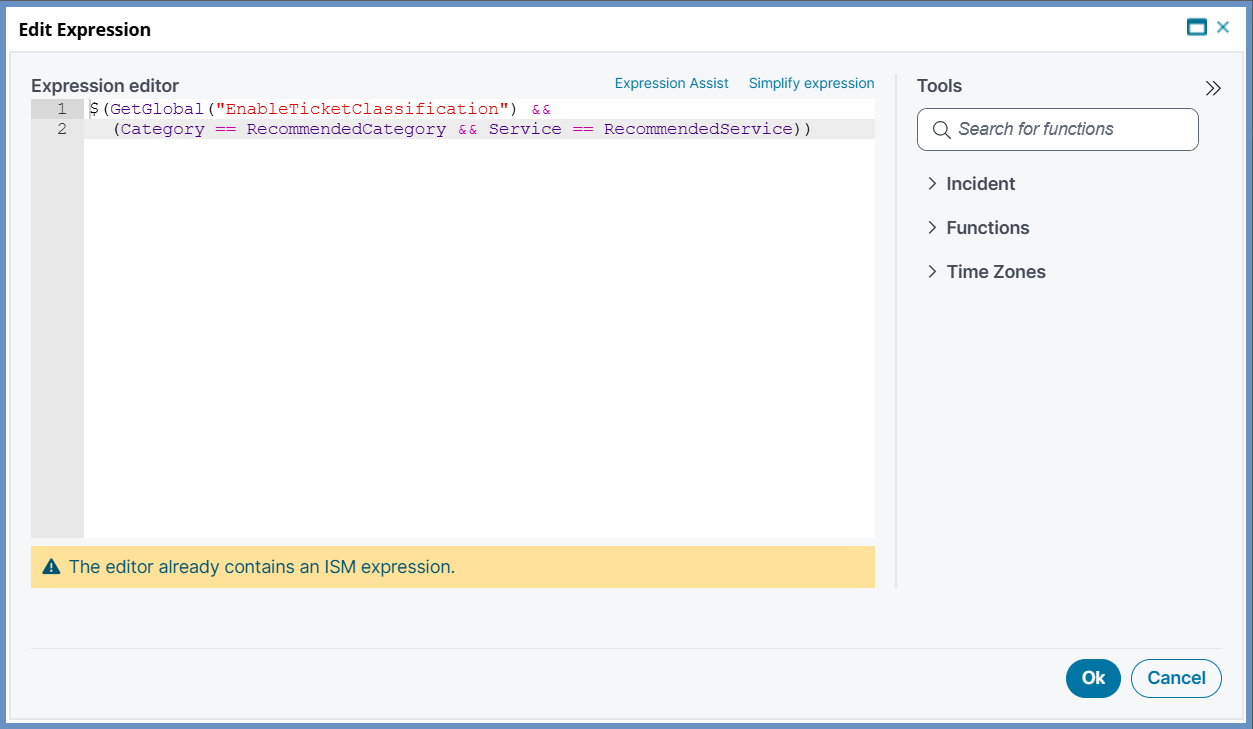
When you enter an expression and try to convert it, the AI displays an error because the feature is designed to convert natural language queries.
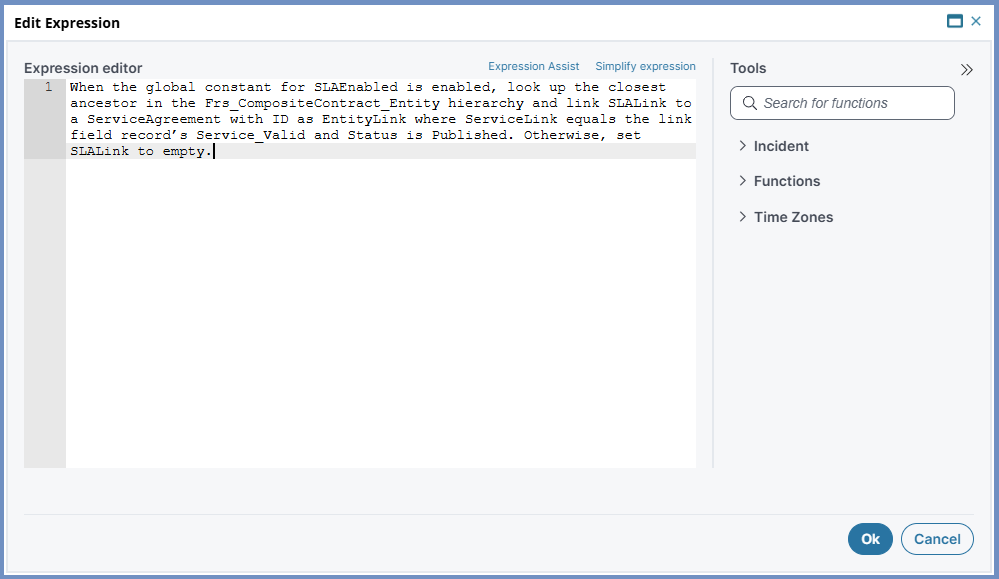
Example: Query with Functions
The following example shows the conversion of a query that involves functions.
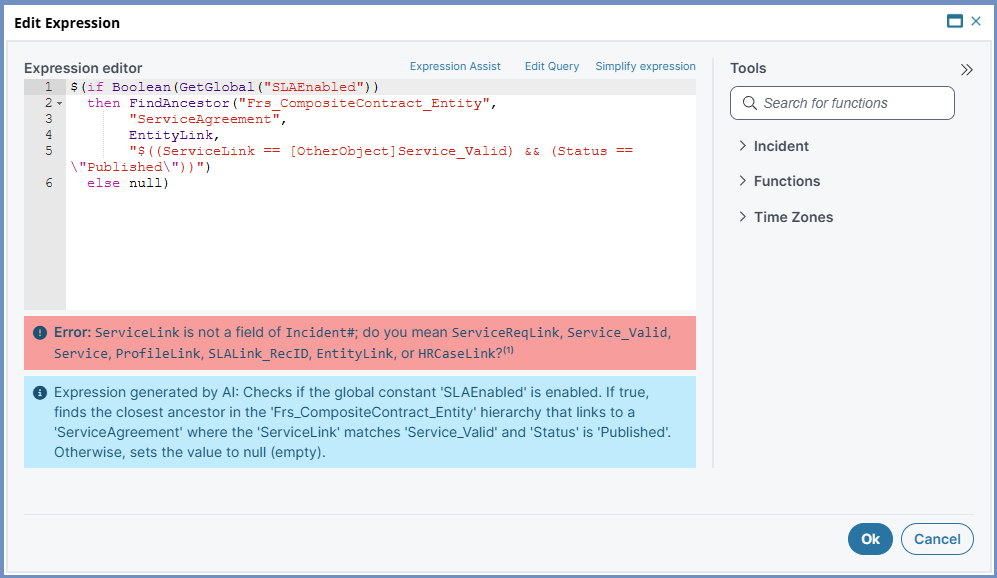
Example: Expression with Conditional and Functional statements
The following example shows the conversion of a query that involves conditional and functional statements.