Workfow Variables
Role: Administrator
Minimum Version: Ivanti Neurons for ITSM 2026.1
Prerequisites: Enable workflow variables by creating the global constant EnableWorkflowVariables with Type as Boolean and set the Value as True.
Workflow variables allow quick action blocks within the same workflow instance to share data at run time. They persist for the lifetime of the workflow instance and are deleted when the workflow reaches a terminal state (completed, failed, or interrupted). Workflow variables are not written to business object fields and are not visible outside the workflow context.
Using Workflow Variables in Quick Actions
Create Workflow Variables
Create a composite action to declare and initialize the workflow variable.
1.Log into the Service Desk console as an Administrator,
2.Open an Incident or Service Request. From the More menu > Edit Actions > Graphical Action Designer or Classic Action Designer.
In the Graphical Action Designer:
| a. | Drag the Update Stored Values and Variables block. |
| b. | Select Editor in the side panel. |
| c. | Select the Variable Type as Workflow Variable, then enter the variable Name, select Data Type, and in Value you can define function using the Expression Editor. |
Workflow variables currently support only the Text data type. If you need to work with numeric or date-time values, store them as text and explicitly cast them to the required type in expressions or consuming actions.
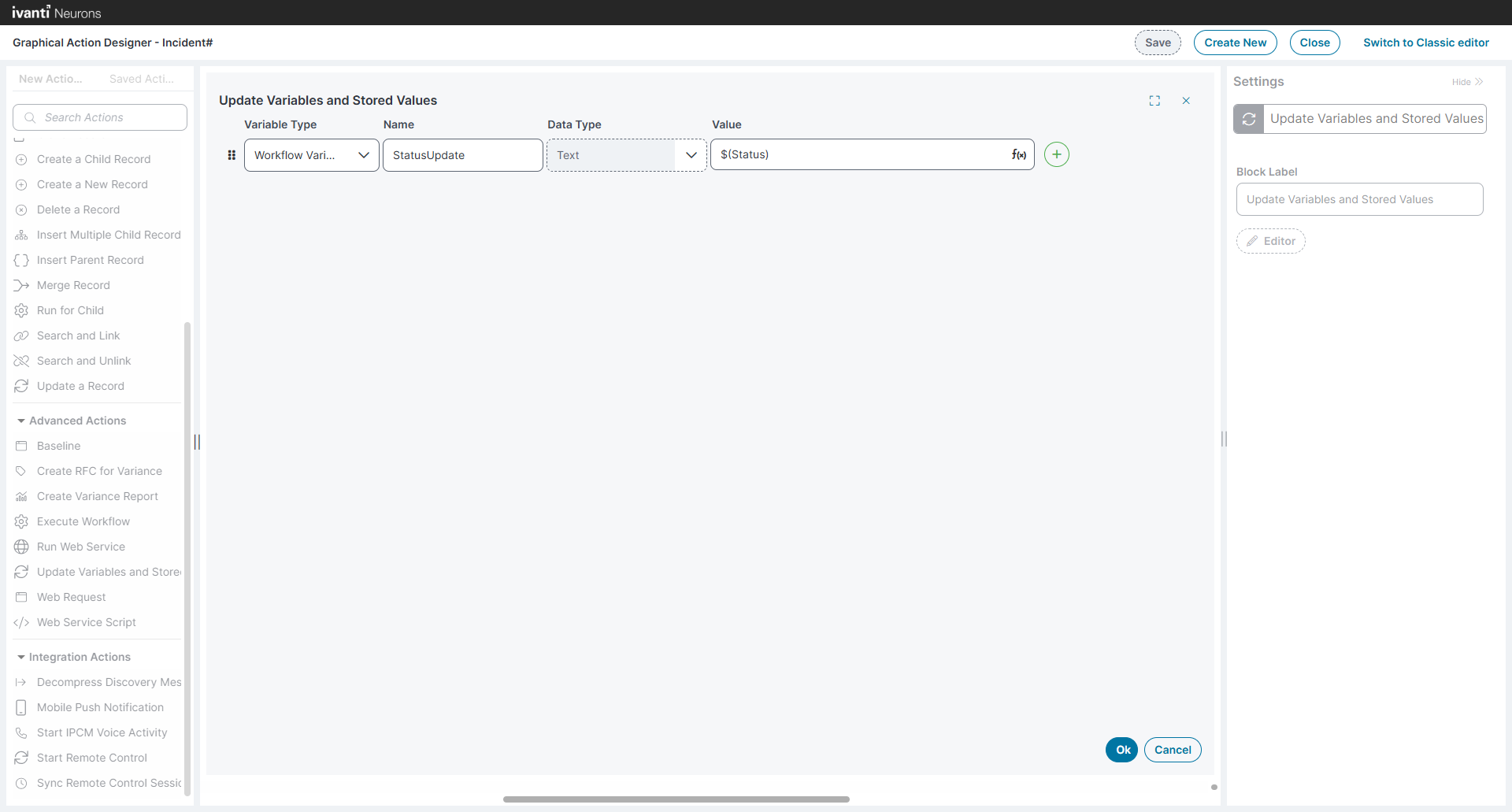
| d. | Select OK. |
In the Classic Action Designer:
| a. | Add the Composite Action under Create New Actions. |
| b. | Add basic details such as Name, Description, and Category. |
| c. | Select the Update Stored Values and Variables block in the Add new action. |
| d. | Click the + button |
| e. | In Variable Type, select Workflow Variable, then define the variable Name, Data Type, and in Value you can define function using the Expression Editor. |
Workflow variables currently support only the Text data type. If you need to work with numeric or date-time values, store them as text and explicitly cast them to the required type in expressions or consuming actions.
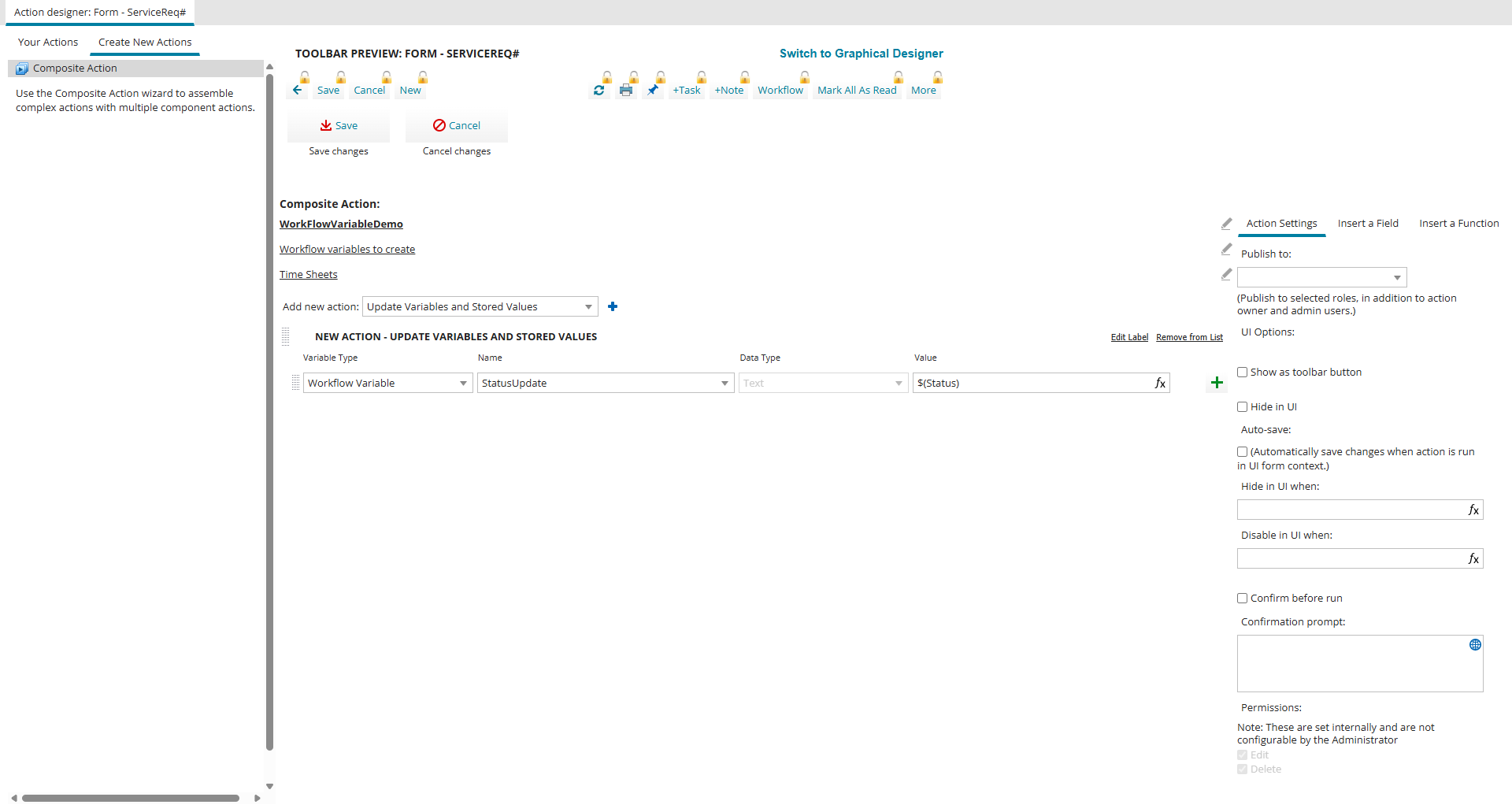
| f. | Save the composite action. |
Workflow variables are isolated per workflow instance; two instances of the same workflow do not share variables.
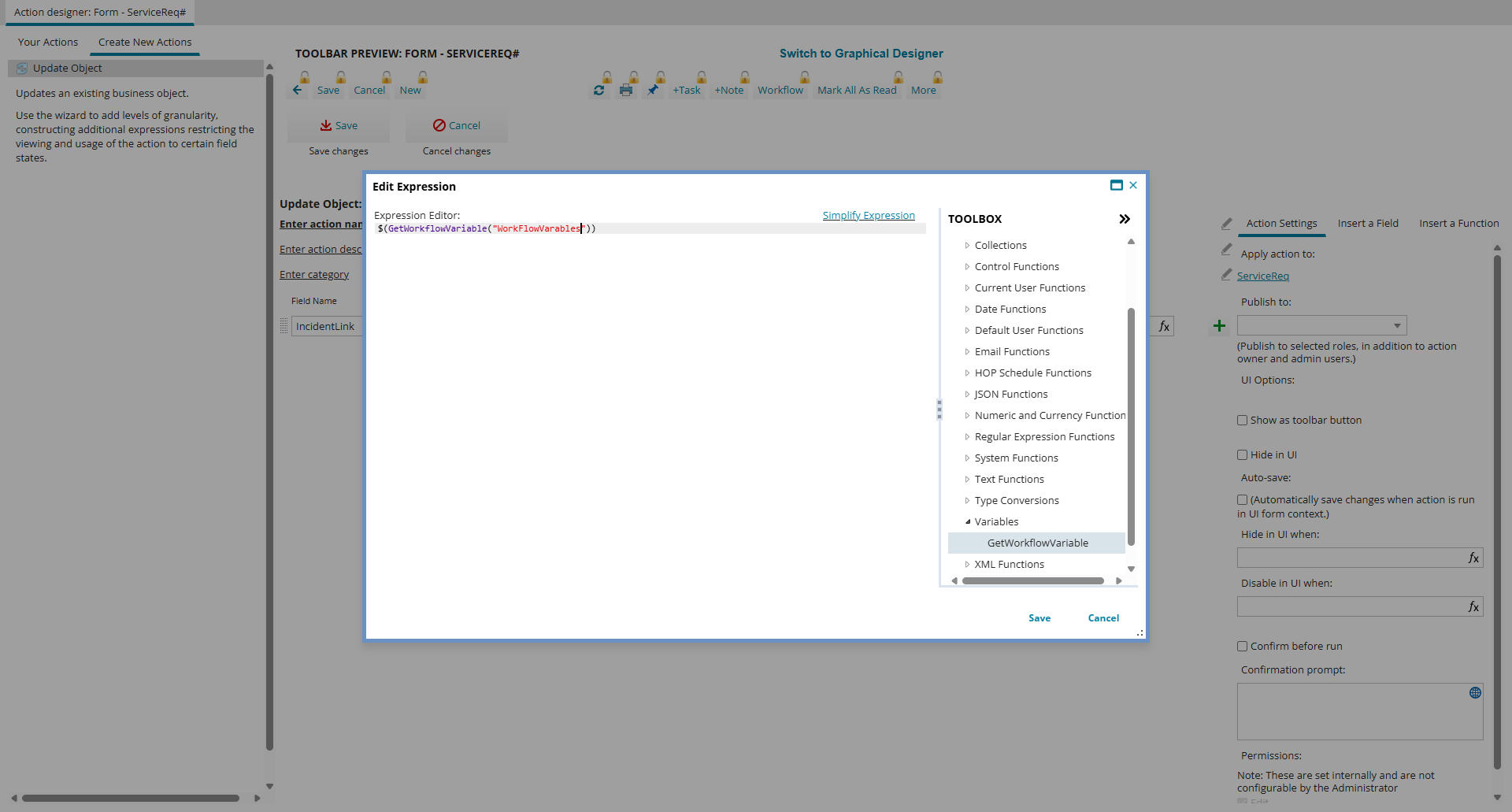
Reading Workflow Variables
Use the GetWorkflowVariable() in the Expression Editor to read the variable value. This function accepts the variable name as a string argument and returns its last set value.
Workflow Variable Lifecycle and Scope
•Workflow variables persist for the duration of the workflow instance and are deleted when the workflow reaches a terminal state (completed, failed, or interrupted).
•Variables are available only within the workflow instance that created them and cannot be referenced outside that workflow or from the Business Object action menu.
•Executing a quick action that sets or reads workflow variables outside a workflow context triggers an error (for example, when launched directly from the BO workspace).
•When logging is enabled, variable creation, updates, reads, and references are recorded for troubleshooting.