Finding a Computer based on Device
How to find computers where a specific device is installed:
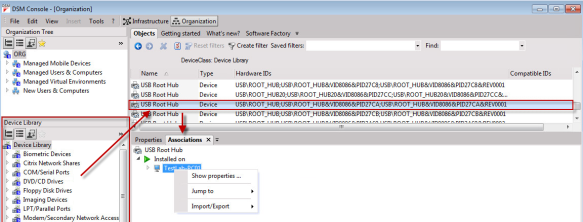
- Select the respective device in the Device Library.
- Open the Associations tab.
The selected device is displayed on the Associations tab.
If the device was installed on a managed computer during the last basic inventory, all of the respective computers are displayed in Installed on.
Every managed computer has its own context menu with further tasks: