Configuring the Software Shop
In the Software Shop you can specify settings for the Installer and the Software Shop.
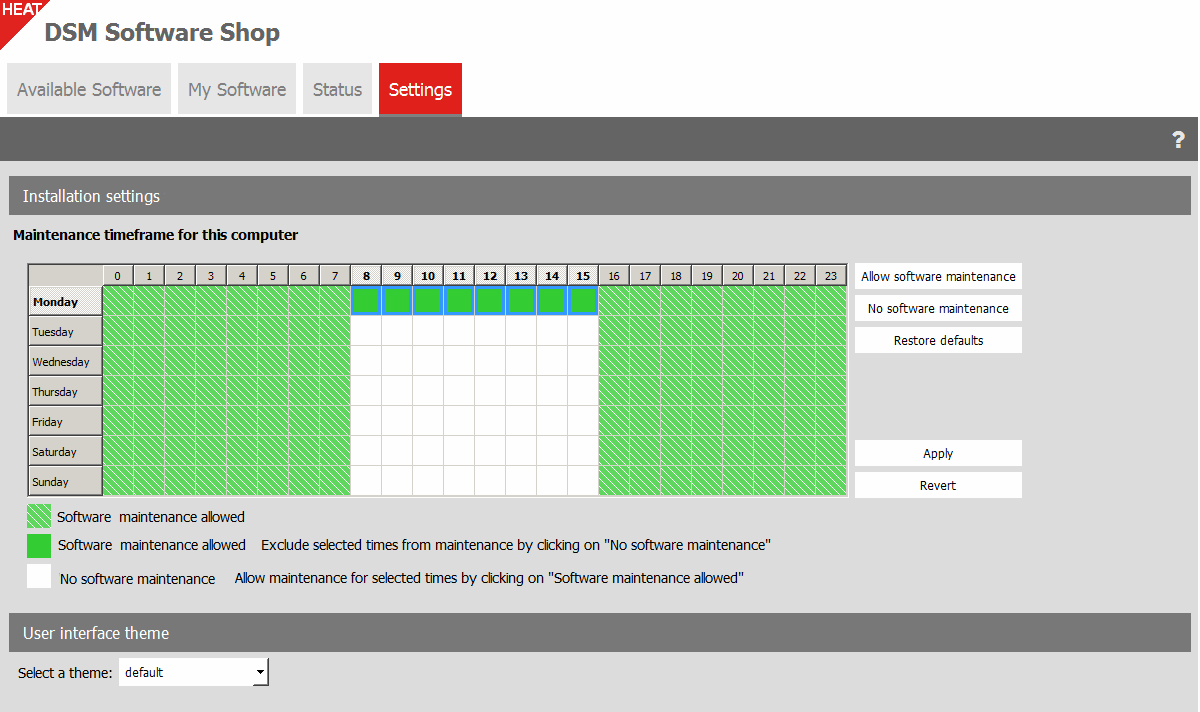
Installation settings
Presentation mode settings
Specify the times during which you do not want the automatic Installer actions to disturb you, for example when you are busy with a presentation.
The presentation mode is only available on computers where the DSM administrator allows you to postpone the Installer.
Maintenance timeframe for this computer
If necessary, you can change the times during which software maintenance is possible. Specify the respective times and then select Allow software maintenance or No software maintenance.
You can only change the software maintenance times if your DSM administrator allows you to edit the times.
User interface skin
Select a color scheme (skin) to display the Software Shop. If there is more than one skin available, DSM lets you select one.
If you want, you can also create your individual color scheme. If you need assistance, please contact Support.