Using the MSI Browser (MSI Transform Editor)
The MSI Browser tab of the MSI Transform Editor displays all the tables of the MSI-based software.
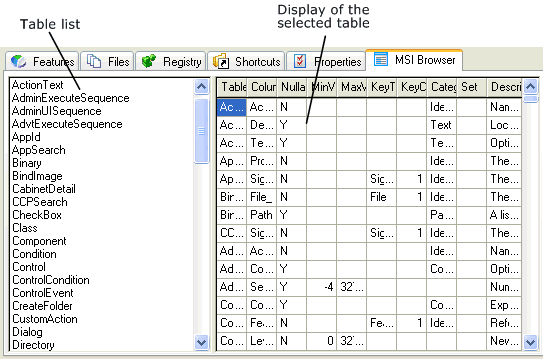
Changes to features, files, the registry, shortcuts or properties are displayed in the tables in green (new values) or blue (changed values). The new or changed values can also be edited in the MSI browser.
All values from the displayed tablesin the MSI browser can be changed. Changes are saved only after confirming with the Enter key.
You should only edit these
tables if you are very familiar with their function and structure.
Changes in the tables may, under certain circumstances, cause the MSI-based
software to no longer be usable.