Managing MTD via zConsole or Local Actions
There are two ways to implement compliance actions using MobileIron Threat Defense. It is best practice to have one method, but you can use both methods.
- Method 1: Mitigation and multi-tier compliance using the Zimperium management console (zConsole) – The server-enforced method requires connection to MobileIron Core, and the policy can be set up for both server and mobile devices. For more information, see Server-initiated mitigation and multi-tier compliance.
-
Method 2: Mitigation and compliance using Core Local Actions policy – Device-enforced local action compliance can be implemented using the MTD Local Actions policy. For more information, see Mitigation and compliance using Local Actions.
NOTE: In the event both server-initiated and local action policies are defined for the same threat, local MTD policy will take precedence and be executed immediately.
It is best practice to have both Local Actions configured in MobileIron Core, and a Threat Response Matrix (TRM) policy configured in zConsole, for a multi-layered, automated threat response to threats detected on mobile devices.
Figure 1. MTD Solution
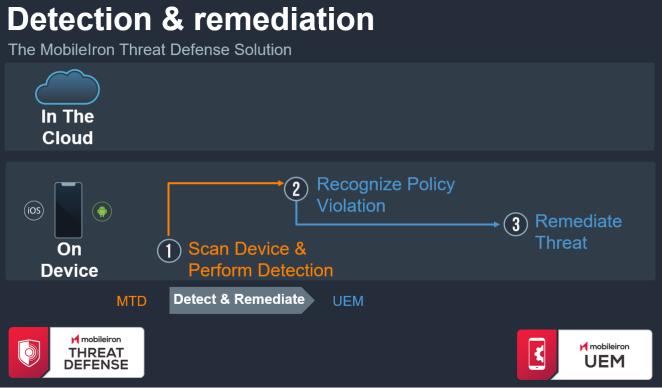
- If mitigation is implemented using Local Actions, the threat is remediated based on the Local Actions configuration and does not need connection to Core or zConsole.
-
If the device is connected to Core and zConsole (server-initiated), any threats detected on the device informs the zConsole of threat status. zConsole instructs Core that a policy violation has been triggered. Core moves the compromised device to the appropriate label.
- When the threat is remediated on the device, the client passes this state change to the zConsole. The zConsole tells Core that the policy violation has been removed and to move the device back to the normal device group. Core will then restore the device back to normal operations.