Errors Report
Whenever a device connection to MobileIron Access fails, an error report is generated and displayed in MobileIron Access. Each row provides visibility into Source IP, Tunnel Type, Error Domain, and Error Code.
To view the Errors report in MobileIron Access, click Reports > Errors. Reports are generated for the following error domains :
| • | SSL_AUTH: Errors related to authentication. For example, an invalid certificate. |
| • | COMPLIANCE: Errors related to device reported in a non compliant state. |
| • | CONFIGURATION: Error in reading or processing tenant configuration update from MobileIron Access, or issues with local configuration of UEM. |
| • | CONNECTION: Errors while attempting to connect to MobileIron Access. |
Figure 1. Error Report
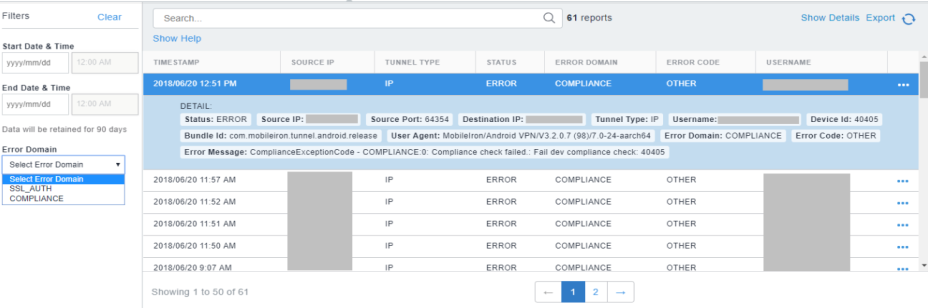
You can filter the Error report data displayed in Access Reports based on the following error domain:
| • | SSL_AUTH |
| • | COMPLIANCE |
For more information on search field, see Search in Access reports.
Export error report
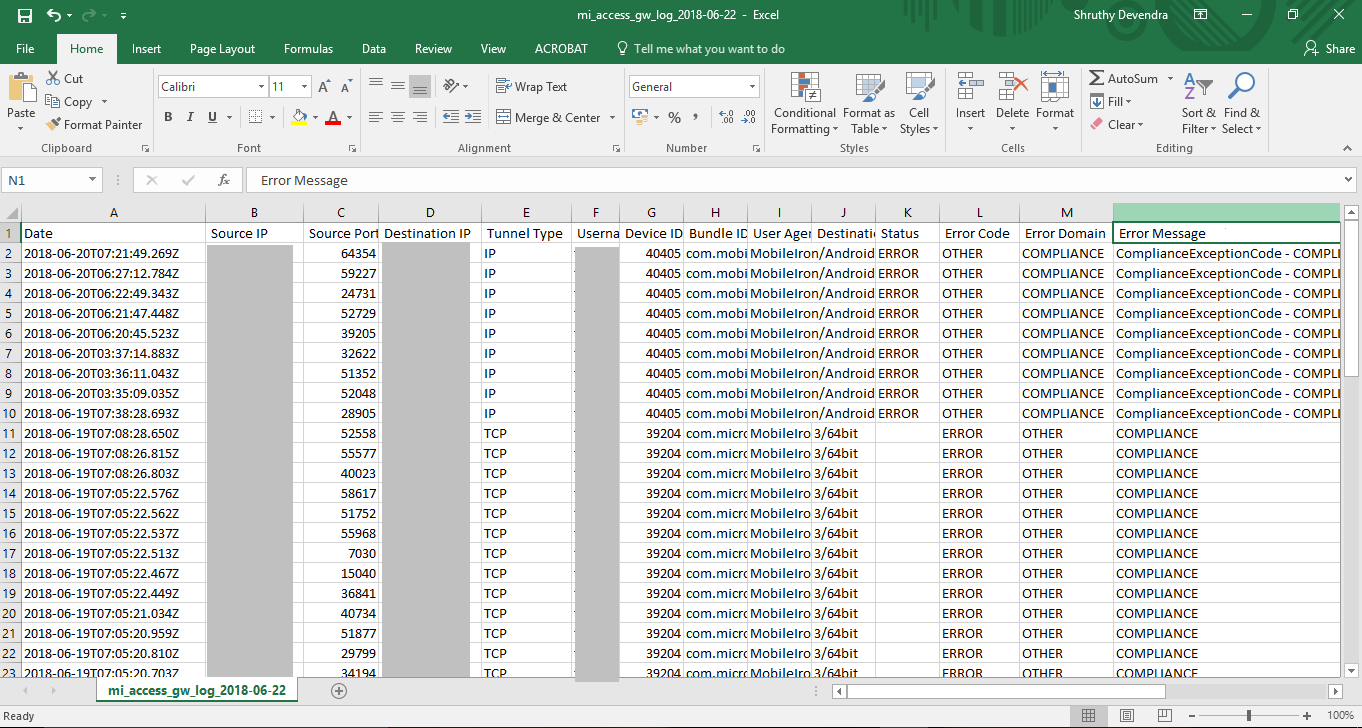
Export the error report to a .csv file for correlation.
Procedure
| 1. | In MobileIron Access, navigate to Reports > Errors. |
The Error report displays.
| 2. | Click Export at the right hand top corner. |
The Export Reports window appears.
Figure 2. Export Reports
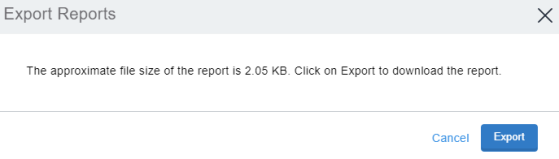
| 3. | Click Export to confirm. |
The report is exported to your local drive.