Selecting languages for MobileIron Core messages
You can enable or disable languages for the messages sent from MobileIron Core to devices. For example, if you have only Japanese-speaking users, you might want to remove the other message templates from the Admin Portal.
To enable or disable languages:
- Log into the System Manager.
-
Go to Settings > System Settings > General > Language.
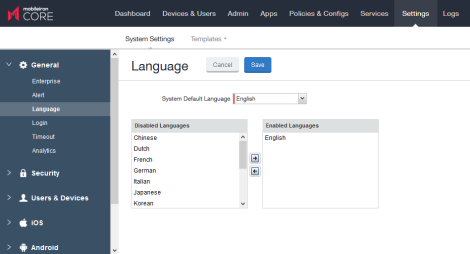
- Move the languages you want to support from Disabled Languages to Enabled Languages.
- Click Save.