Managing Alert Suppression
You can suppress alerts for selected systems, preventing them from flooding the system with alerts during a scheduled maintenance window.
To manage alert suppression:
| 1. | Click Settings.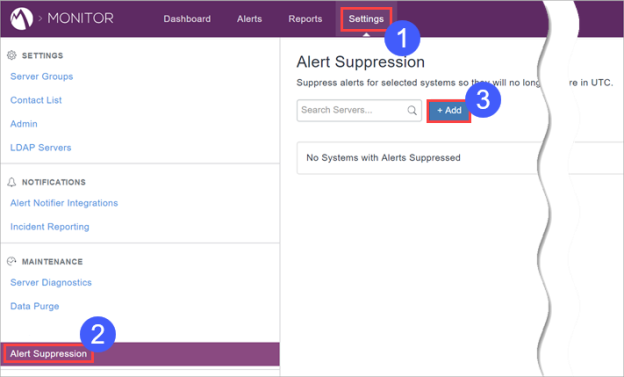 |
| 2. | Select Alert Suppression. |
| 3. | Click +Add. |
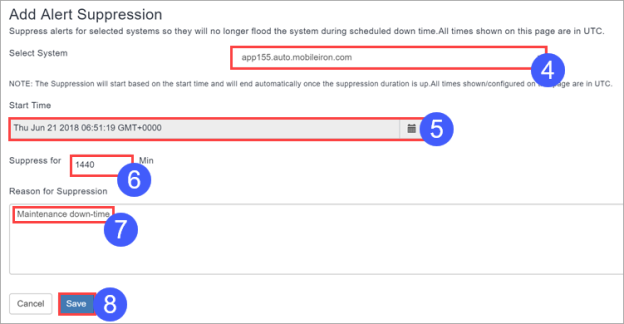
| 4. | Select the system whose alerts to suppress. |
| 5. | Specify a start time. All times are in UTC. |
| 6. | Specify for how long to suppress alerts. |
| 7. | Provide a reason for the alert suppression. |
| 8. | Click Save. |
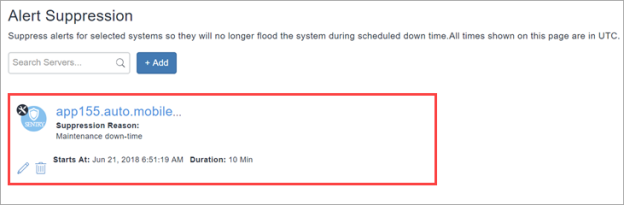
The alert-suppressed server appears on the Alert Suppression page.