Creating mobile device reports
You can create reports to visualize different aspects of your mobile device data.
To create a mobile device report:
| 1. | In ServiceNow, select Reports > Create New. |
The New report pane appears.
| 2. | Use the Table field to select the table, x_cmdb_ci_mobile_device. |
| 3. | Use the remaining fields on the pane just as you would for any other ServiceNow report. |
| 4. | Click Run Report. |
The report appears.
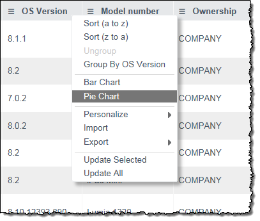
To create a report, you could also right-click a column header while viewing mobile device data, as described in Viewing mobile device data, and then select Bar Chart or Pie Chart.