Cluster Migration from 22.8Rx to 25.x
ICS deployments in a cluster running Active/Passive or Active/Active configurations cannot be upgraded directly from version 22.8Rx to version 25.x. Each node must be individually disabled or removed from the cluster and upgraded separately. This process applies to both ISA hardware and ISA-V virtual appliances. Review the steps below to perform a step-by-step upgrade with a planned downtime.
Known Limitations
Cluster Node Name Restriction: Cluster node names should not be configured as "localhost2". Using "localhost2" as a node name is not supported and may result in unexpected behavior.
You must perform one of the following approaches for migrating from 22.8Rx to 25.x:
•Option1: Delete and Recreate the Cluster
Option1: Delete and Recreate the Cluster
To delete and recreate the cluster perform the following:
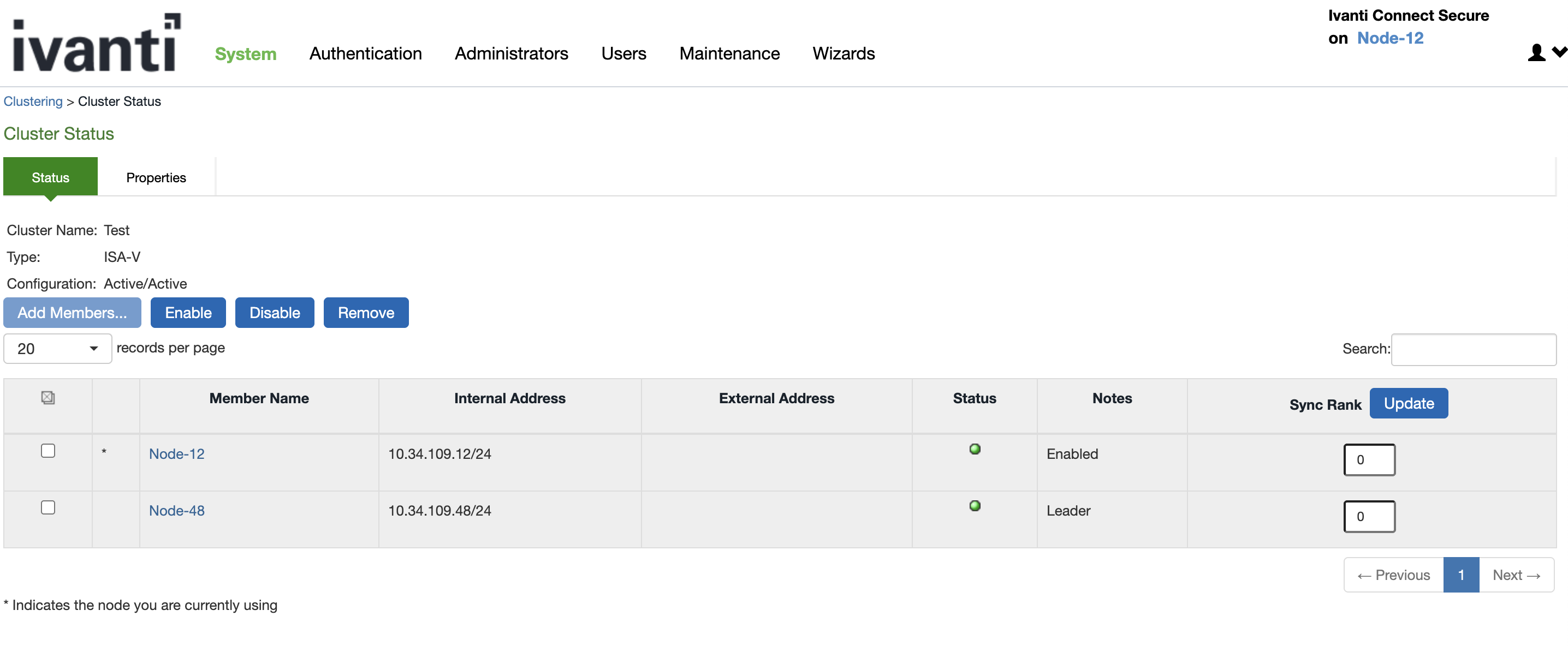
1.Review Cluster Status, Navigate to System > Clustering > Cluster Status to verify the current status of the cluster.
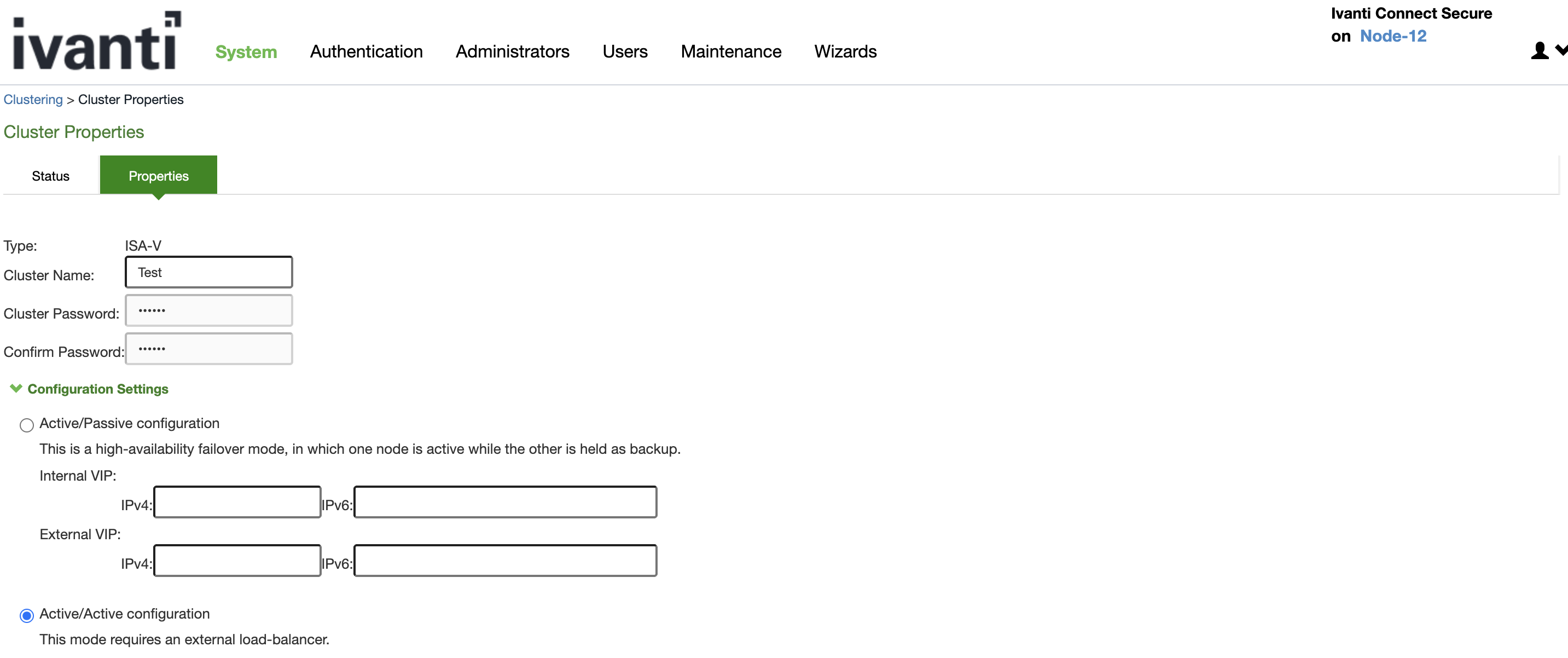
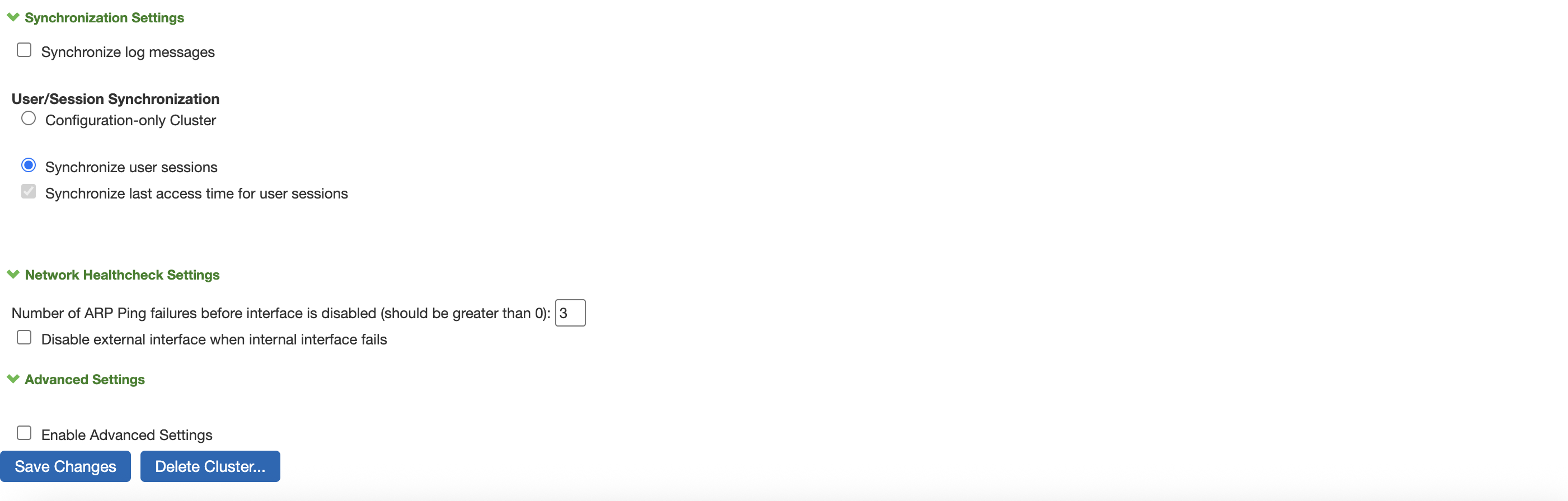
2.Delete the Cluster, Navigate to System > Clustering >Properties tab and click Delete Cluster to remove the current cluster.
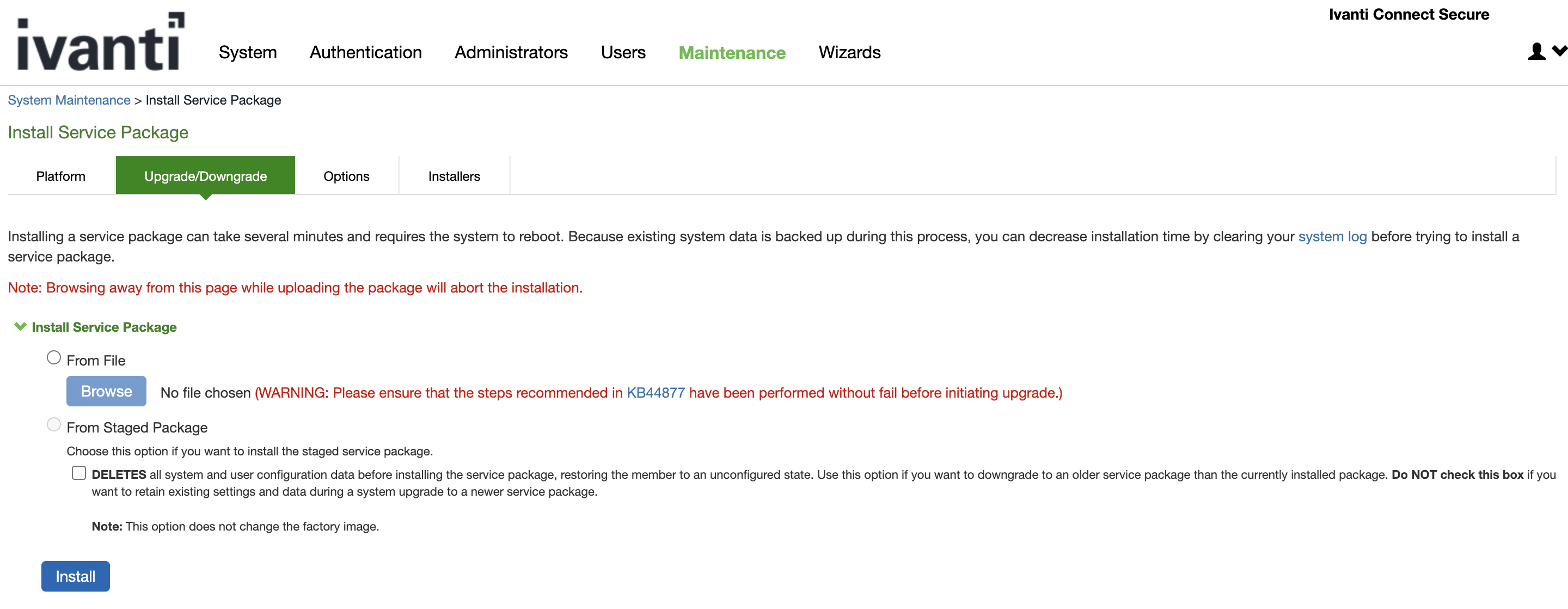
3.Upgrade Nodes Individually, Upgrade each node in the cluster to the ICS 25.x package. Follow standard upgrade procedures for your platform.
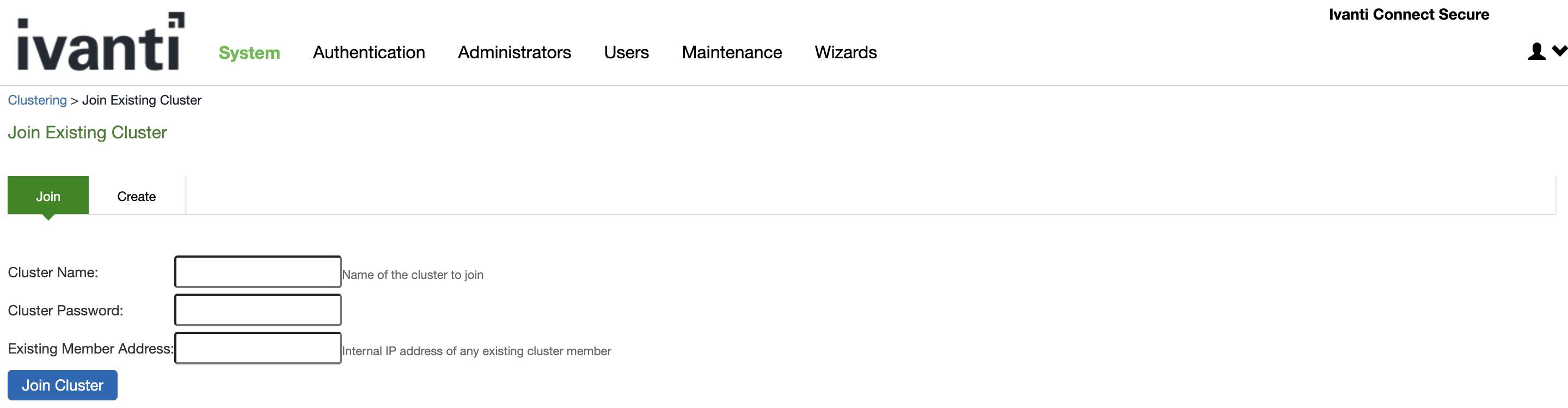
4.Recreate the Cluster, After all nodes are upgraded, re-create the cluster by following the standard cluster creation steps.
Options2: Disable one Node
Important Notes:
•When upgrading clustered nodes, after disabling and upgrading the second node (N2), it cannot rejoin the cluster until the first node (N1) is also upgraded to the same version.
•Upgrading N1 will result in both nodes being unavailable, causing complete downtime until the upgrade is completed.
•Recommendation: Plan your upgrade window carefully, as downtime cannot be avoided in this scenario. Breaking the cluster will also result in both nodes being offline. Ensure stakeholders are informed about the expected service interruption.
To disable the node and then to upgrade perform the following:
1.Disable a Node, Navigate to System > Clustering > Cluster Status, select the node you want to upgrade, and click Disable.
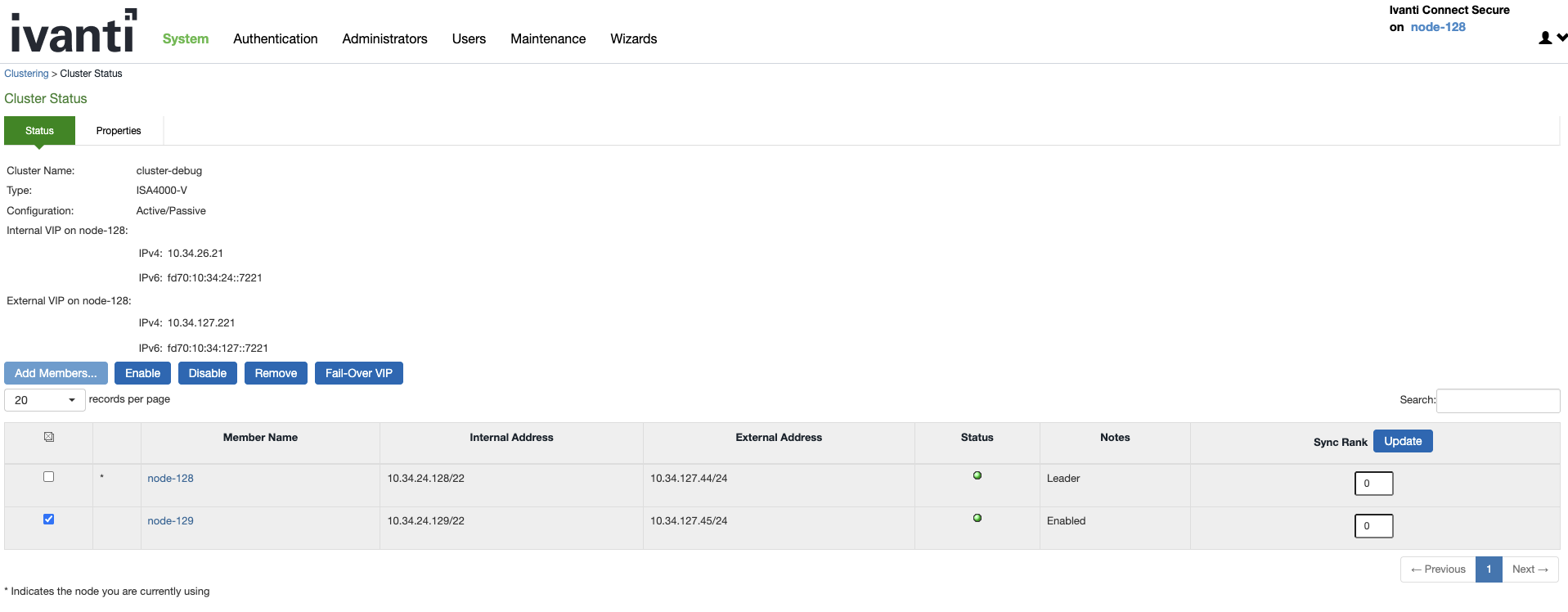
2.Upgrade the Disabled Node, Upgrade the disabled node to the ICS 25.x package.
3.Repeat for Each Node, If applicable, repeat the disable/upgrade process for all nodes in the cluster.
4.Enable Upgraded Nodes, After upgrading, navigate to System > Clustering > Cluster Status, select the upgraded node, and click Enable.
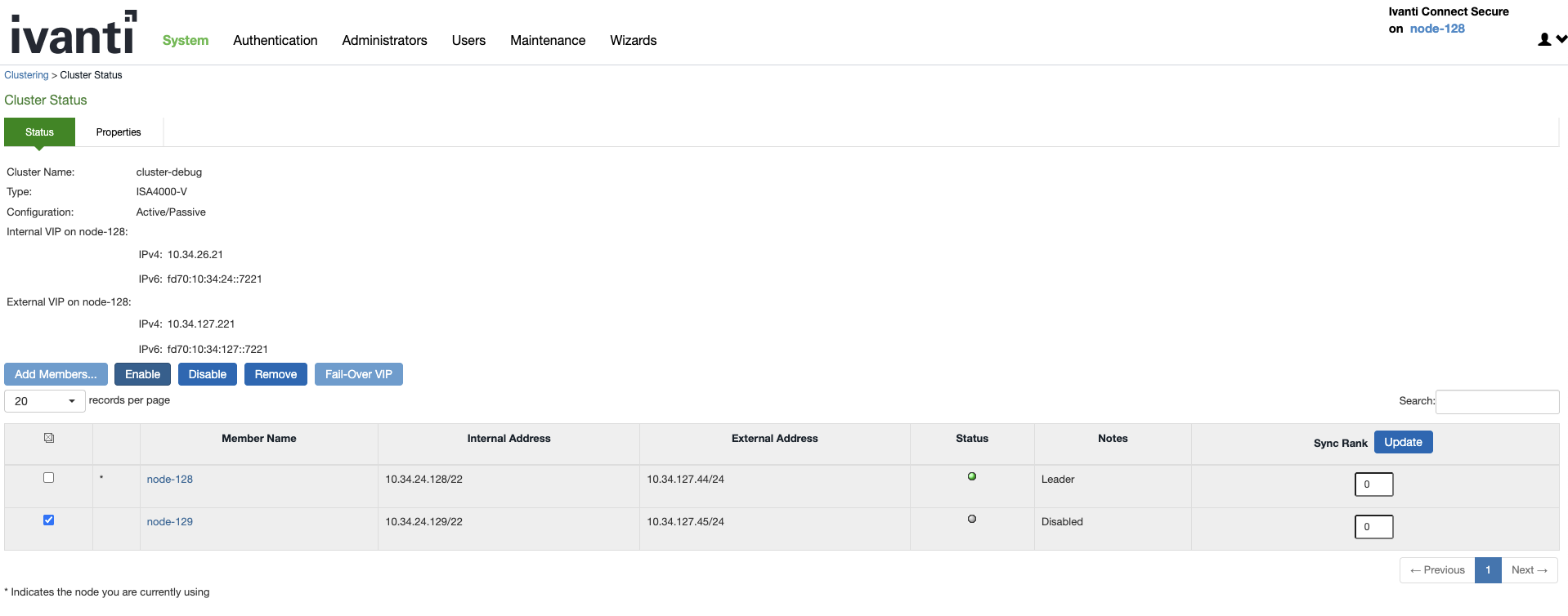
5.Verify Cluster Status, Once all nodes are enabled and upgraded, verify the cluster status in System > Clustering > Cluster Status.
Ensure you have appropriate backups before beginning the upgrade.
Carefully plan the upgrade to avoid downtime, especially for clusters in production environments.
Post-upgrade, verify that cluster operations and failover functionality are working as expected.