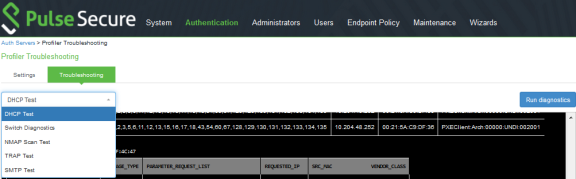
Troubleshooting
Tests
|
Test |
Result |
|---|---|
|
DHCP Test |
Verify if ports are receiving the DHCP packets. Detect a device when connected to network during the diagnostic run. |
|
Switch Diagnostics |
Verify switches are enabled Check if SNMP walk is successful or not Check if Profiler can successfully read ARP table, CAM table, and SSID information |
|
SNMP (Host) Test |
Check if the Profiler is able to fetch the Endpoint information through SNMP. |
|
NMAP Scan Test |
Check if NMAP scan is working for an IP address, which is prompted during diagnostic run |
|
Trap Test |
Verify if trap is collected or not for a switch event. Detect a device when connected to network during the diagnostic run. |
|
SMTP Test |
Troubleshoot any problem in configuration/reachability of SMTP server. Device sponsoring is available with email notification feature. It sends an email through configured SMTP server and displays the status. |
To execute the tests, perform the following steps:
- Navigate to Profiler > Profiler Configuration > Troubleshooting.
- From the drop-down list, select the required test and click Run diagnostics.