View Discovered Devices
Dashboard View
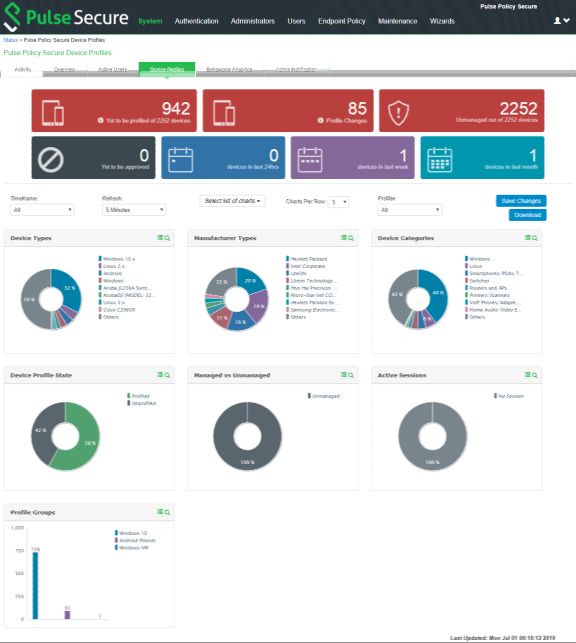
Once the Profiler is configured, profiling starts in the background. The Device Profiles Dashboard displays an overall summary of the devices that are discovered, profiled, and updated in the Device Discovery Table.
Navigate to Profiler > Dashboard and report > Dashboard or System > Reports > Device Discovery to display the device profiles page. Click on each chart or numbered panel to view detailed information in the device discovery report.
Device Discovery Report View
The Device Discovery Report Table contains the list of devices that are discovered in the network. This report allows to add, modify and delete the endpoints.
Navigate to System > Reports > Device Discovery or Profiler > Dashboard and Report > Device Discovery report to display the table.