Configuring System Platform
The platform page provides a quick overview of the current state of the system. This gives a quick overview of what Operation System the system has booted, the fallback version, host name, hardware model, serial number, uptime, current version, and the rollback version.
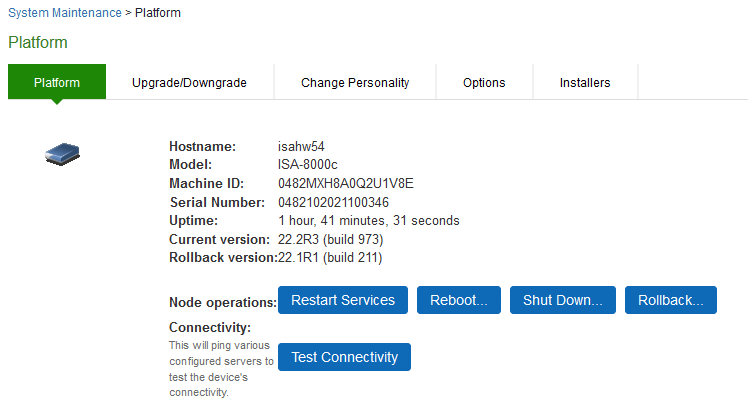
To restart, reboot, rollback or shut down the system:
- Select Maintenance > System > Platform to display the system maintenance platform page.
- Click the desired node operation:
- Restart—Kills all processes and restarts the system. The system is available again after a few minutes.
- Reboot—Power cycles and reboots the system. The system is available again after a few minutes.
- Shut Down—Shuts down the system. The system is not available again until the physical power button on the physical device is used to restart the system.
- Rollback- The system is rollbacked to the previous software version and configuration state. The system is rebooted and unavailable for a few minutes when you rollback.
- The restart, reboot, and shutdown operations are applied to all enabled members of a cluster. If you do not want to apply the operations to all members of the cluster, use the System > Clustering > Status page to disable members; then perform the restart, reboot, or shut down operation.
- If you have enabled logging for Administrator changes (System > Log/Monitoring > Admin Access > Settings page), a log is written to the Admin Access logs page. If you have enabled logging for System Status (System > Log/Monitoring > Events > Settings page), logs are written to the Events logs page.