Remote Debugging
Remote debugging allows Ivanti Global Support Center to directly access this system over a secure connection. You should enable this feature only if you have been requested to do so by PSGSC in response to an issue that you have reported.
To enable remote debugging:
- Select Maintenance > Troubleshooting > Remote Debugging to display the configuration page.
- Complete the configuration and actions as described below.
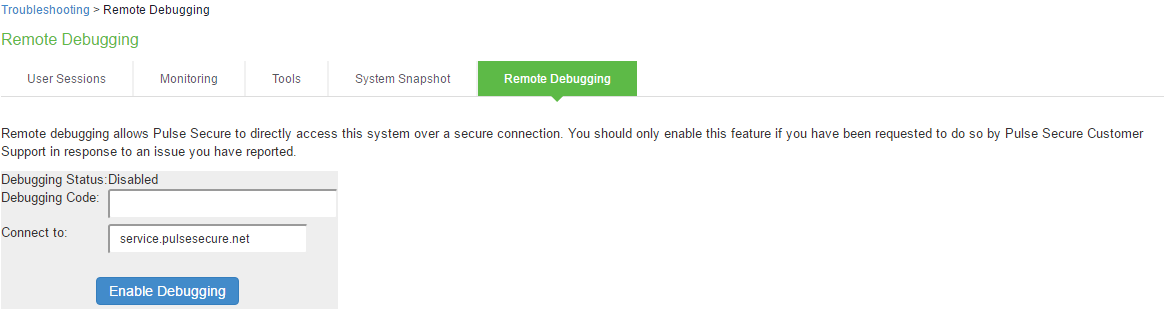
|
Settings |
Guidelines |
|---|---|
|
Debugging Status |
Displays whether remote debugging is enabled or disabled. |
|
Debugging Code |
Specify a code as instructed by PSGSC. |
|
Connect to |
Specify the fully qualified domain name as instructed by PSGSC. |
|
Enable Debugging |
Click this option to allow remote debugging. |