Advance Profiler Configuration
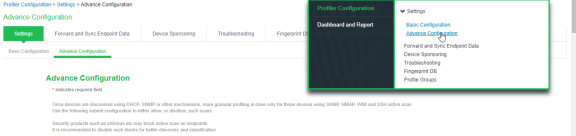
To configure advance settings for the Local Profiler, select Profiler > Profiler Configuration > Advance Configuration.
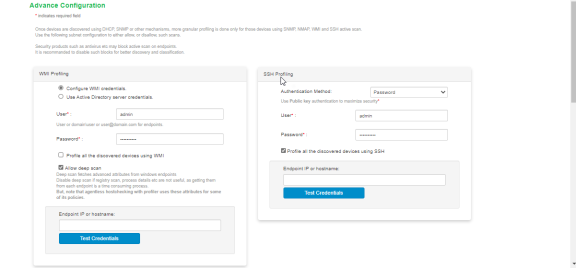
WMI Configuration
To configure WMI profiling:
- Select Configure WMI credentials and specify the domain administrator or user with administrator credentials to fetch accurate endpoint information from remote desktops running Microsoft Windows. Select Use Active Directory server credentials to use existing Active Directory server credentials.
- Optionally, select the option to profile all the discovered devices using WMI. If the number of discovered devices is exceeding 1000, it is recommended to add subnets manually to scan only Windows devices.
- Select Allow deep scan to control the level of information to fetch from the Endpoint remotely through WMI. Deep Scan includes information on ports, process, and security product details such as product version, signature version, signature date attributes. This option is required if Agentless Host checker with Profiler policies are configured for endpoint posture assessment.
- Enter the Endpoint IP or hostname to test the credentials.
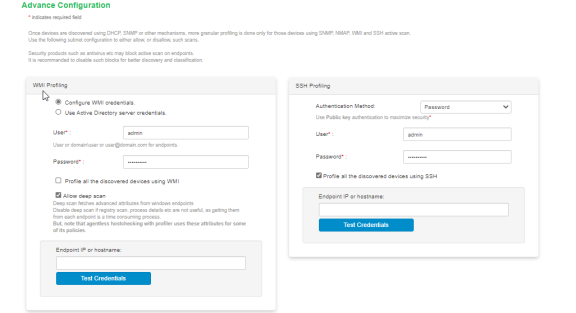
SSH Configuration
To configure SSH Profiling:
- Select the Authentication Method, select Password to authenticate using administrator credentials or Public key to authenticate using RSA credentials.
- Optionally, select the option to profile all the discovered devices using SSH. If the number of discovered devices is exceeding 1000, it is recommended to add subnets manually to scan only Windows devices.
- Enter the Endpoint IP or hostname to test the credentials.
SNMP (Host) Configuration
To configure SNMP (Host) Profiling:
- Enter the possible community list names, separated by commas, to collect device attributes for the endpoints monitored through SNMP.
- Optionally, select the option to profile all the discovered devices using SNMP (Host). If the number of discovered devices is exceeding 1000, it is recommended to add subnets manually to scan only Windows devices.
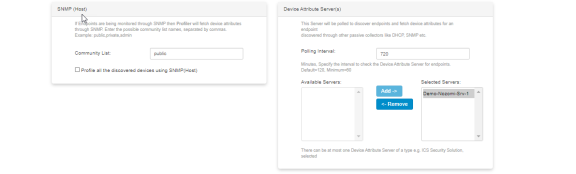
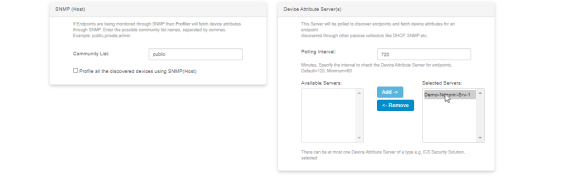
Device Attribute Server Configuration
The profiler polls the device attribute server at regular interval to collect the device attributes for the endpoints discovered using passive collectors. The controller is configured as a HTTP Attribute Server and is available under Device Attribute Server settings.
For information on configuring Authentication Servers refer to IPS Admin Guide.
To configure profiling using the device attribute server:
- Set the Polling interval in minutes. By default, the poll interval is set to 720 minutes.
- Add or remove the servers from or to the list of Available Servers and Selected Servers.
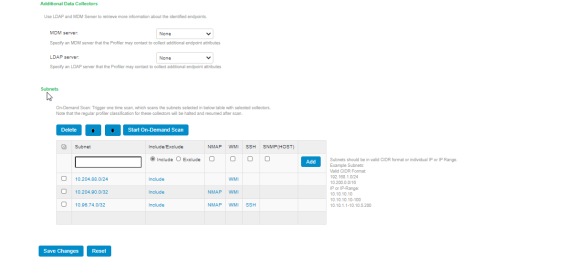
Additional Data Collectors configuration
To configure additional data collectors to collect endpoint attributes through MDM and LDAP servers:
- Select an MDM authentication server for accurate profiling of mobile devices which are registered through MDM providers.
- Select an LDAP server where device information is stored.
For information on configuring Authentication Servers refer to IPS Admin Guide.
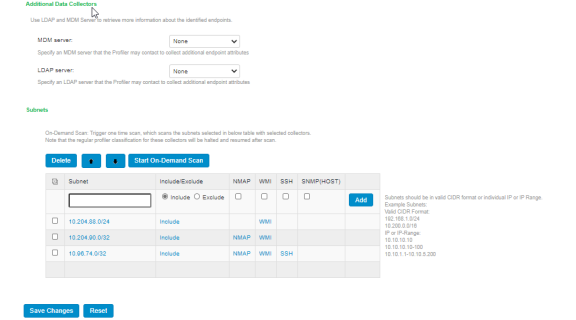
Subnets Configuration
Upon device discovery, using DHCP, SNMP or other mechanisms, granular profiling is performed on devices using various active collectors.
- Enter one or more subnets, select to include or exclude the listed collectors like SSH, WMI, SNMP (HOST), and NMAP and click Add. Maximum 100
- Click Start On-Demand Scan to trigger a scan instantly on the selected subnets for selected collectors.
The list of subnet must be ordered based on the IP address matching the first subnet from top to bottom. Use arrow buttons to change the order.For on-demand scan, NMAP is supported for devices in same subnet as Ivanti Policy Secure.