Configuring Authentication Protocol sets for Guest Access
The ‘Guest’ is the default Authentication Protocol Set configured in Ivanti Policy Secure.
To view the Authentication Protocol:
-
Select Authentication > Signing In > Authentication Protocol Sets.
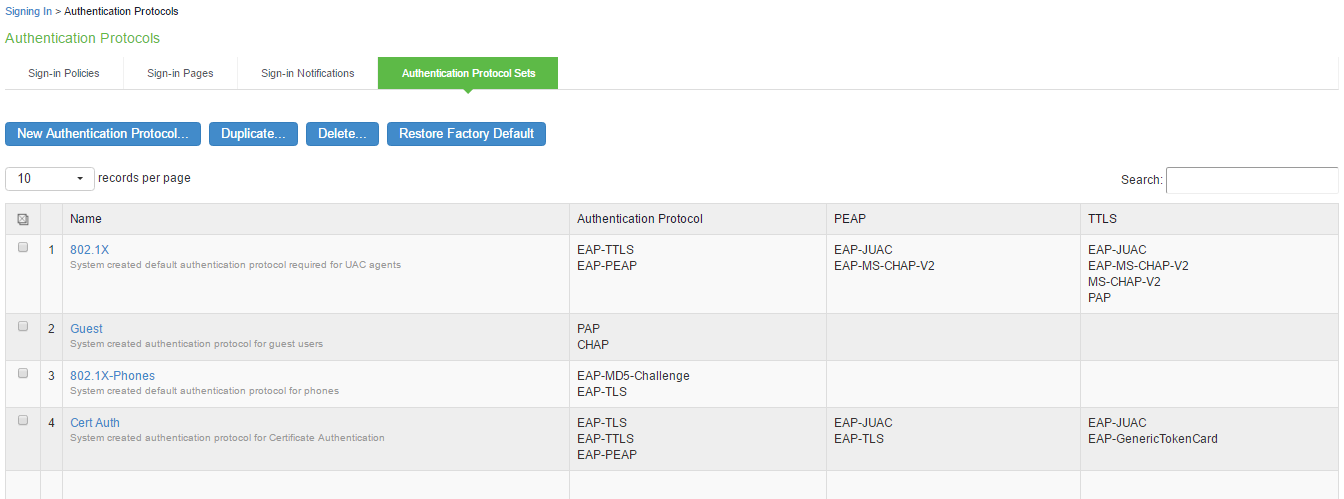
-
Select the protocol name you want as the default Authentication Protocol Set.
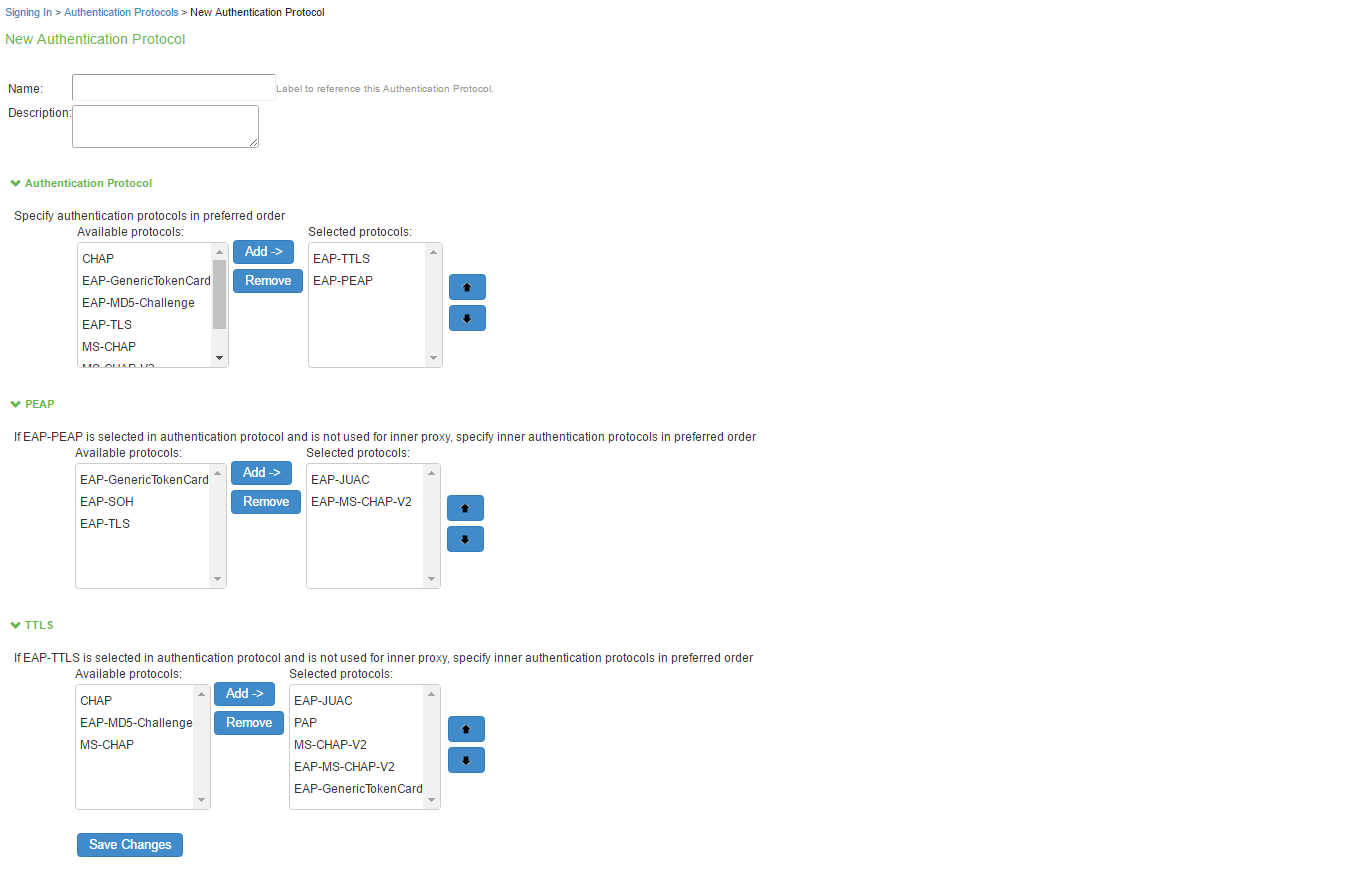
-
You can make necessary changes and click Save Changes to save the settings.