Configuring Guest Sign-In Policies
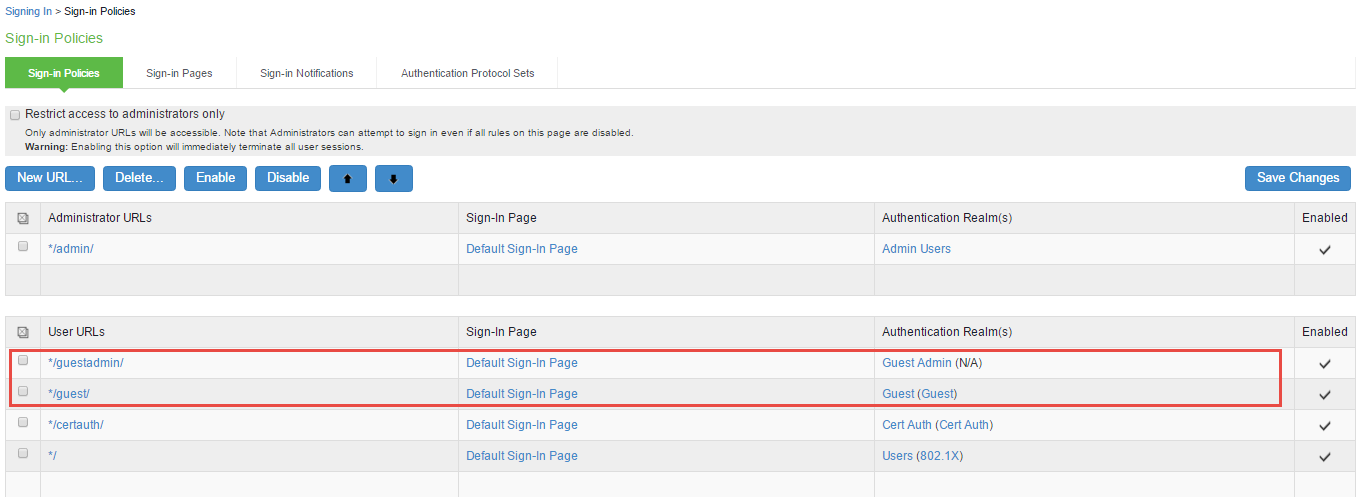
The */guestadmin/ and */guest/ are the default Sign-In-Polices in Ivanti Policy Secure. A Sign-In Policy is mapped with a default Authentication Realm.
To configure sign-in policy for guest:
-
Select Authentication > Signing In > Sign-in Policies to display the sign-in policies configuration page.
-
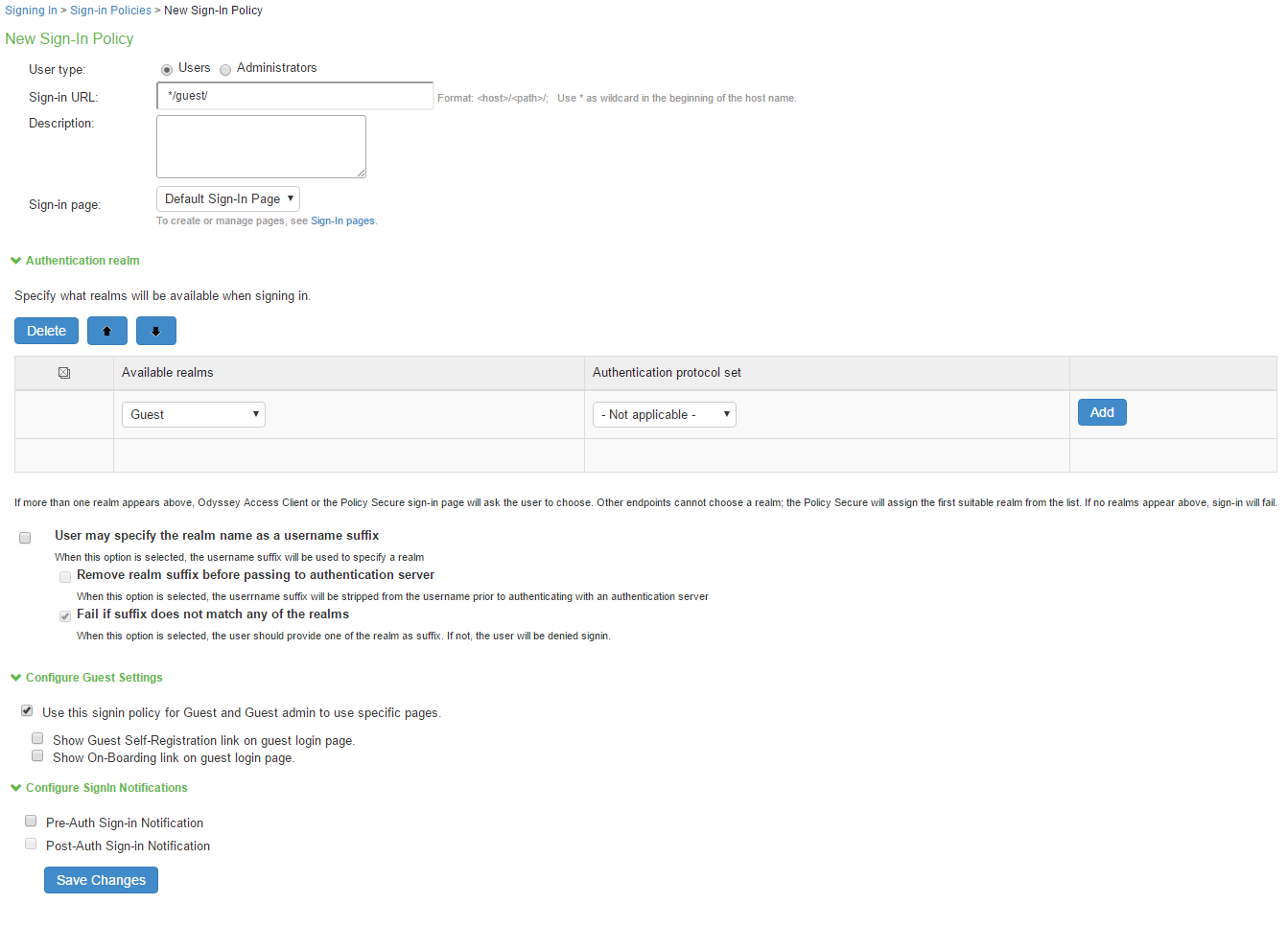
Create a sign-in policy specifically for the guest user administrator.
-
The realm selected is the guest realm created previously.
-
You can make necessary changes or add realms in a Sign-in Policy and click Save Changes to save the settings.