IF-MAP Configuration
A high-level overview of the configuration steps needed to set up and run the integration:
- The Administrator configures IF-MAP clients (Ivanti Policy Secure, Ivanti Connect Secure) on IF-MAP server admin UI from System > IF-MAP Federation.
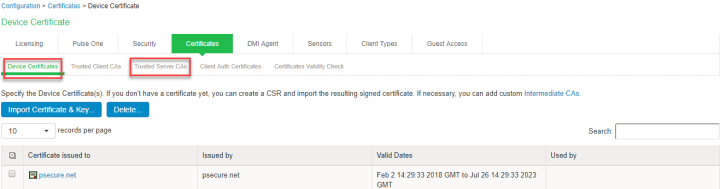
- Install the Device certificates and Trusted Server CA from System > Configuration > certificates on both IF-MAP Server and IF-MAP client.
- From IF-MAP Server admin UI, admin configures PAN Firewall device by entering the following:
- Name for the PAN/Check Point/ FortiGate Firewall.
- IP address of the PAN/Check Point/ FortiGate Firewall.
- API Key for PAN/ Shared Secret for Check Point/ FortiGate
- Administrator configures the Infranet Enforcer Auth Table Mapping Policies.
When the Ivanti Policy Secure or Ivanti Connect Secure session is exported to IF-MAP server, IF-MAP server provisions user identity details to configured PAN/Check Point/ FortiGate Firewall based on the configured Auth Table Mapping Policies.
Step1: Configuring IF-MAP Server
To configure IF-MAP server on the Ivanti Policy Secure:
-
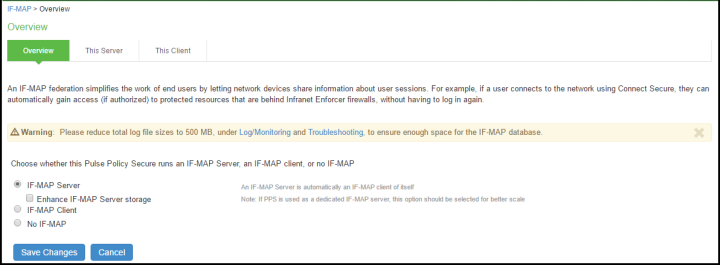
Select System > IF-MAP Federation > Overview.
-
Select IF-MAP Server.
-
Click Save Changes.
-
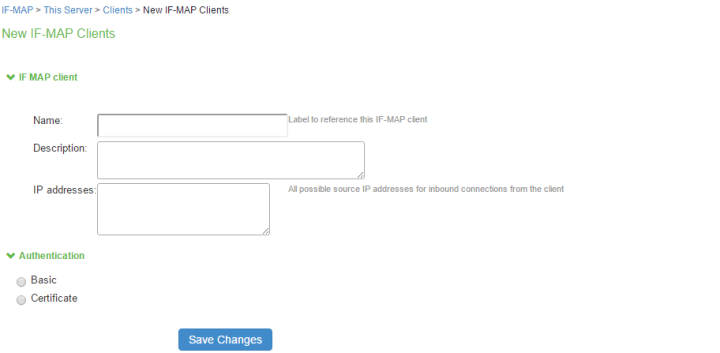
Select IF-MAP > This Server > Clients > New Client and addIvanti Policy Secure/Ivanti Connect Secure as IF-MAP client.
-
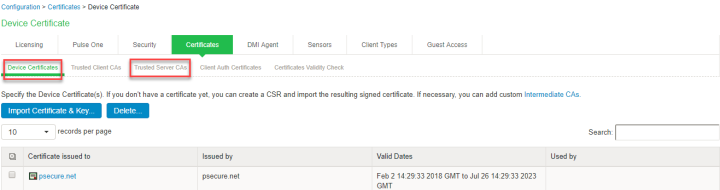
Install the Device certificates and Trusted Server CA from System > Configuration > certificates on both IF-MAP Server.
-
If the client is added successfully the status turns to green color.
Step 2: Configuring IF-MAP Client
To configure the IF-MAP client:
-
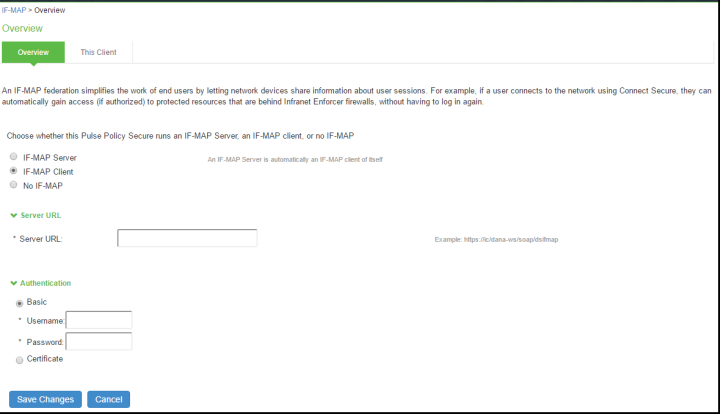
Select System > IF-MAP Federation > Overview.
-
Select IF-MAP Client.
-
Enter the IF-MAP server IP address or the complete server URL.
After completing the IF-MAP server and IF-client configurations, configure the IF-MAP Policies. For more information, see Configuring Session Export Policies
This use case supports configuring only Session-Export policies.
Step 3: Viewing the Federated Session Details
To view the federated session details:
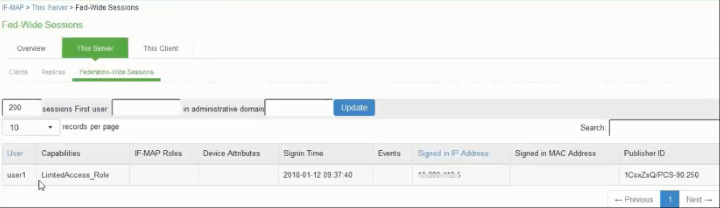
Select System > IF-MAP > This Server > Federation-wide Sessions.