Configuring Authentication with the Certificate Server
To configure authentication with the certificate server, follow the steps below:
-
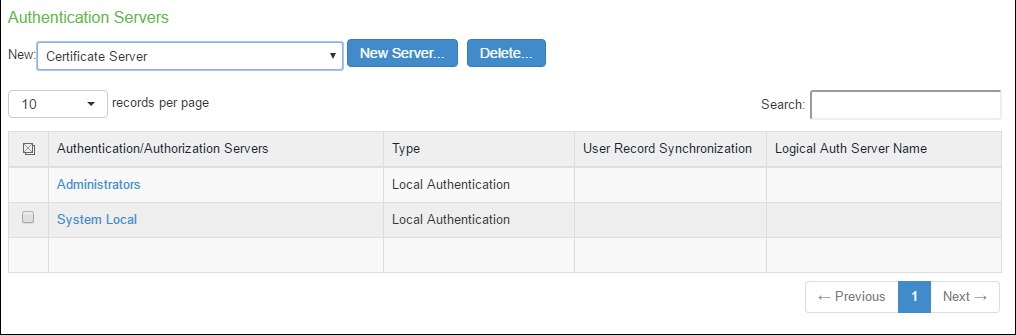
Select Authentication > Auth Servers
-
Select Certificate Server and Click New Server to display the configuration page.
-
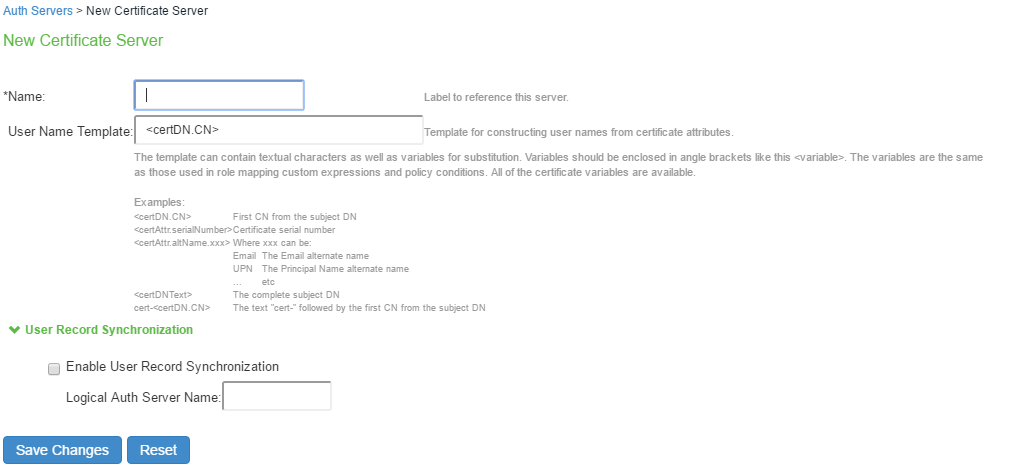
Complete the configuration as described in following table:
Below table shows Certificate Server Settings
|
Settings |
Guidelines |
|
Name |
Specify a name to identify the server within the system |
|
User Name Template |
Specify a username template. Specify how the system should construct a username. You may use any combination of certificate variables contained in angle brackets and plain text. This value populates the <USER> and <USERNAME> session variables for use throughout the rest of the system configuration. |
|
User Record Synchronization |
This applies only to Ivanti Connect Secure |
|
Enable User Record Synchronization |
Select this option to retain the bookmarks and individual preferences regardless of which system you log in to. |
|
Logical Auth Server Name |
Specify a logical authentication server name. |
-
Save the configuration.