Viewing the Configuration Change History for an Appliance
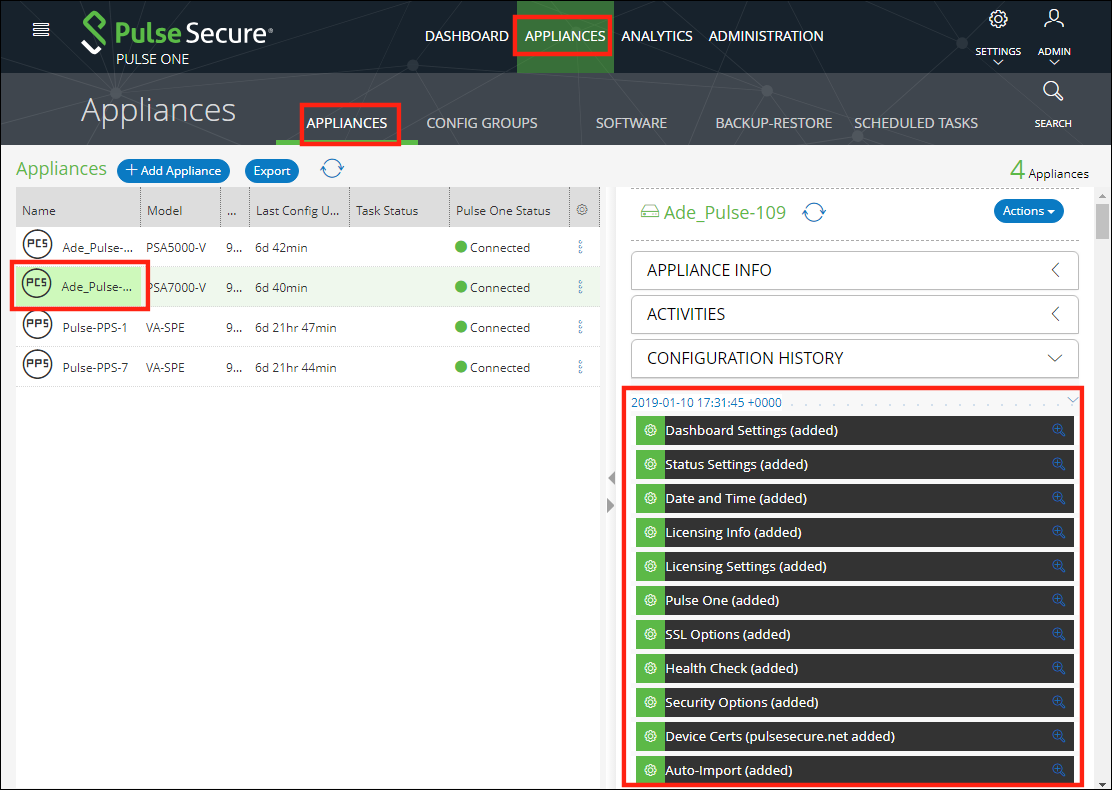
The Configuration Changes panel in the Appliances tab provides the configuration change history for each appliance.
To view the configuration changes history:
1.Log into Pulse One as an administrator.
2.Click the Appliances menu and then the Appliances tab.
The Appliances tab displays all current appliances.
3.Select an appliance whose Pulse One Status is status Connected.
4.In the panel on the right, select Configuration History. This displays the configuration changes history for the appliance, including timestamps for each change.
5.Expand the required timestamp to view the changes made at that time. For example: