Configuring Kerberos on the Traffic Manager
The Traffic Manager's Kerberos support allows it to authenticate a user through a TLS client certificate. The Traffic Manager communicates with a realm's KDC using its own service principal and acquires a ticket to a service running on a back-end node on behalf of a client making a request on a virtual server.
Traffic Manager Service Principal
To participate in the Kerberos realm, the Traffic Manager must have a suitably privileged principal with which to identify itself. You must ensure your identity management system and associated KDC configuration has a Kerberos principal for the Traffic Manager, and is configured to allow protocol transition and constrained delegation to the services the Traffic Manager is managing.
For each Traffic Manager within the cluster, the KDC administrator must configure the KDC to allow the Traffic Manager’s service principal to delegate to other services, and the service principal name must match the name used by the Traffic Manager. This is a string in the form:
<service>/<Traffic Manager hostname>@<REALM>
In this string, use the <service> and <REALM> values from the Kerberos Principal record you want to use from your Kerberos Principals catalog.
For example, if the hostname of the Traffic Manager is "stm1.example.com", and a connection uses a Kerberos Principal record with service name "HTTP" and realm "EXAMPLE.COM", the KDC must trust the principal named "HTTP/[email protected]" for delegation to your end services.
For Microsoft implementations, this means that you have created a computer account for the Traffic Managers on the domain, have configured a server principal name for the relevant services on the Traffic Managers, and have permitted delegation for those services to the Traffic Managers.
For a Traffic Manager to authenticate itself as the created principal, you must specify the appropriate credentials. For user principals, you specify your credentials in the form of password entry. Since interactive password entry is not convenient for service principals, you must instead use a "Keytab" file for the credentials of your Traffic Manager Service Principals. A Keytab file can contain credentials for one or more principals.
To configure the Traffic Manager to perform protocol transition in a Kerberos realm, upload a Keytab file containing the credentials for all Traffic Managers in the cluster, and configure a Kerberos Principal to use the Keytab file.
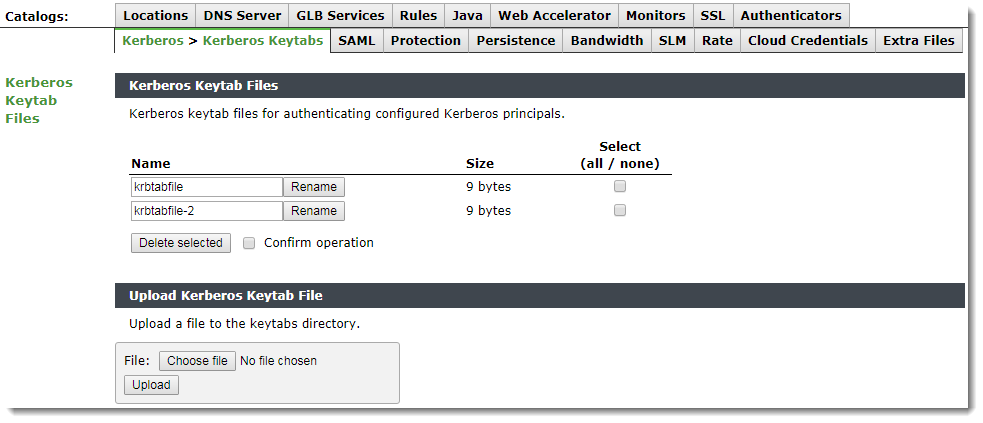
Your Keytab files are stored in the Traffic Manager Keytab catalog. To upload Keytab files to the catalog, use the Catalog > Kerberos > Kerberos Keytabs page in the Admin UI.
To create a Kerberos principal catalog item, use the Catalog > Kerberos > Kerberos Principals page of the Admin UI. For each principal, specify the following fields:
|
Configuration Item |
Description |
|
name |
The identifying name of the Principal configuration. |
|
service |
The service name aspect of the Kerberos Principal name that the Traffic Manager uses to authenticate itself. |
|
keytab |
The name of the Keytab file in the Kerberos Keytabs catalog that contains the credentials for this principal. |
|
realm |
The realm the Kerberos principal is a part of. |
|
kdcs |
An optional list of <host>:<port> pairs to explicit specify the KDC services to use for the realm. If you do not specify a list, the Traffic Manager uses DNS to determine the KDCs that should instead be used. |
|
krb5conf |
The name of a predefined Kerberos configuration file to use with this Principal (optional). To use a Kerberos configuration file, you must first upload it using the Catalog > Kerberos > Kerberos Configuration Files page of the Admin UI. |
Virtual Server Protocol Transition Configuration
To use Kerberos Protocol Transition with your virtual server, use the Virtual Servers > Edit > Kerberos Protocol Transition page.
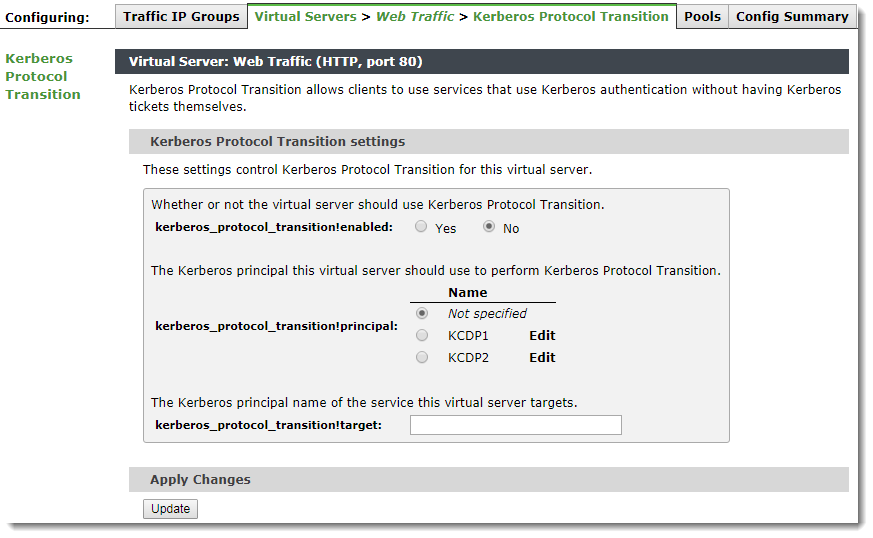
To enable Kerberos, set kerberos_protocol_transition!enabled to Yes. Using this page, you can optionally configure a Kerberos Principal and the principal name for a target service the virtual server is handling.
For protocol transition to be successful, you must configure both a Traffic Manager and a target principal. Configure these settings in either a virtual server or a pool.
The Traffic Manager must acquire the client principal from a client SSL certificate. To enable this, configure your virtual server with ssl_decrypt enabled along with require_cert to ensure a client certificate is solicited from the client. To ensure the client is properly authenticated, configure your virtual server with appropriate certificate authorities and OCSP settings.
Pool Protocol Transition Configuration
You can also configure Kerberos Protocol Transition using the Pool > Edit > Kerberos Protocol Transition page.
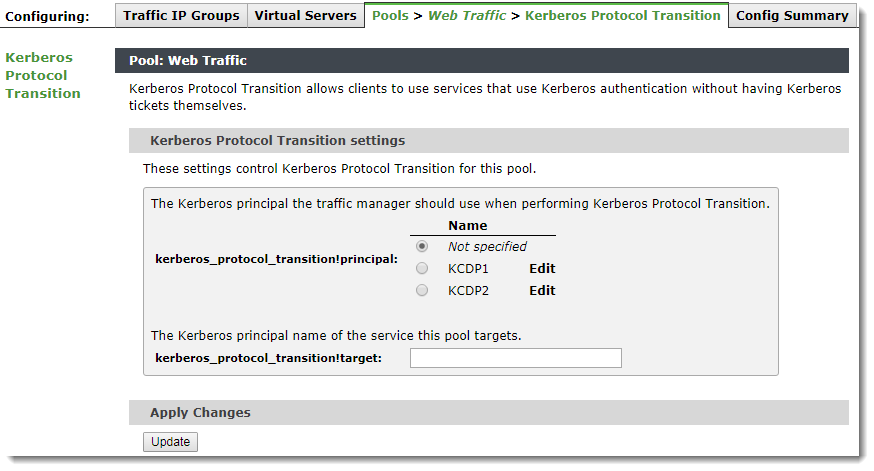
If you specify a principal or target here, this configuration overrides any Kerberos configuration present in a virtual server that uses this pool.