The Package Summary Page
The Package Summary page allows you to view and define the package options for a patch.
To display the Package Summary page, click the Package folder from the menu tree in the left pane.
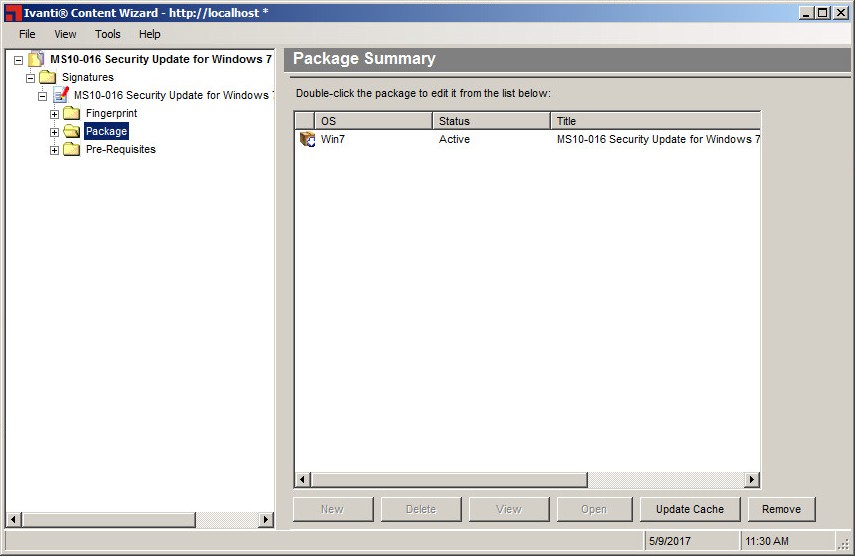
The following list describes the buttons on the Package Summary page.
|
Button |
Description |
|---|---|
|
New |
Creates and adds a new package to the Package Summary page. |
|
Delete |
Deletes the currently selected package from this patch, all other patches, and the Ivanti Endpoint Security (Endpoint Security). |
|
View |
Opens the Package Properties page. For more information, see The Package Properties Page. |
|
Open |
Adds an existing package to the signature. You can only add one existing package to a signature. For more information, see Adding an Existing Package. |
|
Update Cache |
Downloads a new copy of the package to the Endpoint Security. |
|
Remove |
Removes the currently selected package from this patch. For more information, see Removing a Package |
Warning: The Delete button permanently deletes the package from this patch and all other patches. The package can only be recovered if you have previously made a backup (outside of the Endpoint Security) of the package.