What's New - Enterprise Service Management
This topic details all the new features and enhancements of products - ITSM, ITAM, and Enterprise Workflow Management in release version 2025.2.
Click here to learn about the critical updates including deprecated features and end-of-life notices in this release.
What’s New in Ivanti Neurons for ITSM 2025.2
User Experience
 Self Service Portal V3 Enhancements
The following enhancements were made to Self-Service Portal UI v3 functionality:
•Support for inbound and outbound emails exposed to the Public (end users) now appears on Self-Service Portal Details page within the Notes section.
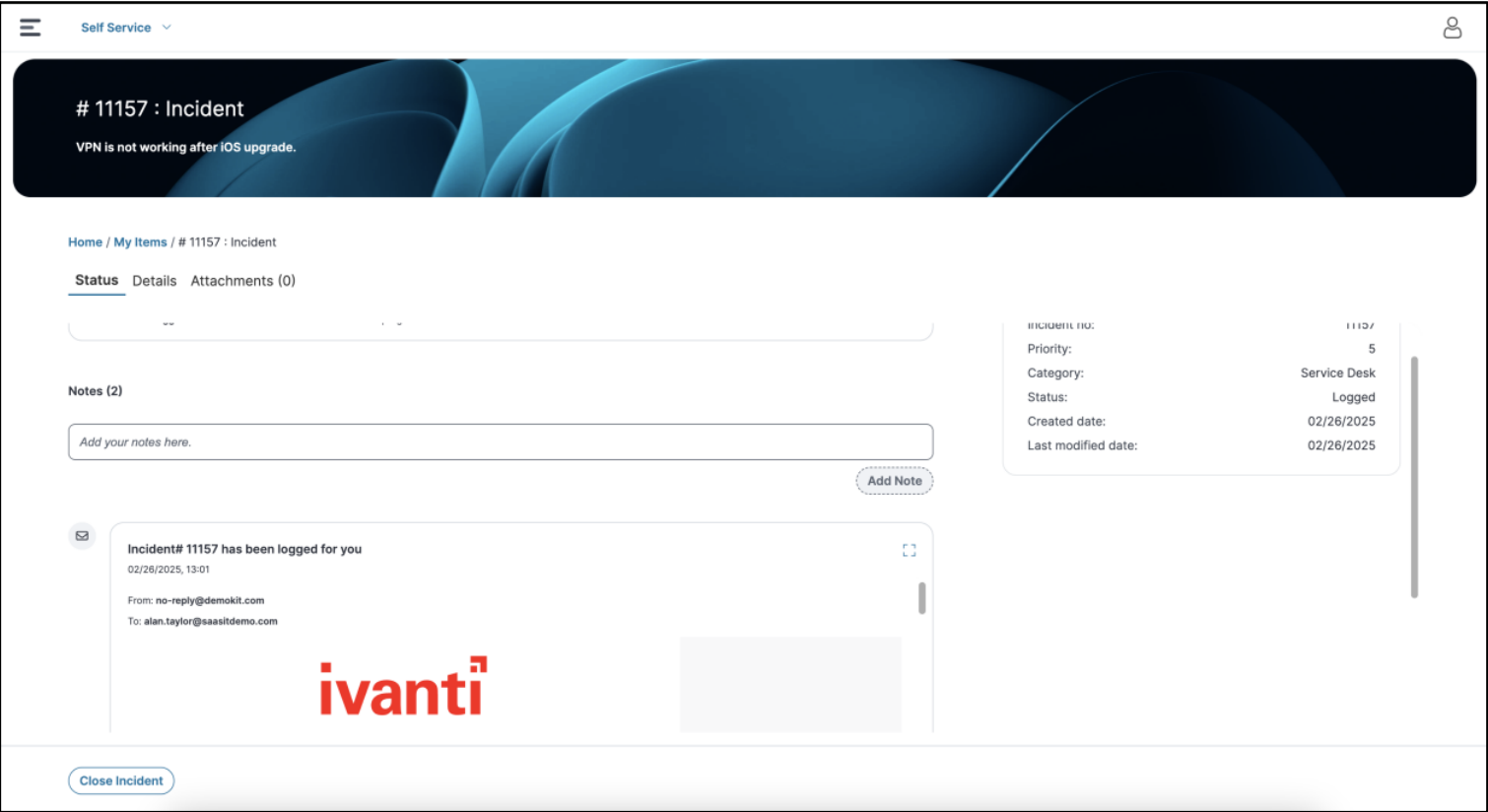
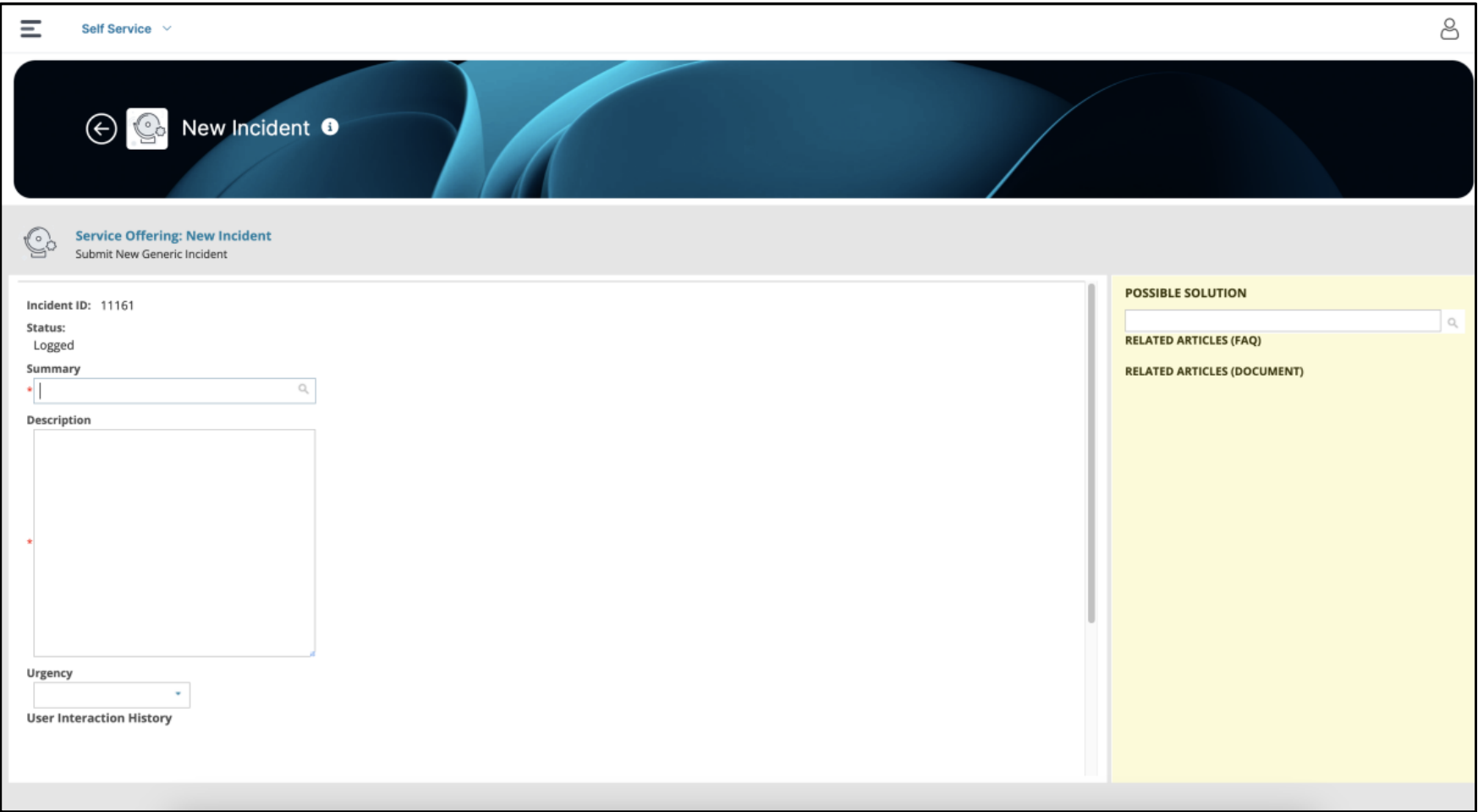
•Fallback support to classic form offerings - Admin can do that by enabling a new Global Constant named -“useClassicFormsForSSMV3”. This is a temporary solution until we build Modern Layouts using modern Layout Designer, with all the complex capabilities available in existing Layouts. Some examples of these complex capabilities include Supporting Tabs, Expression based visibility rules to show/hide certain set of fields on UI, UI components such as Journals.
Classic form offering UI may not work as desired with smaller screen sizes, such as Mobiles devices.
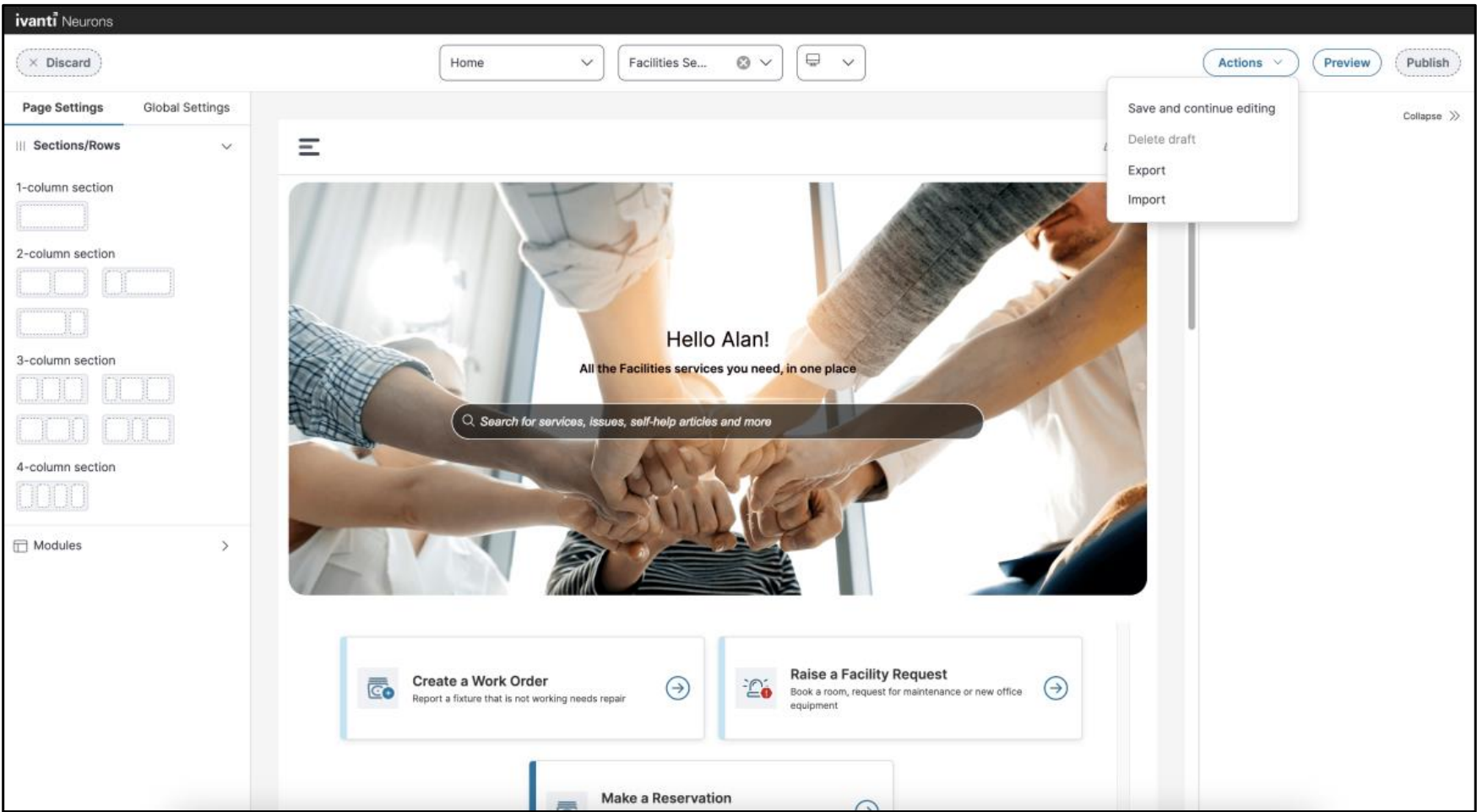
•Packaging Updates - We now support the export and import of Self-Service Metadata including banner images, Icons and other related assets. This enhancement helps package and deploy Metadata between different tenants.
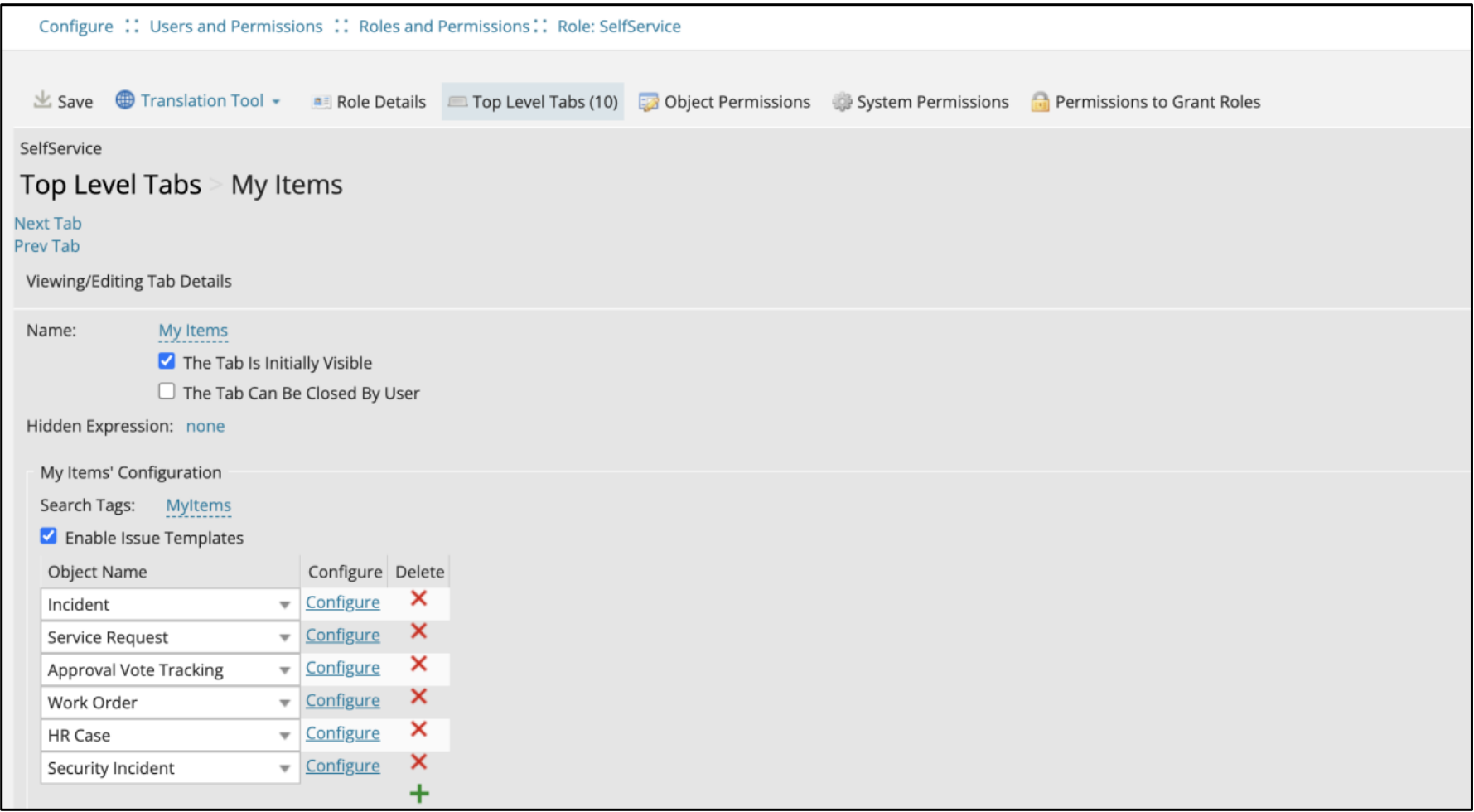
•Support for Custom BO in My Items - We now support custom BOs defined in My Items. Although we support the custom BOs, and their configured layouts, we use the layouts only as a reference for fields metadata to fetch the fields displayed in the details section.
In UI v3, customization of My Items details page is not supported. However, if an admin has configured a custom BO that has a relationship with Notes, Emails and Attachments, the system will honor the Metadata and show the results.
Additionally, this functionality requires configuring Object Types and Business Rules to populate the data in My Items BO.
Other Updates
•Support for HTML enabled Description fields in List Component of request offerings.
•URL redirection from Service Catalog deep links.
•Ability to hide the “Close Incident” button from form offering using visibility rules.
•“tostring()” vs “toString” function support for backward compatibility.
•Localization Support for the HTML module.
Dashboard V2 Update
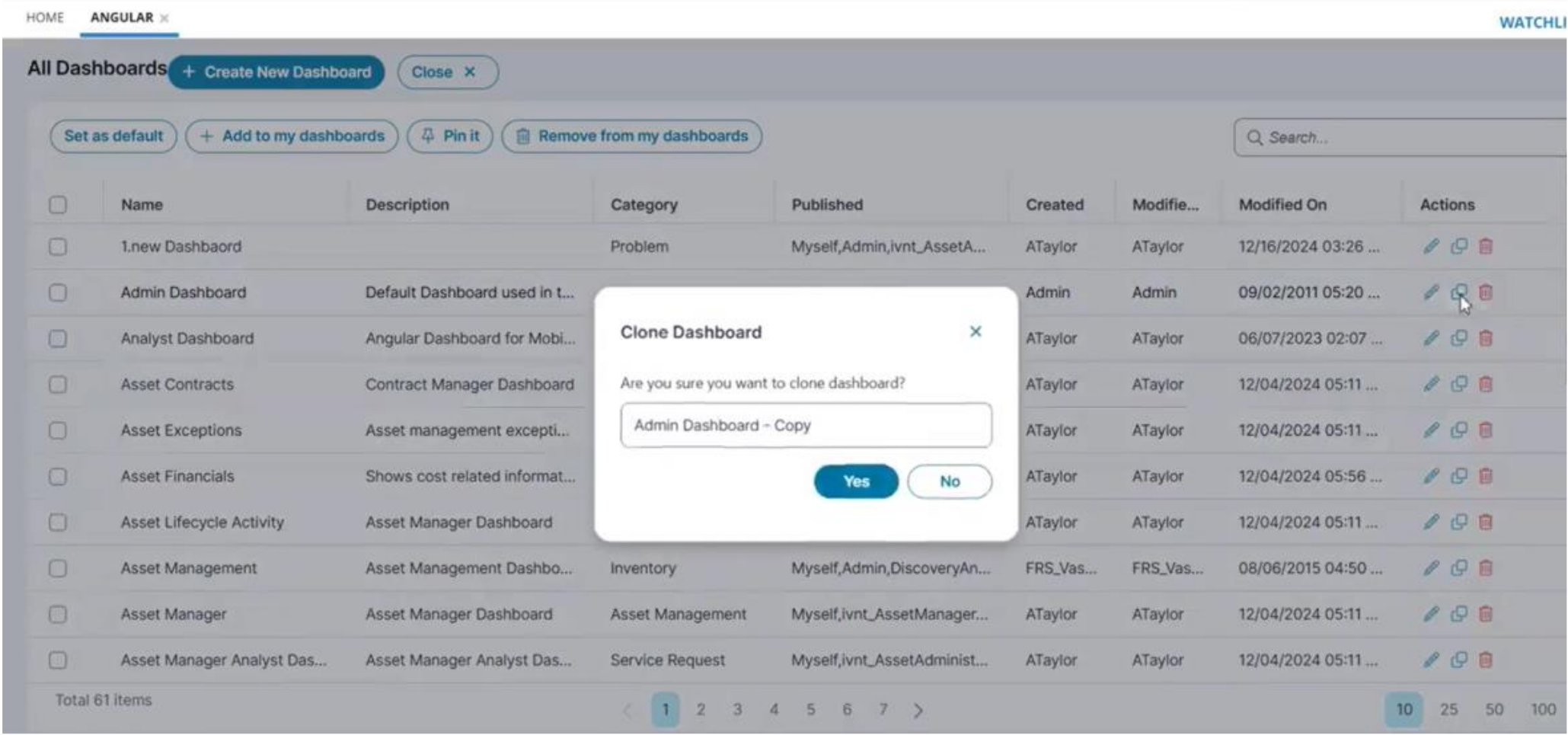
From the All Dashboards screen, you can now clone dashboards, edit, delete or create new ones. Cloned dashboards must have a unique name.
Modern Survey Enhancements
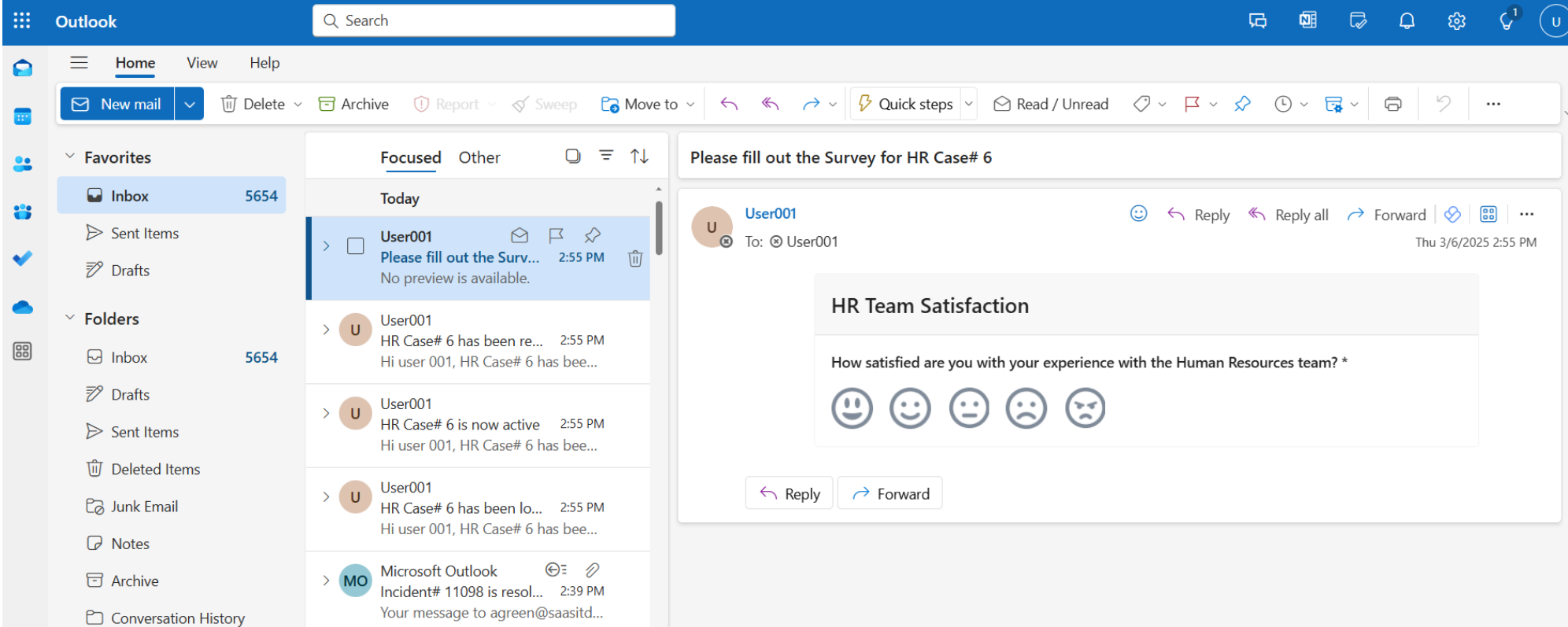
Modern Survey capabilities have been enhanced to support email-embedded surveys, enabling recipients to complete survey questions directly within the email.
•A new ‘Configure Embed Survey’ option is available in the Modern Survey menu within the Admin UI.
•Supports Outlook and Outlook on the web
•Supported for any Business Object that has Survey configured - e.g., Incident, Change, HR Case
A survey can be configured on any BO.
•Email-embedded surveys can be sent via Triggers, Workflows, and Actions.
•Supported survey types that can be embedded in an email include:
•Standard Surveys (Single-Line Text, Multi-line Text, Radio Buttons, Checkboxes), Star Rating, and Smiley Rating.
UX Updates
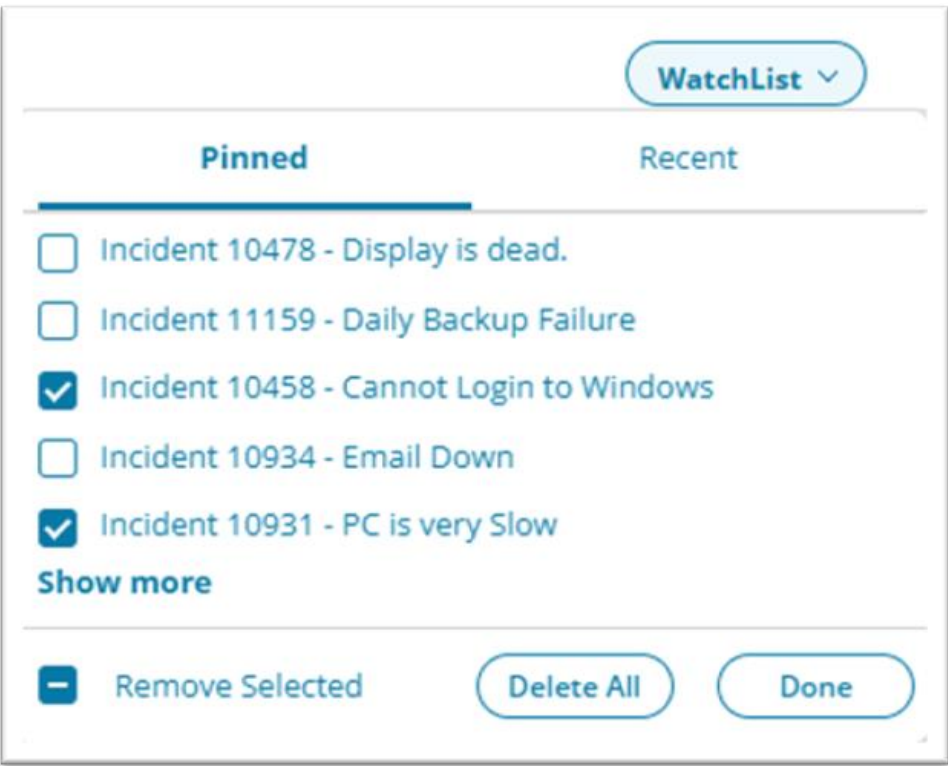
Multiple items in the Watchlist can now be deleted by selecting the checkbox next to the items and then choosing the Remove Selected Link. All items in the Watchlist can also be deleted at once by selecting the Delete All button. This capability can be enabled using Global Constant: “LoadNewWatchListFeature”.
Security updates
As part of Ivanti’s Secure by Design commitment, Neurons for ITSM will adhere to a stricter security profile by default. The following configuration settings will be implemented for new installations:
•The ability to request a forgotten password change will be disabled by default.
•To enable this feature, from the Configuration console, select Security Controls > Security and Session to open the Security and Session workspace and display a list of options. Click Allow Forgot Password Request checkbox to activate the capability.
•Roles no longer utilized in the product will not be available. The following roles will not be created by default:
•Discovery Manager
•Discovery Analyst
•License Manager
•To minimize undesirable access to Personally Identifiable Information (PII), permissions for Guest users have been significantly reduced by default. Guest users will only be able to access personal and ticket information associated with their own account.
•To broaden this access, from the Configuration console, select Configure > Users and Permissions > Roles and Permissions to open the Roles and Permissions workspace and display a list of roles.
•Open the role for which you want to edit the object permissions. The system displays the Role Details page.
•Select the Object Permissions tab.
•Modify access to the desired objects.
•For more information, visit Using Enhanced Object Permissions.
These changes will only apply by default for new installations. Existing (i.e. upgraded) installations will not be affected.
•In previous releases, users were sometimes shown a request offering in the Service Catalog that they could not open due to insufficient permissions. Request Offerings now only appear in a Self Service search if the user belongs to the organization or role for which the offering is configured.
AITSM
Additional Configuration Options in AI Configuration Hub
The AI Configuration Hub is the workspace where all the settings related to the Neurons for ITSM AI capabilities are available. To enable any capability, set the feature to Active using the Active/Inactive toggle button.
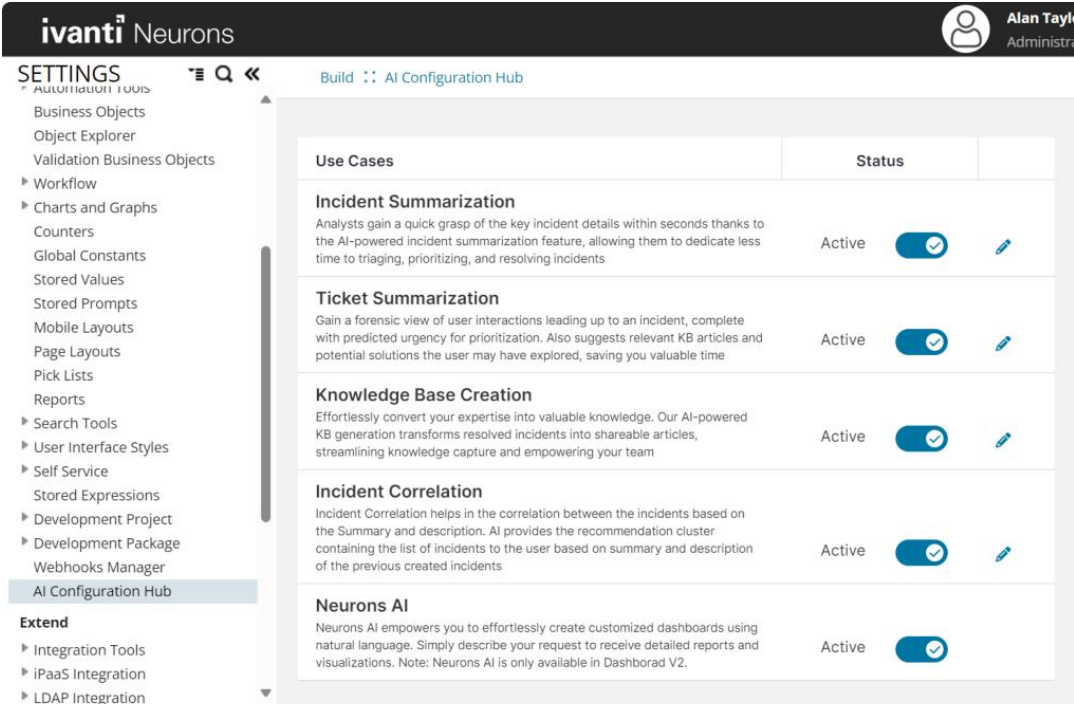
AI performance indicators are also present on the AI Configuration Hub to see how many articles are generated using AI and track performance over the past seven days, one month and over a year.

Integration
iPaaS Integration Updates
The latest release of Ivanti Neurons iPaaS introduces the "Ivanti" label in the Workato Community Library, allowing users to filter and view all pre-built recipes for Ivanti Neurons for ITSM and ITAM.
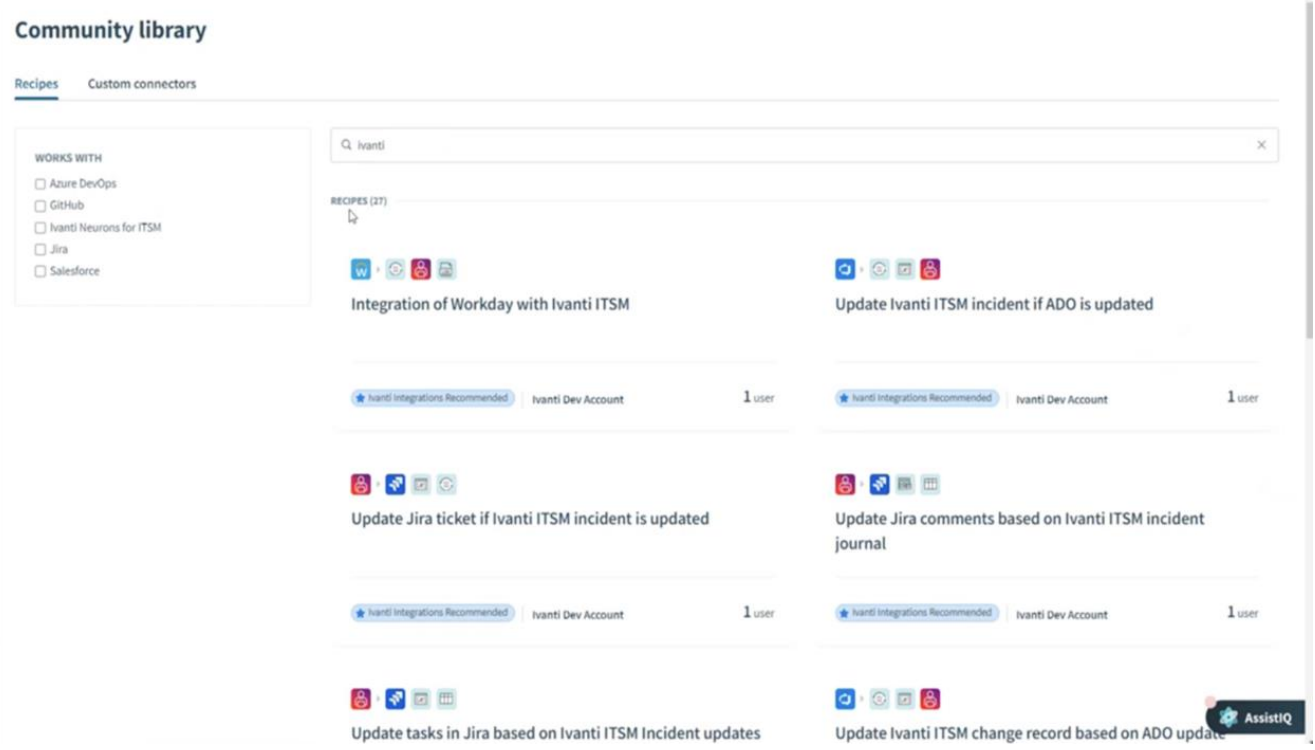
All Ivanti-related recipes, including integrations with GitHub, JIRA, Salesforce, Jenkins, and future connectors, are properly tagged under the Ivanti label for easy discovery.
Entra ID Improvements
The Native Azure AD Connector, originally released in version 24.4, has now been re-branded as the Entra ID Connector, bringing several key enhancements to ITSM practices. This update introduces support for importing Organizational Units, ensuring more efficient and structured data synchronization. Additionally, the improved import filter conditions offer greater flexibility and granularity, allowing admins to refine the data being imported with precision. The connector now also supports On-Premises Extension Attributes, expanding its compatibility and integration capabilities. Lastly, critical bug fixes have been implemented to enhance overall reliability and stability, ensuring a smoother and more robust experience.
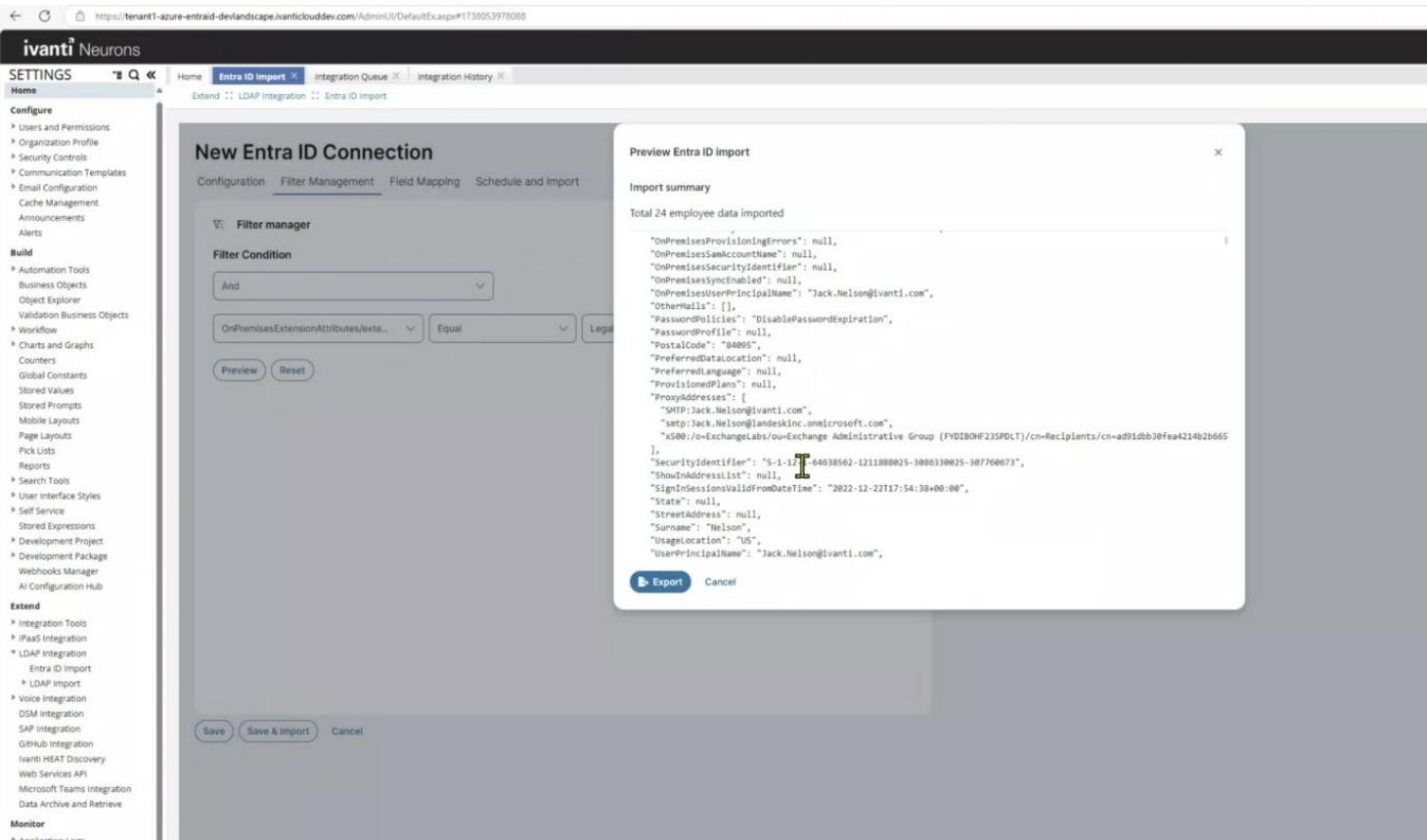
The webscript-based Azure AD Employee Connector from the Analyst page will be deprecated by 2025.3 release.
Simplified ITSM and Neurons Integration
The new capability allows Admins to integrate Ivanti ITSM and Neurons tenants without the involvement of the Ops teams. This brings several key benefits to ITSM practices as Administrators can now manage integrations directly from the Admin Console, ensuring a streamlined and user-friendly experience. The ability to test connections instantly provides immediate confirmation of connectivity, reducing delays and uncertainty. Additionally, this feature simplifies troubleshooting by allowing quick identification of common integration issues.
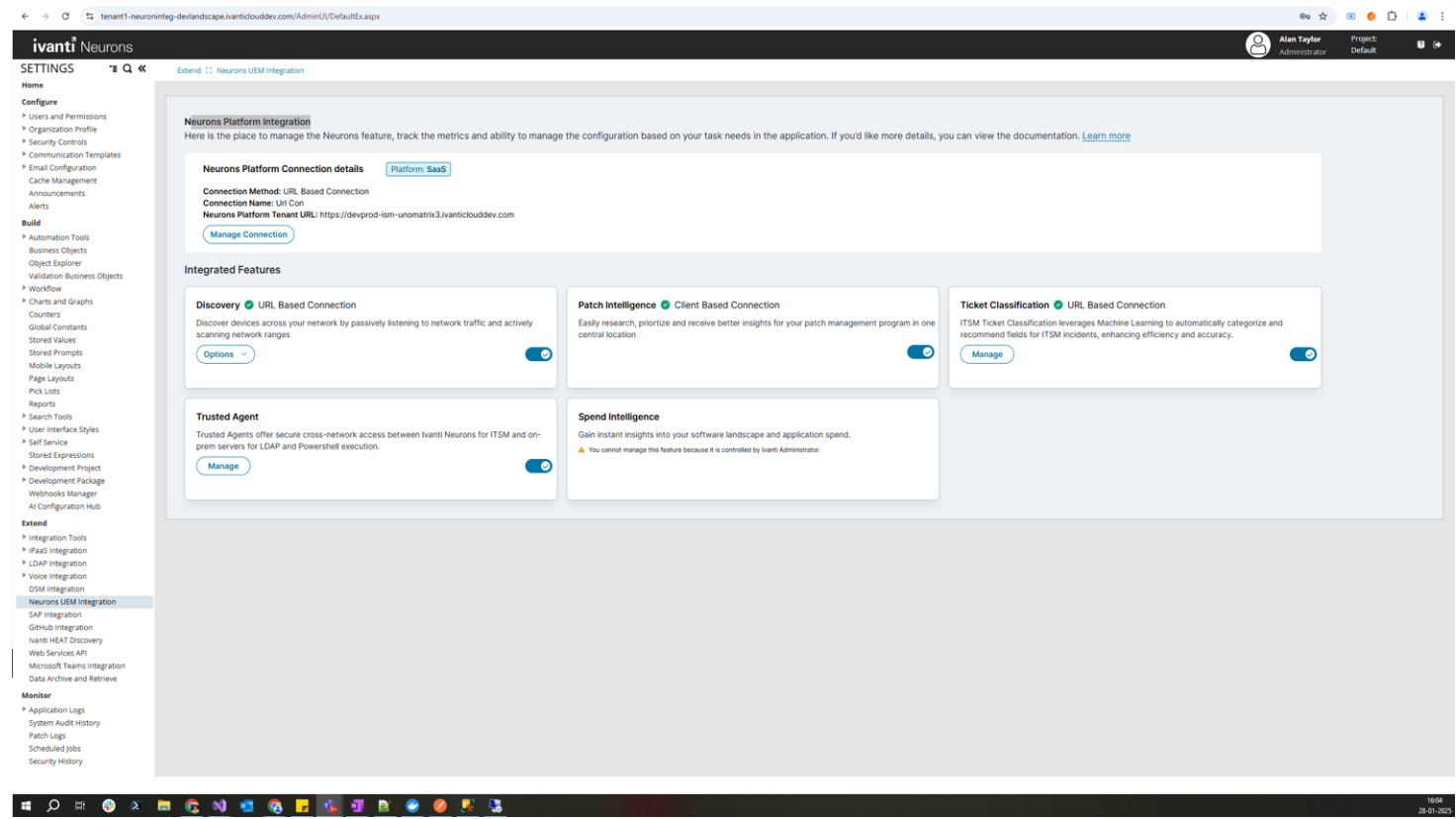
To enhance usability, all integration features are displayed as tiles, offering a clear and organized view for better navigation and management.
Live Chat
LOB Chat Routing Updates
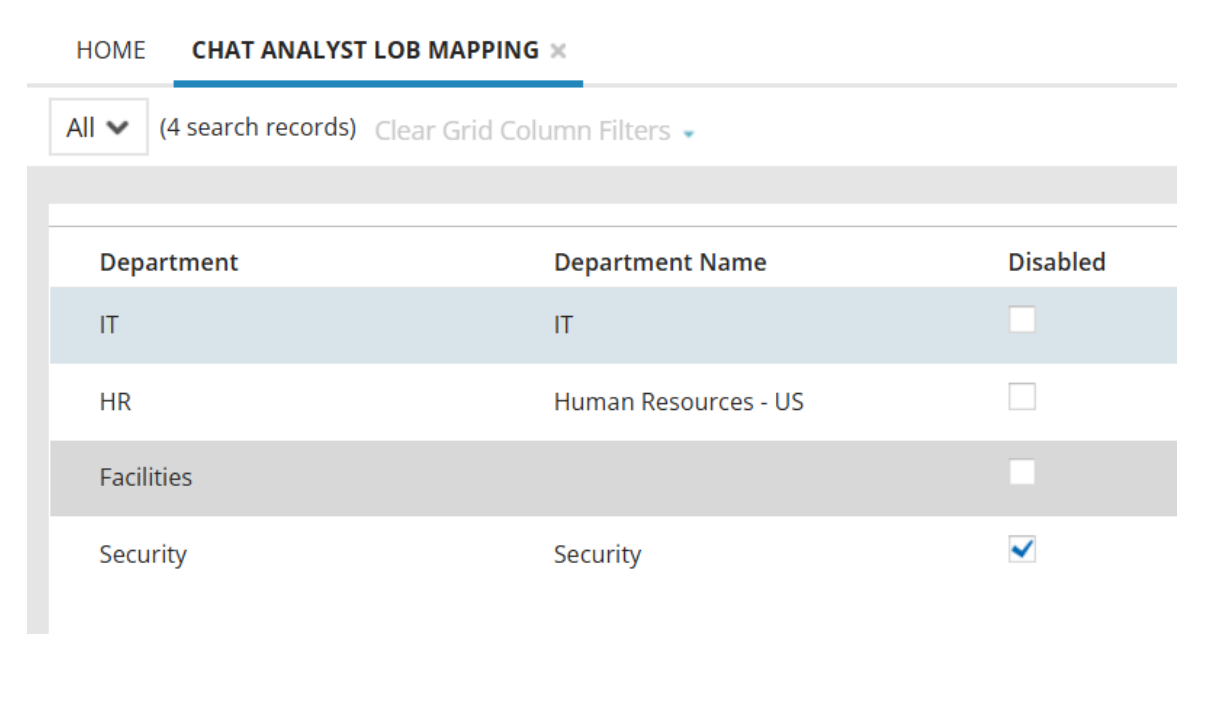
Within the existing LOB Chat Analyst Mapping workspace, users now have the ability to rename the LOB Chat Departments to better fit the terminology of the organization and align chat routes with the lines of business that may exist within the organization. The Department Name field is customizable and can be translated based on locale.
What’s New in Ivanti Neurons for Enterprise Workflow
2025.2 release of Ivanti Neurons for Enterprise Workflow Management consists of the introduction of a Facilities Portal leveraging Self Service v3 modern UI, improvements to Confidential HR Case Management, and fully localized Neurons for HR.
Neurons for HR Updates
Confidential Case Update
Improvements made to managing confidential HR Cases. Confidential participants are now managed through the Confidential HR Group. The key changes include:
•Removing a user from the ‘Confidential HR Group’ removes them from all Active HR Cases.
•Administrators no longer have default Confidential Case visibility.
Localization
•Fully localized HR workspaces for Analyst.
•Content translations for ITSM-supported languages.
•Updated translations and localization strings.
Enterprise Landing Page
Facilities Enterprise Landing Page (Self-Service v3)
With the addition of v3 Enterprise Self-Service Landing Pages Extended to Additional Roles, a new HR Employee Portal is introduced with the updated modern design. Roles can be set as Self-Service Role enabling the ability to design custom landing pages for various departments or use cases.
Facilities Portal components:
•Default Banner and Search Bar
•Button Group: Create a Work Order, Raise a Facility Request, Make a (Room) Reservation
•My Items (across IT, HR, Facilities, etc.)
•Popular Requests
•News and Announcements
•Knowledge Articles for Common Issues
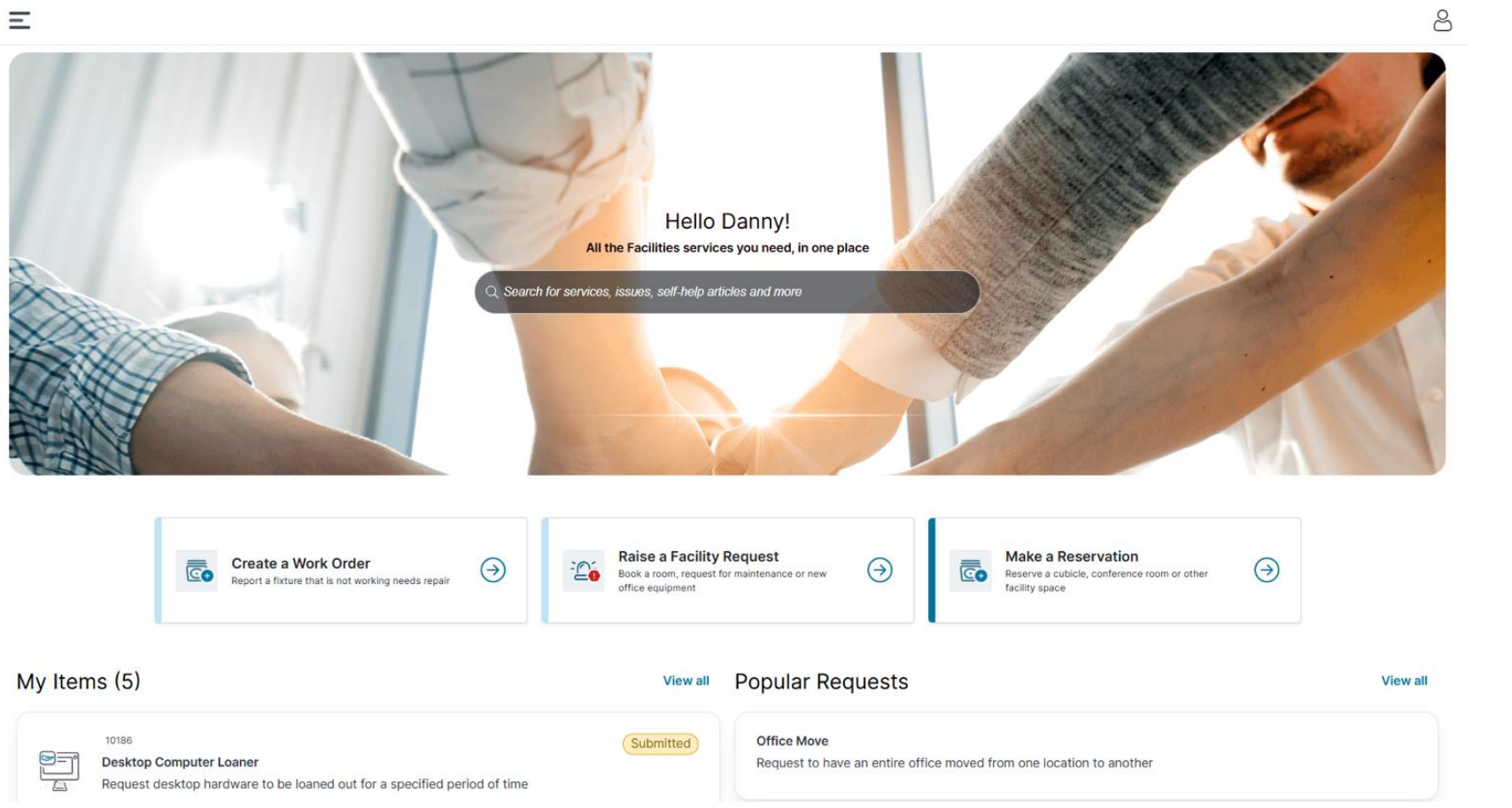
Note: Banners, Tiles, Button Groups, Sections, Color Schemes, etc. can be customized.