Report Explorer
The Report Explorer shows a report's structure in a tree form, providing easy access to report elements. Once an element has been selected in the Report Explorer, its settings can be changed using the Property Grid.
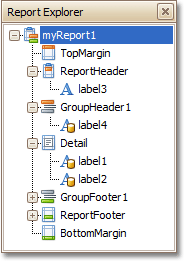
If the Report Explorer is hidden, you can enable it in the Main Menu, by selecting View | Windows | Report Explorer.