ISAC support Windows Hello for Business SSO for hybrid devices
This section covers the configuration and validation workflow for deploying Hybrid devices a with Windows devices.
Prerequisites
-
On-premises Windows Server running Active Directory Domain Services (AD DS) and DNS
-
Microsoft Entra ID (Azure AD) tenant
-
Azure AD Connect installer ready on a Windows Server
-
Network connectivity between devices and the domain controller (LAN, Wi-Fi, or VPN)
-
Domain Admin rights to set up and sync users/devices
-
Azure AD Global Admin rights to configure directory synchronization
Procedure
-
Install Active Directory Domain Services (AD DS) on Windows system. For more information, see AD DS Deployment
-
Configuration of User, role and adding ICS as app with SAML on Azure. For more information, see Creating a user on Microsoft Azure.
-
Launch and Run the Entra Connect Configuration Wizard.
-
Download Microsoft Entra Connect and install on AD.
-
Choose Custom Install and sign in with Azure AD Global Admin credentials.
-
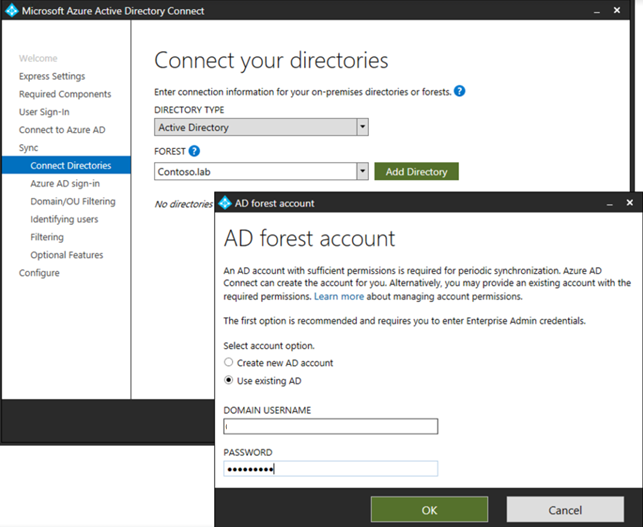
To sync the directories, in Connect Directories, enter AD credentials.
-
Configure synchronization (user filtering, OU selection, password hash sync).
-
Select the organizational unit that consists of users and devices.
-
Select the Password Hash Synchronization (recommended for hybrid SSO).
-
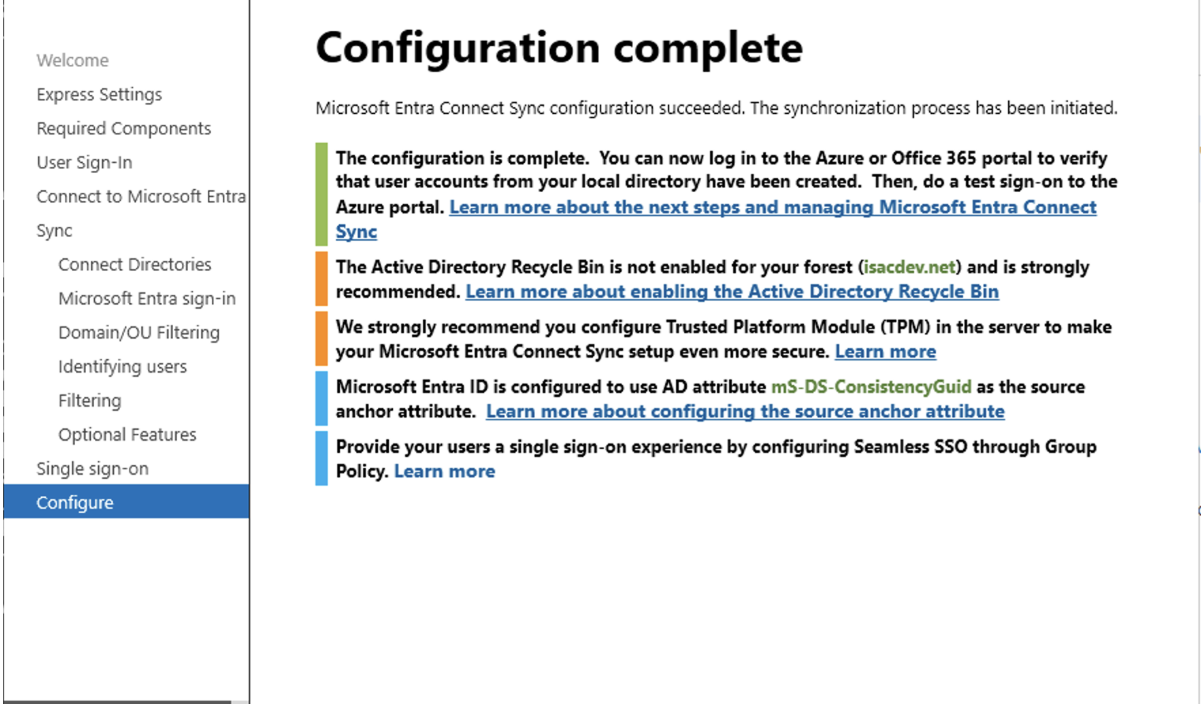
Click finish and verify the user sync
-
4. Setting Attribute on AD Server
Run the following command in powershell to enable sync, set the UserPrincipalName attribute in AD server:
Set-ADUser -Identity username -UserPrincipalName "username@<domain name>.onmicrosoft.com"5. Start a Full Sync
To initiate a complete sync, run the following command on powershell:
Start-ADSyncSyncCycle -PolicyType Initial-
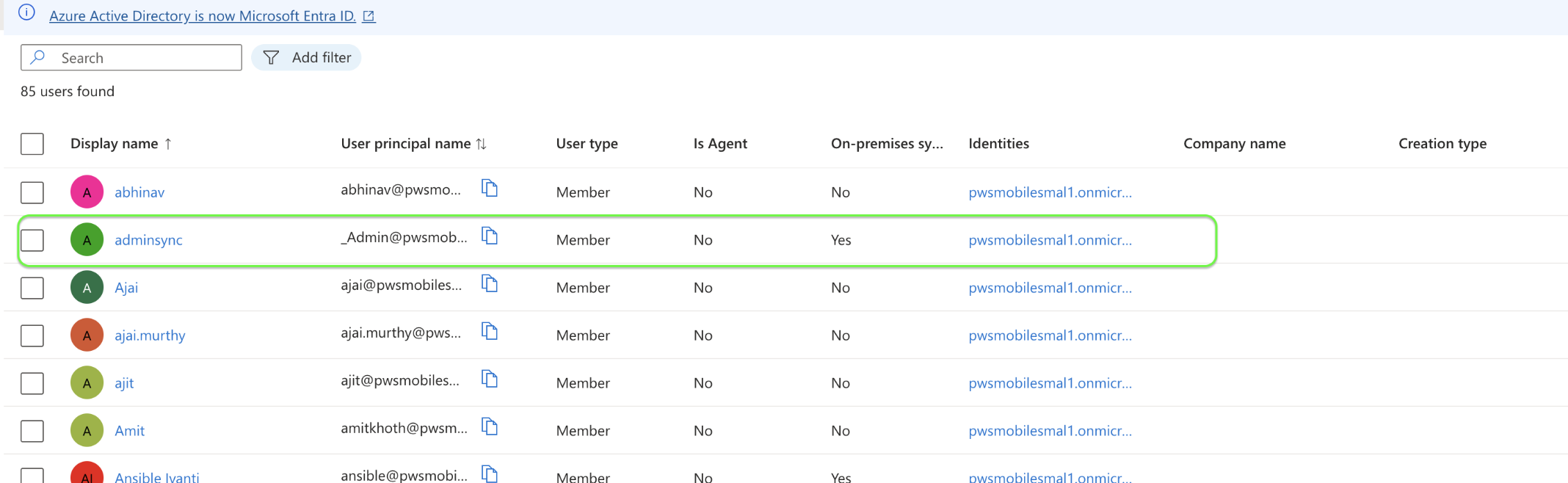
Once synced to verify users in the Entra Portal
-
Go to: https://entra.microsoft.com (or https://portal.azure.com)
-
Go to Identity > Users (or Azure Active Directory > Users)
-
Ensure the AD users appear in the list and the "Source" is Windows Server AD and on-premises sync enabled displays yes.
6. Join a computer to a domain. For more information, see Join a computer to a domain.
-
Log in with the synced AD user .
-
Hybrid join happens automatically (may take up to ~30 minutes after login).
-
To validate the device is hybrid, run the following command in powershell:
Copydsregcmd /status
Confirm: Domain joined : YES and AzureAd joined : YES.
Troubleshooting
To troubleshoot, refer Troubleshoot Microsoft Entra hybrid joined devices.