Resetting a User Password
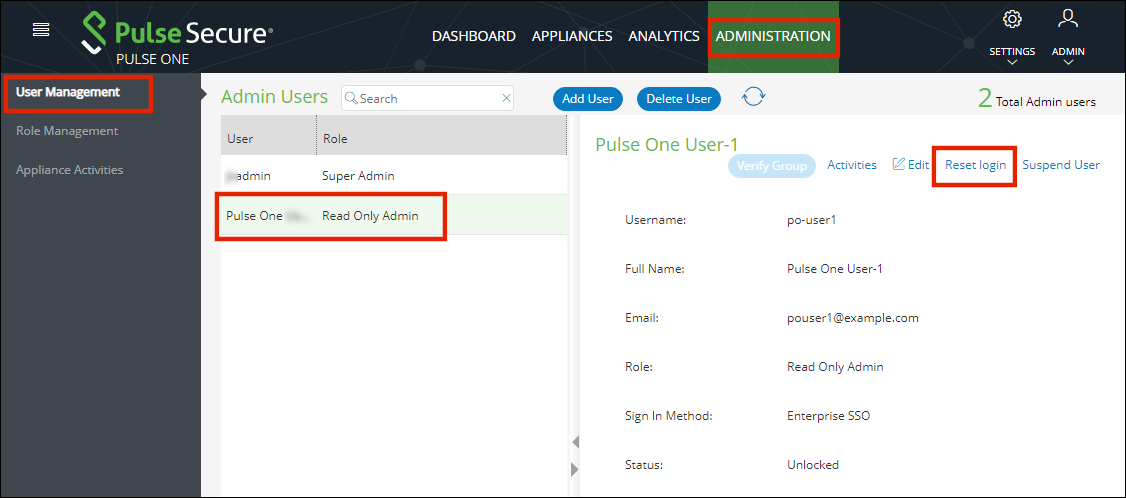
To reset a user's password:
1.Select the user from the list and click the Reset login link in the user details panel. An email that contains the Set new password link will be sent to your registered mail id.
2.Click the Set new password link in the mail.
3.In the Pulse One page that appears, provide the new password and confirm the new password. The new password will be saved in the database.
4.Then log in to Pulse One with the new password.
The Set new password link that you received in the email has an expiration time of 1 hour. Beyond this time, you will have to make a new request for setting new password.