Delete Report Elements
To delete a report element (band or control), select it in the Design Panel or Report Explorer (to select multiple elements, hold down SHIFT while selecting), and then do one of the following.
- Press DELETE.
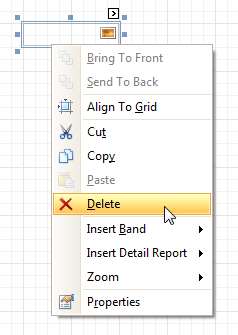
- Right-click the report element, and in the invoked Context Menu, choose Delete.
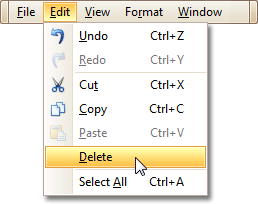
- In the Main Menu, select Edit | Delete.
You can cancel the operation by pressing CTRL+Z.
Note that certain elements cannot be deleted (such as the Detail band).